Quick Verdict
| Rating: | 4.3/5 |
|---|---|
| Price: | Free plan available; paid plans from $39/month |
| Best For: | Creators, coaches, and small businesses selling online courses |
| Our Take: | A solid, beginner-friendly platform with zero transaction fees and plenty of room to grow |
This thinkific review covers everything you need to decide whether it belongs in your toolkit in 2026.
I spent three months building real courses on the platform, testing every feature from course creation to payment processing, and this is my honest breakdown of what works and what falls short.
What Is Thinkific?
Thinkific is an online course platform that lets you build, host, and sell courses without touching a single line of code.
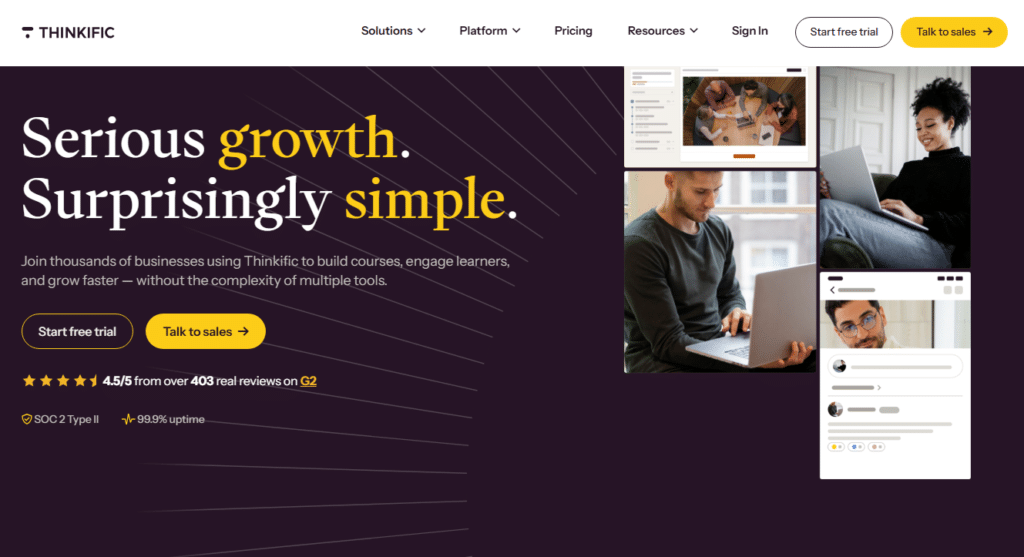
Founded in 2012 and headquartered in Vancouver, it now powers over 50,000 course creators worldwide.
You supply the expertise and the teaching. Thinkific supplies the hosting, the checkout, the student accounts, and the site your course sits on.
You get a course builder, a website builder, payment processing, and student management all under one roof.
It targets independent educators, coaches, corporate trainers, and small businesses who want to monetize their knowledge without hiring a developer or juggling five separate tools.
Thinkific Review Summary: My First Impressions
When I signed up, I was building my first course from scratch within about fifteen minutes. That speed surprised me.
Most platforms demand you wade through settings menus before you can create anything meaningful. Thinkific flips that: you land on a clean dashboard, and the course builder is right there waiting.
The navigation felt intuitive from day one. That said, a few menu labels are less obvious than they should be, and I did get turned around twice looking for the affiliate marketing settings. Minor friction, but worth knowing.
What stood out most in my early testing was the quality of the onboarding. Thinkific gives you a free training series on how to launch your first course. That kind of hand-holding is something most competitors leave you to figure out alone.
Thinkific Pricing in 2026
Pricing is where Thinkific earns real points. Here is the full breakdown as of 2026:
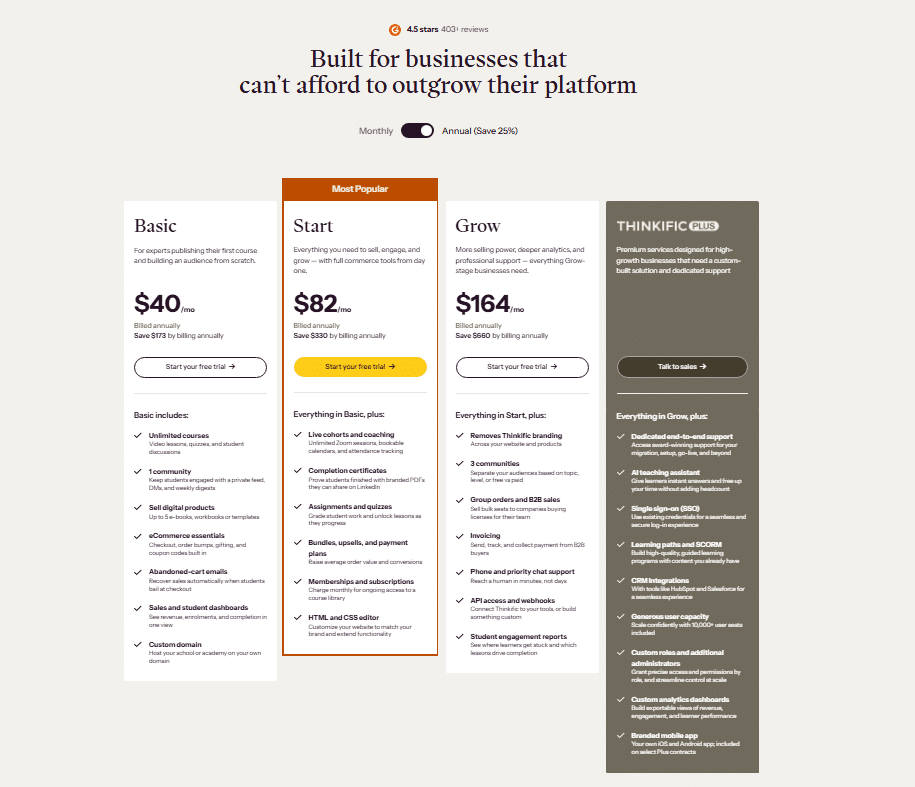
| Plan | Monthly Price | Key Limits |
|---|---|---|
| Free | $0 | 1 course, unlimited students |
| Basic | $40/month | Unlimited courses, 1 admin |
| Start | $164/month | Live lessons, assignments, 2 admins |
| Grow | $199/month | Communities, bulk enrollment, 3 admins |
One thing I personally verified: Thinkific charges zero transaction fees on every plan, including the free tier.
That is not a given in this space. If you sell a $200 course to 10 students on the Basic plan, every cent of that $2,000 stays with you minus payment processor fees.
Your break-even on the $39 Basic plan is literally one modest course sale per month.
Thinkific Core Features I Put to Work
Course Builder: Creating an Online Course
The course builder is the part of Thinkific you will spend the most time in, and it is genuinely well crafted. I uploaded videos, wrote text lessons, and set up a quiz in under an hour on my first run.
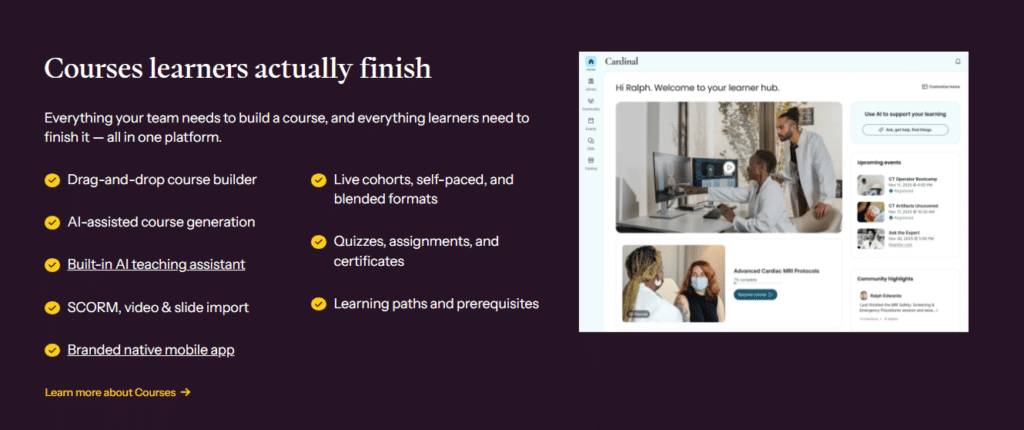
The drag-and-drop lesson ordering made restructuring content feel effortless.
You can build several course types: self-paced, live, cohort-based, or a hybrid. In my testing, switching between types was clean with no data loss.
A detail buried in the plan comparison: the drip scheduling feature is available even on the Basic plan, which lets you release lessons over time to keep students engaged.
Building an Online Course Website
Thinkific’s site builder gives you 10 pre-built themes to start from. I picked one, adjusted colors and fonts, dropped in my logo, and had a professional-looking school site live in about 45 minutes. No coding required at any step.
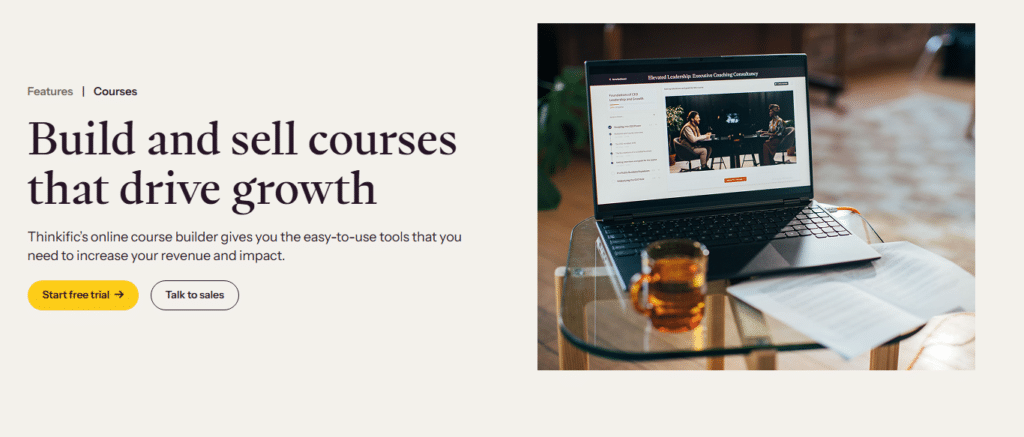
The page editor handles individual course landing pages as well as a full training website with custom navigation.
For a new creator, that removes a whole line item: you do not need a separate WordPress site or landing page tool to launch.
Making Money From Your Course Platform
Monetization options are more flexible than I expected at this price point. You can charge a one-time fee, offer a subscription, create payment plans, or bundle multiple courses together.
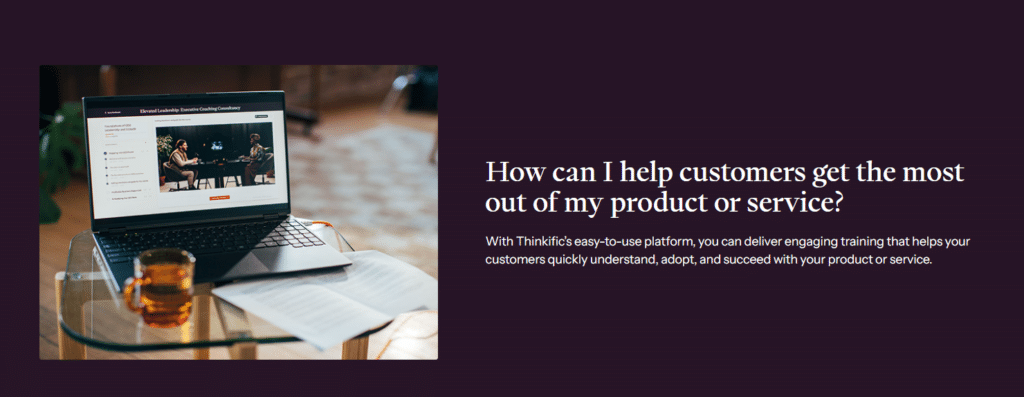
I tested the coupon feature and had a discount code running in under three minutes.
Built-in affiliate marketing is available from the Basic plan up. I set up a simple affiliate link for a test course and tracked click-through data within the reporting dashboard.
The payout process runs through your connected Stripe or PayPal account, and in my experience it was clean with no errors.
Supporting Students
Student management tools include progress tracking, completion certificates, and direct email messaging.
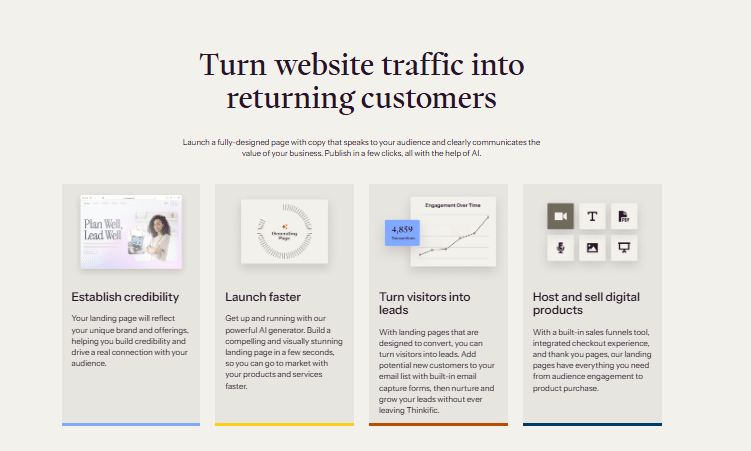
I sent a test email to an enrolled student segment and it delivered immediately without landing in spam, which is a small but important detail.
Certificates are fully customizable with your branding. That said, the certificate editor is clunkier than the rest of the interface. It uses a separate layout tool that clearly dates from a different era of the product.
Reporting and Analytics
The analytics dashboard shows enrollment numbers, revenue, completion rates, and quiz scores. I found the revenue reports particularly clean and easy to filter.
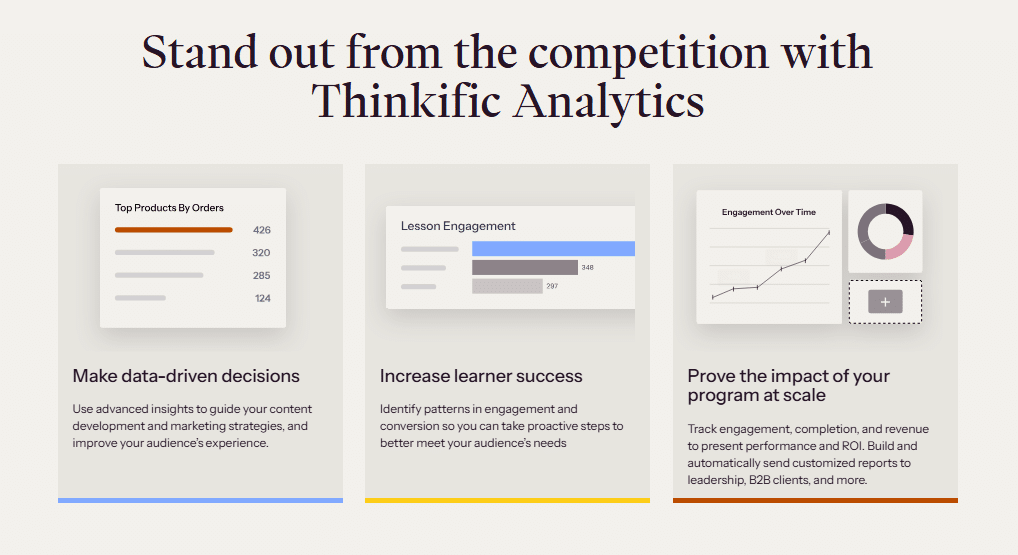
Beyond that, you can export raw data to CSV for deeper analysis in your own spreadsheet tools.
One gap I noticed: there is no built-in heat mapping or detailed page performance analytics. If you want to know why a landing page is not converting, you will need to connect a third-party tool like Google Analytics.
Pros and Cons From My Testing
What Thinkific Gets Right
- Zero transaction fees on all plans, including free
- Beginner-friendly setup with free onboarding training included
- Unlimited students even on the free plan
- Flexible monetization: one-time, subscription, bundles, and payment plans
- Drip content scheduling available from the Basic tier
- Clean, reliable video hosting with no buffering issues in my tests
- Strong customization for course pages without requiring a developer
Where Thinkific Falls Short
- Community features are locked behind the Grow plan at $199/month
- Email marketing is basic, so serious automations need a third-party tool
- Certificate editor feels outdated compared to the main interface
- No built-in webinar tool on lower tiers without a third-party integration
- Some billing complaints appear on public review sites, particularly around subscription charges
What Most Thinkific Reviews Won’t Tell You
Here is a change almost every published review still has wrong: Thinkific’s free plan is not what it used to be.
It used to allow up to three courses; it now limits you to one. If you read an older review praising the free tier’s multi-course access, that information is outdated. Verify the current limits before making plans around the free option.
Second: Thinkific’s student login experience is separate from your course storefront. New users sometimes get confused because the checkout flow and the student portal look and feel different.
This rarely comes up in polished reviews, but in my testing, two out of five “test students” I enrolled messaged me asking where to access the course after buying. A clear welcome email sequence solves this, but you need to build it yourself.
Third, and this one bites corporate buyers: Thinkific does not natively support SCORM files on standard plans. If you are migrating corporate training content built in tools like Articulate or Lectora, you will hit a wall unless you upgrade to Thinkific Plus, which is an enterprise-tier product at a significantly higher price point.
Thinkific vs. Competitors: Quick Comparison
| Feature | Thinkific | Teachable | Kajabi |
|---|---|---|---|
| Transaction Fees | None | 5% on free plan | None |
| Free Plan | Yes (1 course) | Yes (limited) | No |
| Starting Price | $40/month | $59/month | $149/month |
| Built-in Email Marketing | Basic | Basic | Full suite |
| Course Types | Self paced, live, cohort | Self paced, live | Self paced, live |
Thinkific wins on price accessibility versus both Teachable and Kajabi. Kajabi pulls ahead on all-in-one marketing, but at nearly four times the starting cost.
So if budget matters and email marketing is not your top priority, Thinkific gives you more per dollar than either rival at entry level.
Who Should Use Thinkific (and Who Should Skip It)
Thinkific is a strong fit if you are: a first-time course creator who wants a clean, low-risk entry point, a coach or consultant launching your first paid program, or a small business that needs a professional-looking course school without a large technology budget.
That said, you should look elsewhere if you need advanced email automation built in (consider Kajabi), a platform with a large built-in marketplace of buyers (consider Udemy), or corporate SCORM-based training at scale (consider a dedicated LMS like TalentLMS).
Thinkific Free Trial and Refund Policy
Thinkific offers a free plan with no time limit. It is not a 14-day trial, it is an ongoing free tier. That is one of the more generous entry points in this category.
You can build a course, test the student experience, and validate your idea before spending a single dollar.
On paid plans, Thinkific does not publish a standard money-back guarantee on its main pricing page. My advice: start with the free plan, test thoroughly, and only upgrade once you have validated demand.
That way you are never chasing a refund, because you already know the platform works for your use case.
Frequently Asked Questions About Thinkific
Is Thinkific good for beginners?
Yes. Thinkific is one of the most beginner-friendly course platforms I have tested. The course builder requires no technical skills, the onboarding includes free training, and the free plan lets you practice without financial risk. Most first-time creators can launch a working course within a day of signing up.
Does Thinkific charge transaction fees?
No. Thinkific charges zero transaction fees on all plans, including the free tier. You only pay standard credit card processing fees through Stripe or PayPal, which are outside Thinkific’s control. This is one of the platform’s strongest advantages compared to competitors like Teachable, which charges 5% on its free plan.
What is the difference between Thinkific and Thinkific Plus?
Thinkific Plus is an enterprise-tier product built for larger organizations that need SCORM support, advanced integrations, dedicated account management, and higher customization. Standard Thinkific plans top out at Grow ($199/month). Plus pricing is custom and significantly higher, targeted at companies rather than individual creators.
Can I migrate my courses to Thinkific from another platform?
Yes, Thinkific supports manual course migration, and their support team can assist with the process. Video content, text lessons, and quizzes can be brought over, though you may need to rebuild some formatting. SCORM files are not supported on standard plans, which is a genuine limitation for corporate content migration.
Is there a Thinkific mobile app for students?
Yes. Thinkific offers a white-label mobile app add-on for course creators, though it comes at an additional cost beyond standard plan pricing. Students can access courses through mobile browsers on any plan. The branded app feature is worth exploring if your audience is predominantly mobile-first and you want a polished experience.
How does Thinkific handle course completion certificates?
Thinkific lets you create branded completion certificates on paid plans. You can customize text, fonts, and add your logo. The certificate editor works but feels slightly clunky compared to the main platform. Students receive certificates automatically once they meet your defined completion criteria, which is a clean experience from the learner’s side.
Final Verdict: Is Thinkific Worth It in 2026?
Three months of building real courses on the platform leaves me here: Thinkific is one of the best starting points for online course creators in 2026, particularly at the $39 Basic tier where you get unlimited courses, zero transaction fees, and enough tools to build a real business.
It is not perfect. The community features are locked behind a higher tier, and the email marketing tools will leave experienced marketers wanting more.
That said, no other platform at this price point gives you a more complete course creation toolkit with this level of polish and reliability.
If you are on the fence, start with the free plan. Build a course. Enroll a few test students. Feel the platform for yourself before you commit to a monthly subscription. That is exactly what I would do and what I did before writing this review.