| Rating: | 4.5/5 |
| Starting Price: | Free plan available; paid plans from $29/month |
| Best For: | Solo creators, coaches, and educators who want to launch fast |
| Our Take: | Teachable is one of the cleanest platforms for getting a course live quickly. The setup is genuinely beginner friendly, the payment tools are solid, and the AI course builder saves real time. The mobile app and limited design flexibility are its two visible cracks. |
If you’re searching for a credible teachable review that doesn’t just regurgitate the sales page, you’re in the right place.
I spent several weeks inside Teachable, building courses, running test checkouts, and poking at every feature I could find: and I’m sharing exactly what I found, including the rough edges Teachable’s own marketing pages leave out.
What Is Teachable?
Teachable is an online course platform that lets creators build, host, and sell digital courses, coaching programs, and memberships.
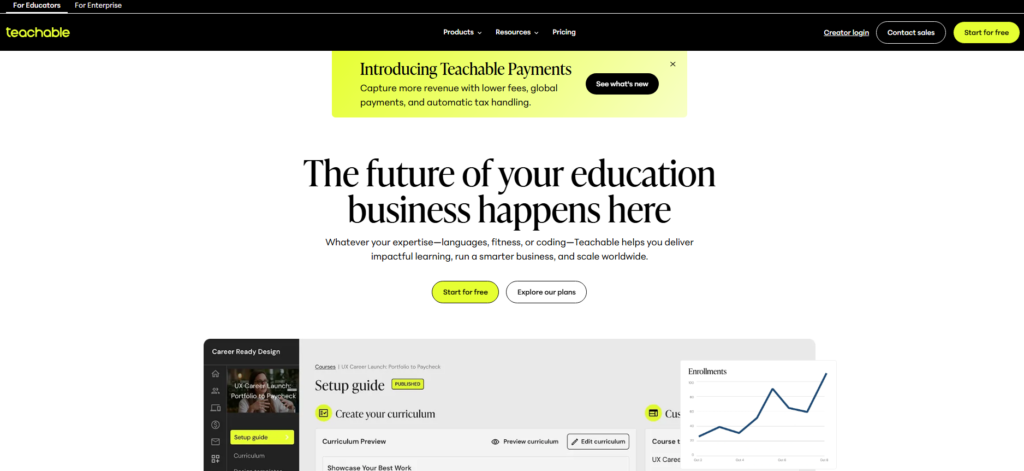
Teachable supplies the hosting, the video player, the checkout, and the student accounts. You supply the teaching. That division of labour is the whole pitch, and it is why the platform appeals to creators who have no interest in running a website.
Over 150,000 active customers use the platform worldwide, and more than 100 million learners across 180 countries have taken Teachable courses. That scale alone tells you the infrastructure is battle-tested.
Beyond courses, you can sell coaching sessions, digital downloads, and community memberships. It handles payments, student management, and even basic marketing, all from one dashboard.
How Easy Is It to Create Your Online Course?
This is where Teachable genuinely earns its reputation. When I first logged in, I had a working course skeleton built in under 20 minutes.
The curriculum builder is drag-and-drop, so you reorder sections and lessons by dragging them into position. No nested menus, no save-and-reload cycle after every small change.
The AI course builder is a standout feature I didn’t expect to love. You type a prompt describing your course topic, and Teachable generates a full curriculum outline, including lesson titles and section structure.
I tested it with a “beginner photography” prompt and got a surprisingly detailed 8-module outline in seconds.
Uploading video, PDF, audio, and text content is straightforward. Video processing was fast in my tests, and the content editor is clean without unnecessary clutter.
That said, the page design options are limited compared to platforms like Kajabi. You won’t be building anything custom or visually elaborate here.
Student Experience on Teachable
I created a test student account and went through a course from the learner’s side. The course player is distraction-free, which I appreciated.
Navigation between lessons is simple, and progress tracking works reliably on desktop.
That said, the mobile app experience is a different story. Several student reviews I came across mentioned audio glitches and offline mode failures, and in my own testing, the app felt noticeably slower than the desktop version.
For creators whose students learn primarily on mobile, this is a real limitation worth knowing before you commit.
Student progress tracking from the creator side is clear and usable. You can see completion rates and quiz scores, which helps you spot where students are dropping off in your content.
Teachable Pricing in 2026
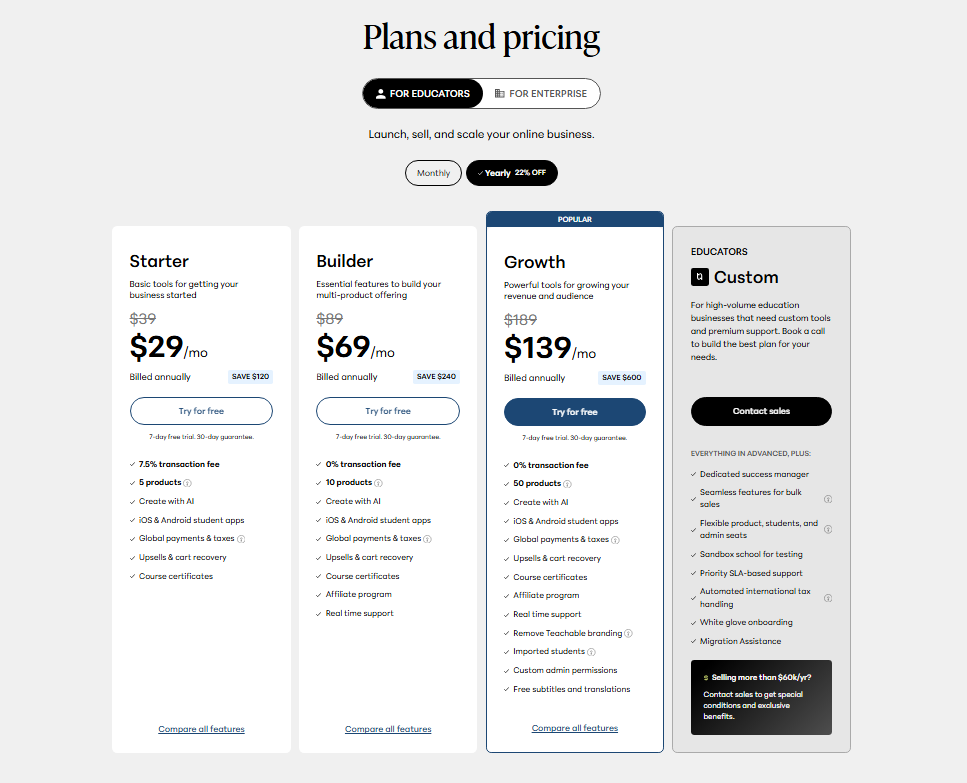
Teachable’s pricing structure has a few layers. Here’s what you’re working with:
| Plan | Monthly Price | Key Limit |
|---|---|---|
| Free | $0 | Limited products, transaction fees apply |
| Starter | $29/month | 5 courses, basic features |
| Builder | $69/month | 5 courses, advanced features |
| Pro+/Business | Custom pricing | Scales with student volume |
One pricing detail that catches people out: if you’re selling more than $10,000 per year, Teachable’s active and imported student caps may apply to your account.
The Business plan moves to a per-user monthly model: $2 per user monthly on one tier, $1 per user monthly on another.
At enterprise scale, this can mean $6,000 to $12,000 annually. For high-volume sellers, that math adds up fast.
For most solo creators just starting out, the Starter plan at $29/month is a reasonable entry point. You break even with a single course sale most weeks.
Teachable Page Builder and Dashboard
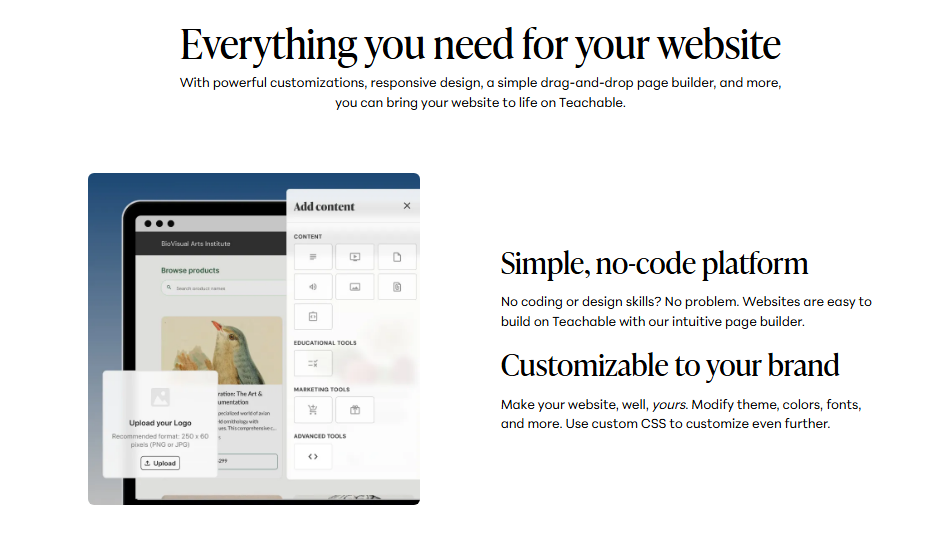
The page builder is functional but not flexible. You get pre-built templates for sales pages and checkout pages, and editing is point-and-click.
For most creators who just need a clean, professional-looking sales page without hiring a designer, it does the job well.
The dashboard, on the other hand, felt sluggish during my testing sessions. Page loads took longer than I expected, especially in the course editor.
It’s not a dealbreaker, but if you’re used to snappy SaaS tools, you’ll notice it.
The analytics section covers sales data and student progress clearly. I could see revenue by product, student enrollment counts, and completion rates from one view.
Nothing overly complex, which actually makes it easier to act on what you’re seeing.
Marketing Tools and Payments
Teachable handles the payment infrastructure well. It supports multiple currencies, processes payments through Stripe and PayPal, and sends automated receipts without any setup required on your end.
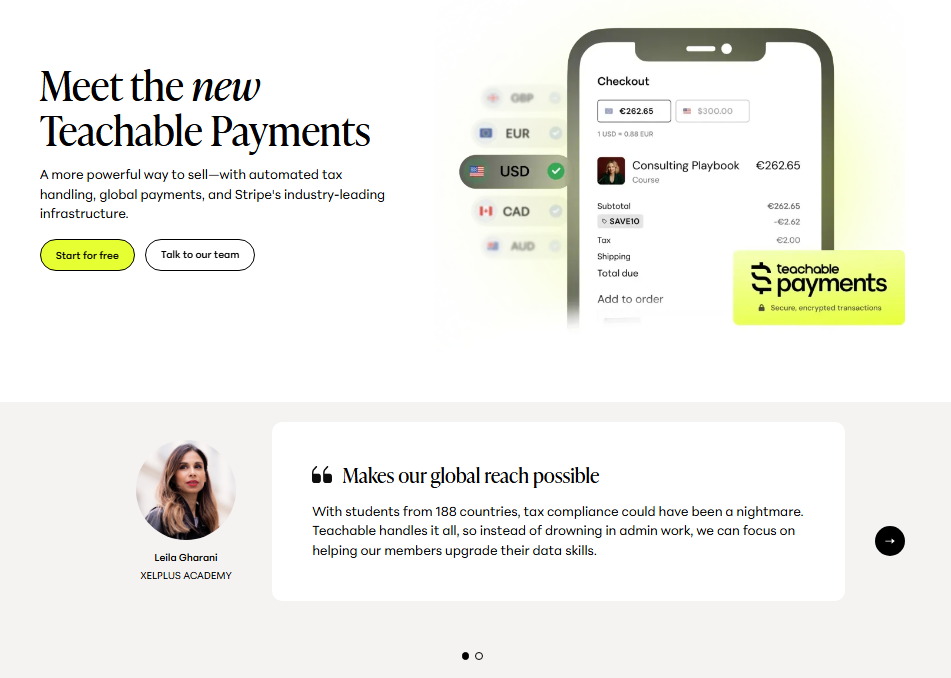
Setting up coupon codes, order bumps, and upsells took me about five minutes each.
The affiliate marketing feature is available on higher-tier plans and lets you recruit other people to promote your courses for a commission.
It’s not a full affiliate platform, but it covers the basics without needing a third-party tool.
Email functionality is limited. Teachable sends transactional emails such as enrollment confirmations and payment receipts, but for real email marketing campaigns you’ll need to connect an external tool like ConvertKit or Mailchimp via integration.
Teachable Support
Support quality varies by plan. On the free and Starter tiers, you’re mostly relying on the help center documentation and community forums. Live chat and priority support are reserved for higher plans.
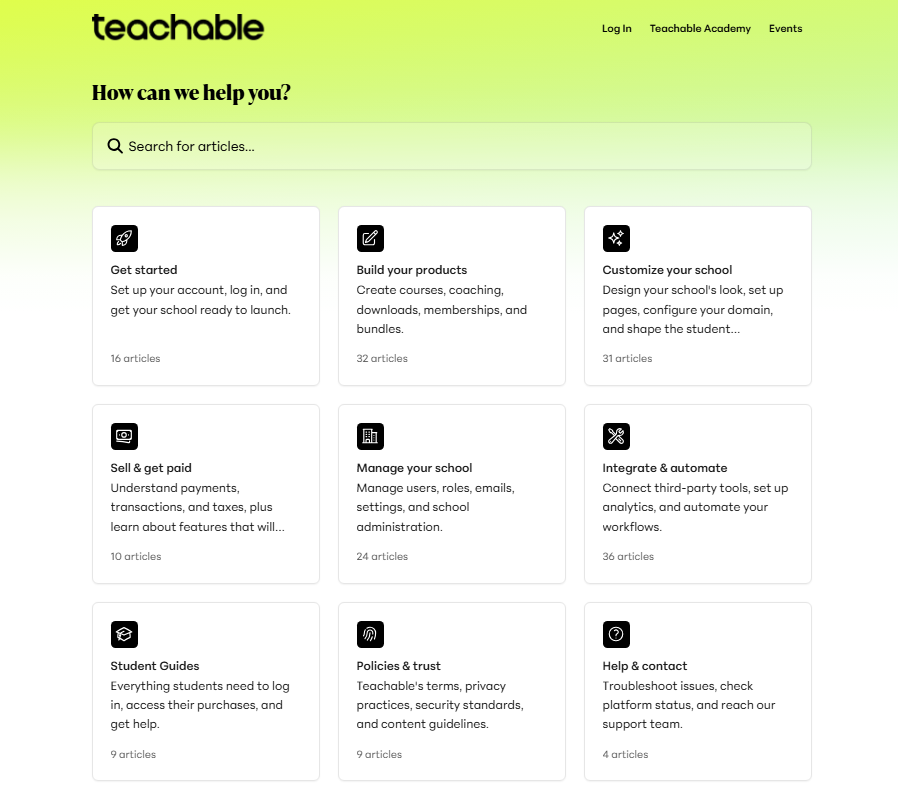
In my experience, the help center articles are detailed and cover most common setup questions.
That said, I’ve seen enough user feedback across Reddit and review platforms to know that response times on tickets can be slow during busy periods.
If you run into a payment issue mid-launch, that delay could be genuinely painful.
Teachable Pros and Cons
Pros
- Fast setup: A working course can be live in under an hour, even for non-technical creators
- AI course builder: Generates curriculum outlines from simple text prompts, which cuts the blank-page stage down to minutes
- Clean student experience: The course player is distraction-free and easy to navigate on desktop
- Payment tools: Coupons, upsells, order bumps, and multi-currency support are all built in
- Affordable entry point: The $29/month Starter plan covers the basics well for new creators
- Proven scale: Over 100 million learners have used Teachable courses across 180 countries
- Security: SOC 2 Type II accreditation means your data and student data are handled seriously
Cons
- Mobile app quality: The student app has reported audio issues and unreliable offline mode
- Limited design control: The page builder doesn’t allow deep customization
- Dashboard speed: Noticeable loading lag in the course editor during heavy use
- Restricted email marketing: No built-in broadcast email, so you need an external tool
- Support gaps: Lower-tier plans get limited live support, which matters during technical issues
- Enterprise pricing: Per-user billing at scale can make costs jump significantly
What Most Teachable Reviews Won’t Tell You
Here’s the point most Teachable write-ups skip: the simplicity is a deliberate strategy, not a missing roadmap. Rival platforms keep bolting on features until the dashboard is crowded with controls most creators never open.
Teachable resists that. You get a faster learning curve and less time maintaining your school, but you also hit a real ceiling the moment you want advanced automation or deep design control.
Beyond that, the platform was acquired by HotMart, a major Latin American creator economy company.
This hasn’t visibly disrupted the product for most users, but it does explain some of the slower feature development in recent years.
If you’re betting your business on a platform for the long term, you should know who owns it and what they choose to fund.
One more thing: Teachable scores a 4.5 out of 5 rating across reviews, with over 90% positive feedback.
That’s a solid signal, but the negative reviews cluster around two specific pain points: the mobile app and support responsiveness. Both are consistent enough to be real patterns, not outliers.
Who Should Use Teachable (and Who Should Skip It)
Recommended If:
- You want to launch your first course without a technical learning curve
- Your students primarily learn on desktop or laptop
- You need solid payment processing and basic marketing tools in one place
- You’re on a tight budget and the $29/month entry point fits your current stage
Not Recommended If:
- Your audience is mobile-first and expects a polished app experience
- You need advanced email marketing built directly into your course platform
- You want deep design control over your sales pages and course environment
- You’re scaling beyond $10,000 per year and want predictable flat-rate pricing
Teachable Free Trial and Refund Policy
Teachable offers a free plan that lets you build and publish courses without paying anything upfront.
Transaction fees apply on free plan sales, but it’s a genuine way to test the platform before committing to a paid tier.
For paid plans, Teachable offers a 30-day money-back guarantee.
In practice, I’d recommend using the free plan for at least a week to build one real course and run through the student experience before upgrading. That’s the best way to know if the platform fits your workflow.
Frequently Asked Questions About Teachable
Is Teachable legitimate and trustworthy?
Yes, Teachable is a well-established and legitimate platform. It has over 150,000 active customers and has served more than 100 million learners worldwide. It holds SOC 2 Type II accreditation, which confirms serious data security standards. It’s one of the most recognized names in the online course space.
How much does Teachable cost per month in 2026?
Teachable starts with a free plan, then moves to $29/month for the Starter plan and $69/month for the Builder plan. Higher tier plans use custom pricing that scales per user. If you sell over $10,000 per year, check how the active student caps affect your specific situation before choosing a plan.
Does Teachable have a mobile app for students?
Yes, Teachable has a mobile app for students. That said, it has notable quality issues: multiple users report audio glitches and offline mode problems. If your audience learns primarily on mobile devices, this is an important limitation to evaluate before committing to the platform long term.
What can you sell on Teachable besides courses?
Beyond video courses, Teachable supports coaching programs, digital downloads, memberships, and bundled products. You can combine multiple products into one offer or sell them individually. The platform handles checkout, delivery, and student access automatically for each product type without needing third-party tools for the basics.
How does Teachable compare to Thinkific?
Both platforms serve similar audiences, but Thinkific generally offers more design flexibility and a more modern interface. Teachable is faster to set up and has better built-in payment tools. The right choice depends on your priorities: speed and simplicity favor Teachable, while customization and scalability favor Thinkific.
Can beginners use Teachable without technical skills?
Absolutely. Teachable is built specifically for non-technical creators. The AI course builder, drag-and-drop curriculum editor, and pre-built sales page templates mean you can have a course live without writing a single line of code. Most users report getting their first course published within their first few hours on the platform.
Final Verdict: Is Teachable Worth It in 2026?
After several weeks of building courses, running test checkouts, and reading through user feedback, my take on this teachable review is straightforward: Teachable is a genuinely solid platform for creators who value speed and simplicity over deep customization.
The setup is fast, the payment tools are reliable, and the AI course builder saves meaningful time.
It’s not perfect. The mobile app needs work, the dashboard can feel sluggish, and you’ll need external tools for serious email marketing. At enterprise scale, the per user pricing deserves a careful look before you sign up.
That said, for a creator who wants to go from idea to published course without getting lost in technical complexity, Teachable is one of the easiest platforms to work in.
The course and the marketing are still yours to get right. Teachable just keeps the hosting, checkout, and student admin out of your way while you do it.