| Rating: | 3.9/5 |
| Starting Price: | $500/year (billed annually) |
| Best For: | Beginner creators selling digital products and simple courses |
| Our Take: | A clean, beginner-friendly platform that covers the basics well, but hits a ceiling fast for serious course creators. |
This Podia review comes out of three months of running a live storefront on the platform, building products, sending emails, and pushing test purchases through checkout. Here is the picture most sites skim over.
Podia markets itself as the all-in-one platform for creators: sell courses, build communities, send emails, run webinars.
That pitch is appealing. The question is whether reality matches the brochure. Spoiler: sometimes yes, sometimes no.
What Is Podia?
Podia is a digital storefront and course platform built for independent creators. You can sell online courses, digital downloads, coaching sessions, memberships, and webinars: all from one dashboard.
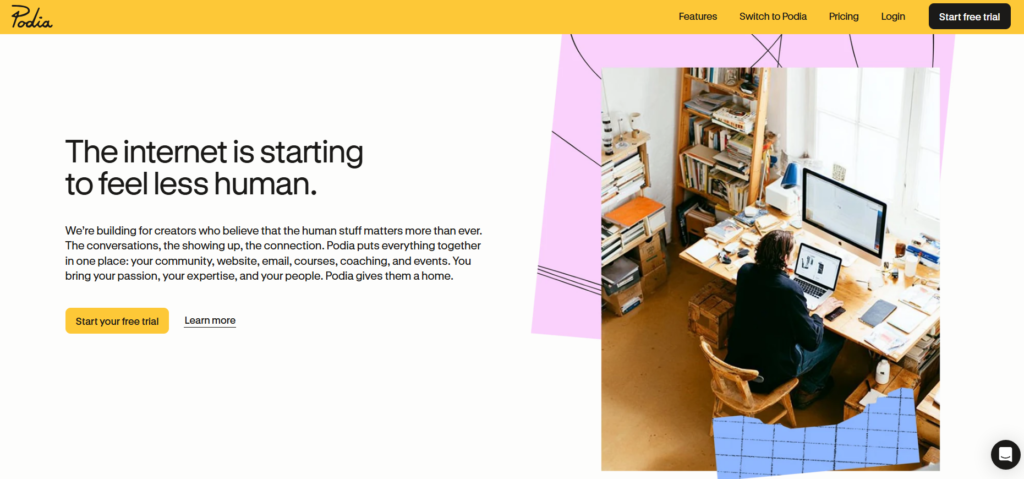
The trade you are making is control for convenience: every tool sits in one account, but the storefront, the list, and the checkout all live on infrastructure you do not own.
It launched over a decade ago and has since attracted a meaningful base of creators who want simplicity over sophistication.
No coding required. No piecing together five different tools. For someone just starting out, that promise is genuinely attractive.
Podia Pricing in 2026
Podia offers three annual billing tiers. Here is what I found when I checked the official pricing page directly:
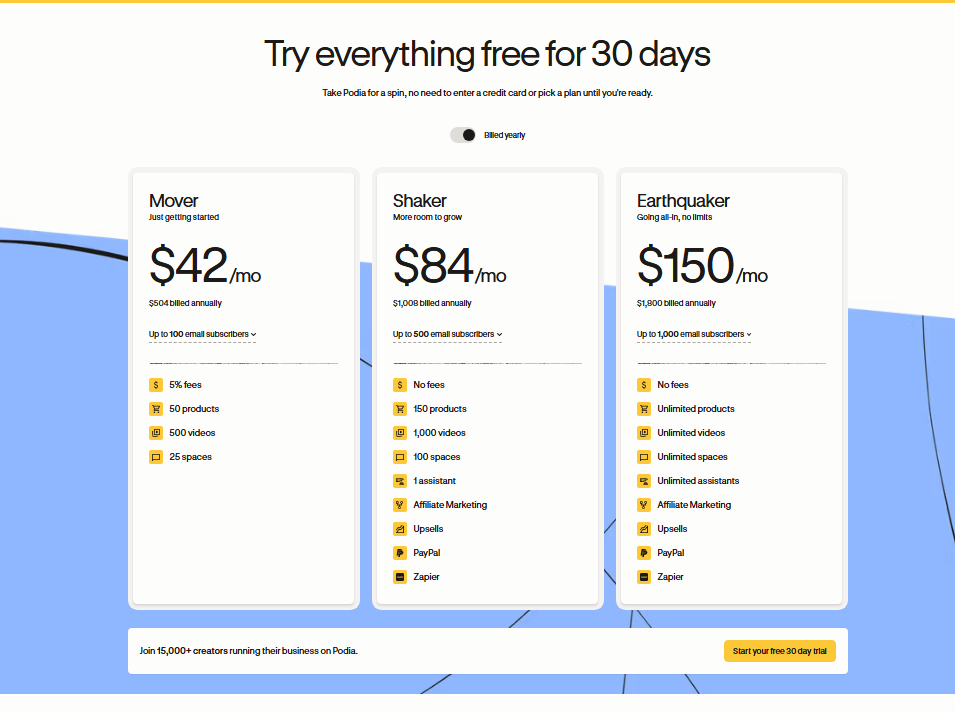
| Plan | Annual Price | Best For |
|---|---|---|
| Starter | $504/year | Solo creators just launching |
| Mover | $1,008/year | Growing creators with email needs |
| Shaker | $1,800/year | Established creators needing full features |
The math matters here. The Starter plan is roughly $41.67 per month when you break it down. That is competitive for an all-in-one tool.
What the headline price hides is that lower-tier plans carry transaction fees on every sale. Once your monthly revenue climbs past a certain threshold, upgrading tiers actually saves you money, because the fees cost more than the price difference between plans.
I ran the numbers myself: if you are selling consistently, the Mover plan at $1,000/year pays for itself quickly by eliminating those per-sale fees.
Interface and User Experience
The interface was the first thing I noticed when I logged in. Clean, minimal, fast. There is no wall of settings demanding attention before you can do anything. Navigation sits in a left sidebar, and every major feature is one-click away.

In my testing, I set up a sample course from scratch in under two hours. That includes uploading videos, writing descriptions, and configuring a payment page.
For comparison, I have spent full days doing the same on platforms with steeper learning curves.
What I liked most is that the platform does not overwhelm you with options up front. You grow into the features rather than drowning in them on day one.
That said, the minimalist design becomes a limitation once you want more control over layout or branding.
Online Courses
Content Structuring
Podia organizes courses into sections and lessons. The drag-and-drop builder works reliably. I did not run into a single glitch during my testing. You can mix video, text, audio, and downloadable files within a single lesson.
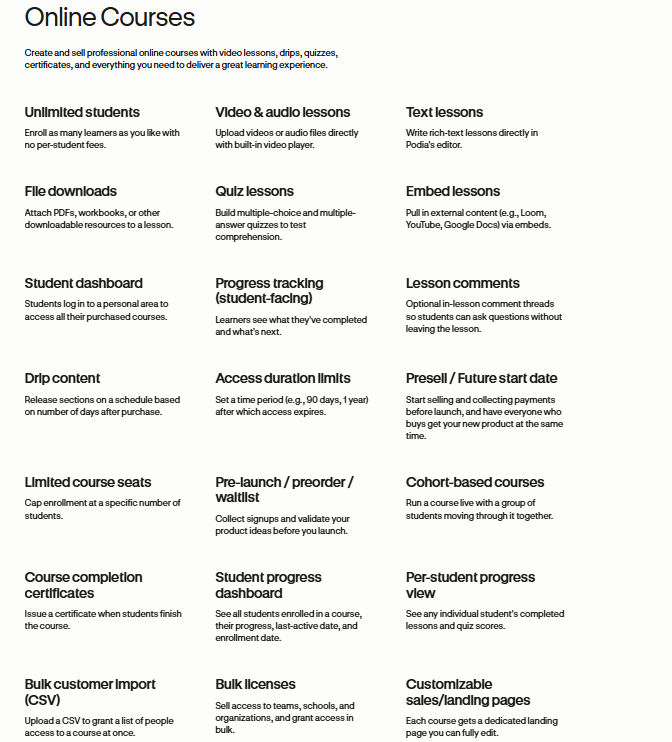
The structure feels logical for straightforward “watch and learn” courses. That is by design: Podia was built for simplicity, not for complex curriculum design. If your course is a linear series of video lessons, it fits perfectly.
Quizzes and Assessments
Here is where I hit the first real ceiling. Podia does not offer native quizzes or graded assignments on any plan.
If learner assessment matters to your course, and for most educators it should, you will need a workaround or a third-party tool. That adds friction and cost.
For a yoga tutorial series or a beginner photography course, this gap may not matter. For a professional certification program, it is a dealbreaker.
Student Analytics and Completion
Basic completion tracking is available. I could see which students started and finished lessons.
What is missing is completion certificates. There is no built-in option for them, which surprised me given how many creators use those as course incentives.
Student-Facing Experience
I logged in as a test student to see the other side. The portal is clean and easy to navigate. Video playback was smooth.
The experience felt professional enough that a paying student would not feel shortchanged as long as the course itself is solid.
Coaching and Digital Product Selling
Podia handles coaching sessions with a straightforward booking and payment flow. I tested setting up a coaching product: it took about 15 minutes.
You set your price, connect your calendar via a third-party link, and you are live.
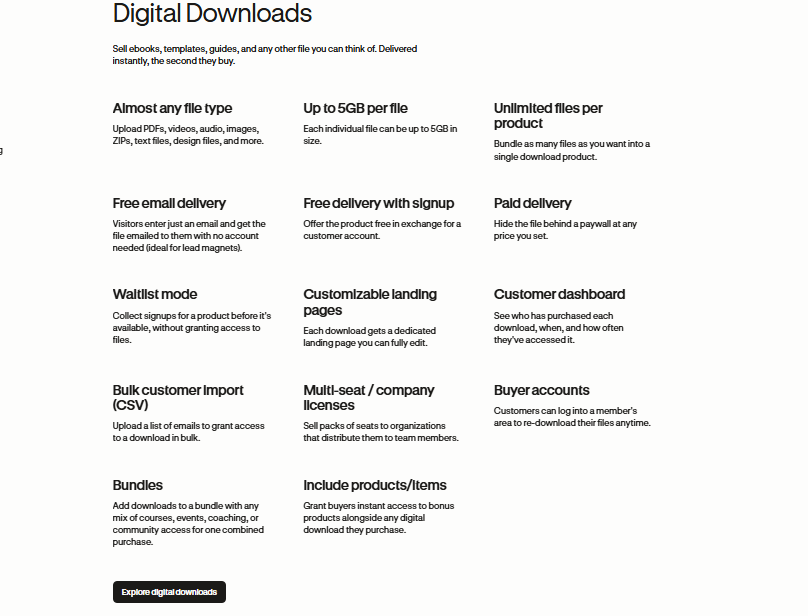
Digital downloads are where Podia genuinely shines. PDF guides, templates, audio files, ebooks: the upload and sell process is nearly instant.
For creators whose main income comes from downloadable products, Podia covers the whole job at a price well below the heavier course platforms.
Communities and Memberships
Podia includes a built-in community feature that allows members to post, comment, and interact.
In my testing, it works well as a basic discussion board. It is functional, not feature-rich.
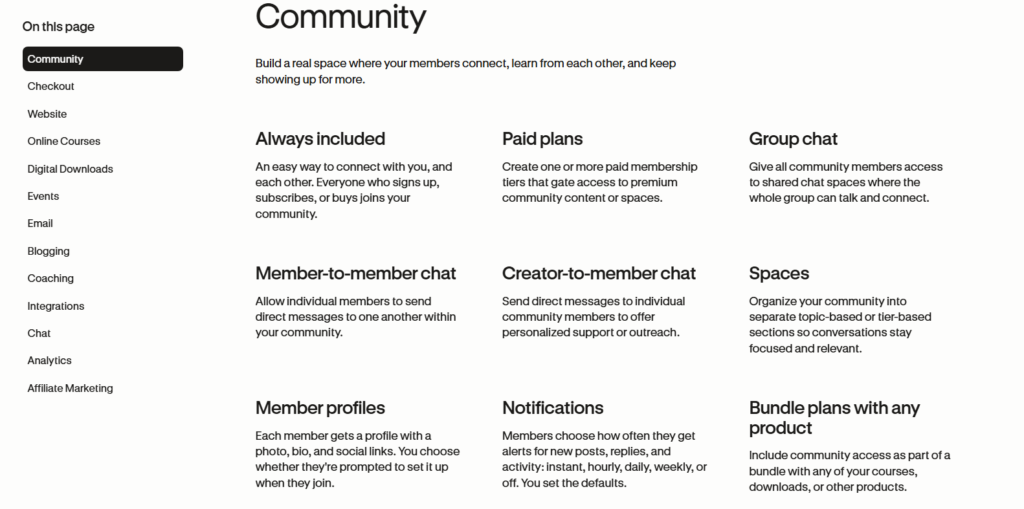
You will not get the depth of a dedicated community platform like Circle or Mighty Networks.
Memberships let you bundle products and charge recurring fees. Setting one up was straightforward, and the recurring billing worked without issues in my test.
For creators who want a simple paid community without managing a separate subscription tool, this is a reasonable option.
Email Marketing and Automation
Podia includes built-in email marketing, which removes the need for a separate tool like Mailchimp or ConvertKit at the entry level.
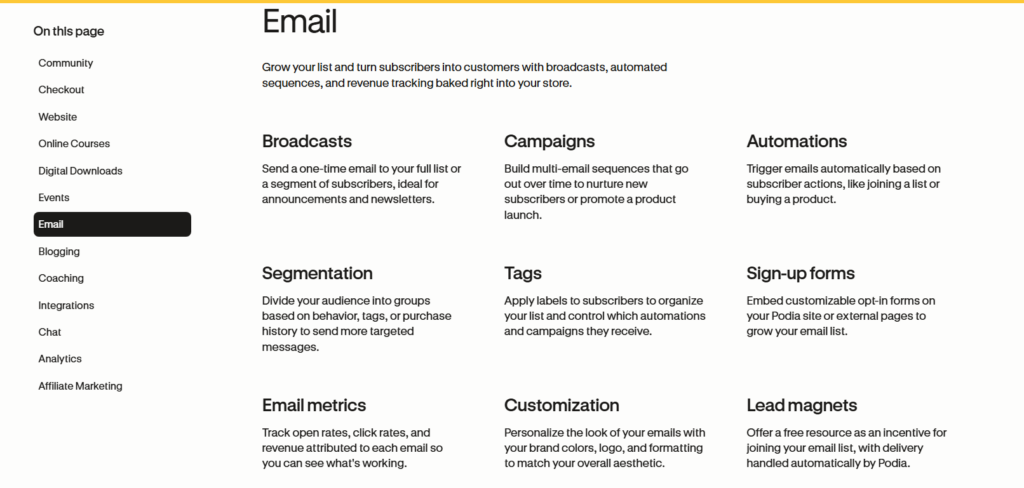
I sent a broadcast email and built a basic automation sequence during my test period.
The email editor is simple, maybe too simple for advanced marketers. Conditional logic and deep segmentation are limited compared to dedicated email platforms.
That is the trade Podia makes everywhere: good enough at many things rather than exceptional at one.
For creators just starting their email list, it works. For someone migrating from an advanced email platform, the limitations will feel immediately apparent.
Website and Customization
Podia gives you a storefront website with customizable sections. I spent time adjusting colors, layouts, and page sections.
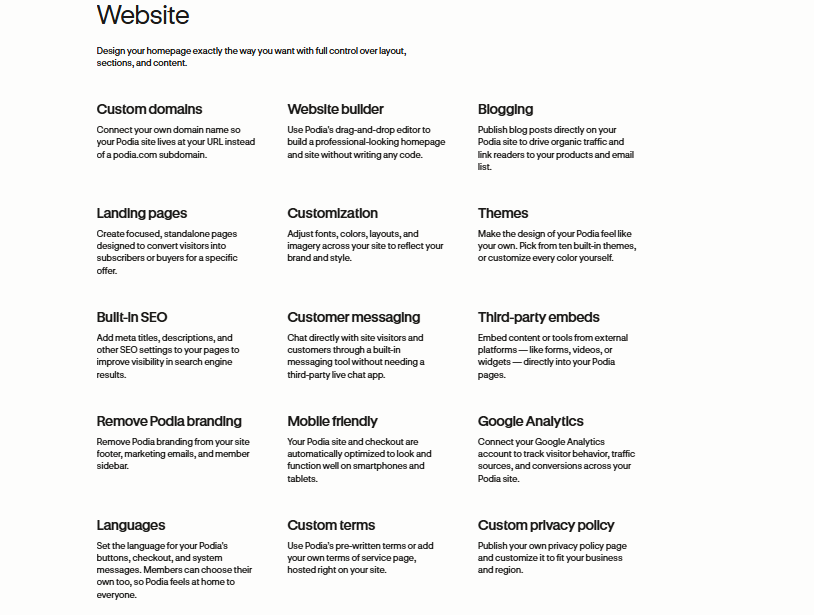
The builder is drag-and-drop friendly, and a custom domain is included on all plans.
Deep design customization, however, is limited. You cannot inject full custom CSS freely, and the template options are relatively narrow.
Your Podia site will look clean, but it may also look like every other Podia site. For brand-conscious creators, that matters.
Sales and Marketing Features
Pre-Launch and Bundling
Podia lets you take pre-launch payments before a product goes live. I tested it and the flow worked cleanly, which makes it a genuinely useful way to validate an idea before spending weeks building a full course.
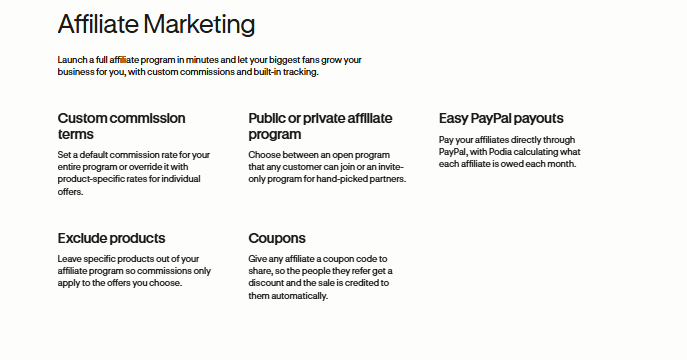
Product bundles let you package multiple offers together at a set price. In my experience, this is one of the more useful revenue tools on the platform.
Upsell functionality exists but is relatively basic compared to dedicated sales funnel tools.
Podia Pros and Cons
What I Liked
- Fast setup: A product can go live in a single afternoon.
- All-in-one convenience: Courses, email, community, and downloads in one place.
- Clean interface: The dashboard is genuinely easy to navigate.
- Custom domain included: No extra charge for this on any plan.
- Digital downloads: Upload and sell process is nearly instant.
- Pre-launch payments: Great for validating ideas before building.
- Built-in email marketing: Removes one subscription from your tool stack.
What Bugged Me
- No quiz or assessment tools: A major gap for structured learning programs.
- No mobile app: Managing your business on the go is clunky via mobile browser.
- No completion certificates: Commonly expected by course buyers.
- Limited design customization: Your site will look like other Podia sites.
- No native Zoom integration: Live session hosting requires workarounds.
What Most Reviews Miss About Podia
Most Podia reviews focus on the feature list. They rarely talk about the support gap for students.
When a student cannot access their course or has a payment issue, Podia does not provide student-facing support. You, the creator, handle it. At scale, that becomes a real drain on your time.
Here is the cost nobody puts in a comparison table: Podia’s transaction fees at lower plan tiers can quietly erode margins if you are running frequent promotions or discounts.
When you discount a product, you are paying a percentage against a thinner margin, and at volume, this adds up faster than it looks on a spreadsheet.
The third overlooked point: Podia’s community feature and course feature live in separate silos. There is no native way to gate community access based on course completion.
For educators who want community engagement tied to learning progress, this is a structural limitation that requires manual workarounds.
How Podia Compares to Alternatives
| Platform | Starting Annual Price | Quizzes | Certificates | Mobile App |
|---|---|---|---|---|
| Podia | $500/year | No | No | No |
| Teachable | ~$468/year | Yes | Yes | Yes |
| Kajabi | ~$1,680/year | Yes | Yes | Yes |
Podia sits in a reasonable price range compared to Teachable. On features, Teachable edges ahead for pure course delivery features, while Kajabi dominates on advanced marketing tools, at a significantly higher price point.
Who Should Use Podia (and Who Should Skip It)
Use Podia if: You are a beginner creator selling digital downloads, simple video courses, or coaching packages. You want one dashboard instead of five tools. You prioritize ease of setup over advanced features.
Skip Podia if: You are building a certification program, need student assessments, or want deep design control.
And if managing a mobile-first creator business matters to you, the lack of a dedicated app is a genuine friction point.
Podia Free Trial and Refund Policy
Podia offers a free trial so you can test the platform before paying. This is a fair way to evaluate whether the interface and features match your workflow.
In my experience, the trial period is enough time to build a sample product and run through the checkout flow.
On refunds, Podia’s policy follows standard SaaS terms. I recommend reading the current policy directly on their site before committing to an annual plan, since annual billing is not always refundable after a certain period.
Frequently Asked Questions About Podia
Is Podia worth it in 2026?
For beginner creators selling digital products or simple courses, yes. Podia delivers strong value at the Starter tier. The limit shows up fast for advanced creators, especially if you need quizzes, certificates, or deep marketing automation tools built natively into the platform.
Does Podia have a free plan?
Podia does not offer a permanent free plan in 2026. It offers a free trial to test the platform before committing. Plans start at $500 per year on annual billing, which breaks down to roughly $41.67 per month, competitive for an all-in-one creator platform.
Can I build a membership site on Podia?
Yes. Podia supports recurring memberships where you bundle products and charge members monthly or annually. The setup is straightforward. The limitation is that the community features are basic, so if you need a rich, interactive member experience, a dedicated community platform may serve you better.
Does Podia have a mobile app?
No, and it is one of the most common complaints I see from real users. Managing your Podia business from a phone requires using the mobile browser, which is workable but not ideal. For creators who run their business on the go, this gap is a legitimate inconvenience worth factoring in.
What is Podia’s Trustpilot rating?
Podia holds a 3.7 out of 5 rating on Trustpilot. Positive reviews consistently praise ease of use and customer support responsiveness. Negative reviews tend to focus on missing features and limitations compared to more advanced platforms in the same price range.
Is Podia good for selling digital downloads?
This is honestly where Podia performs best. The upload and sell flow for PDFs, templates, audio files, and ebooks is fast and clean. If digital downloads are your primary product, Podia is one of the more straightforward platforms available at this price point, no complex setup required.
Final Verdict: Is Podia Worth It in 2026?
Three months in, my read on Podia is that it is a well-built platform for a specific type of creator.
If you are early in your creator journey, selling digital products or simple courses, and you want to avoid juggling five different tools, Podia delivers solid value.
It removes the technical overwhelm that stops most beginners from ever launching. That matters more than most reviews acknowledge.
If you need quizzes, certificates, a mobile app, or advanced automation, Podia will feel limiting within a few months of growth.
In those cases, a platform like Teachable or Kajabi is a better long-term fit despite the higher price or learning curve.
For everyone else, especially digital product sellers and coaches just getting started, Podia is worth a serious look. Start with the free trial, build a test product, and see if the interface fits how you work.