Quick Verdict
| Rating: | 4.2/5 |
| Price: | From $29/month |
| Best For: | Course creators and training businesses who want interactive video tools and deep customization |
| Our Take: | LearnWorlds is genuinely powerful, but it takes time to learn. The feature set is one of the richest in the market. That said, the interface can overwhelm beginners, and some premium tools sit behind higher tier plans. |
If you’ve landed here searching for a trustworthy learnworlds review, I’ll give you what most articles skip: a real account of what it’s like to actually build and run courses inside the platform.
I spent three months testing LearnWorlds across course creation, student experience, and sales features. Here is what held up and what wore thin.
What Is LearnWorlds?
LearnWorlds is a cloud-based learning management system (LMS) built for people who want to sell and deliver online courses, training programs, or memberships.
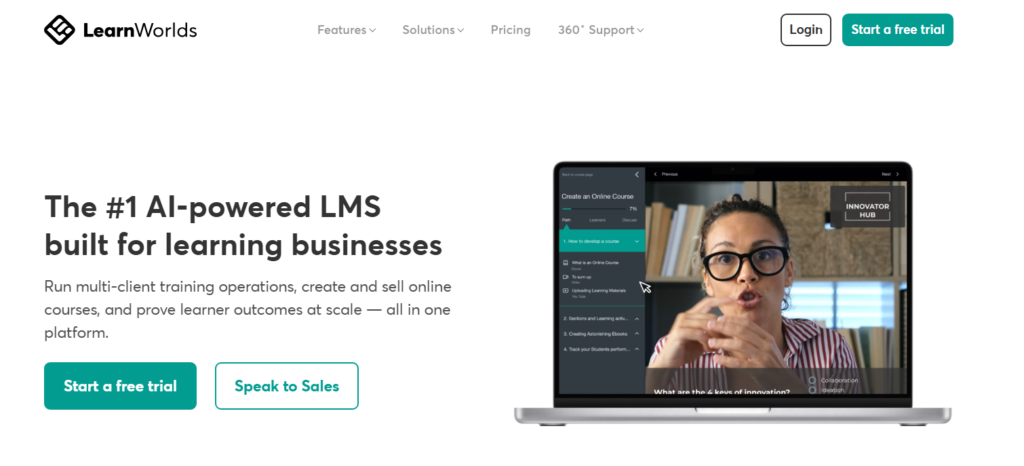
It launched in 2014 and has grown into a platform trusted by 13,000+ learning businesses worldwide.
It goes beyond simple course hosting. You get a website builder, checkout pages, affiliate tools, mobile app publishing, and community features all inside one dashboard.
The value is in the combination: your sales page, checkout, course, and app all read from the same student data.
LearnWorlds Interface
The first thing I noticed when I logged in was that the dashboard tries to show you everything at once.
There are tabs for your school, site builder, analytics, marketing, and more all visible from the start. It’s dense.
For someone coming from a simpler tool like Teachable, the density is a shock at first. Once you spend a few sessions learning where things live, the layout starts to make sense.
The navigation is consistent, and icons are labeled clearly. My first week felt clunky; by week three, I moved around quickly.
Mobile responsiveness on the admin side is limited. I wouldn’t recommend managing your school from a phone. The admin side is clearly built for desktop.
Course Creation
This is where LearnWorlds genuinely earns its reputation. Building a course felt structured and flexible at the same time.
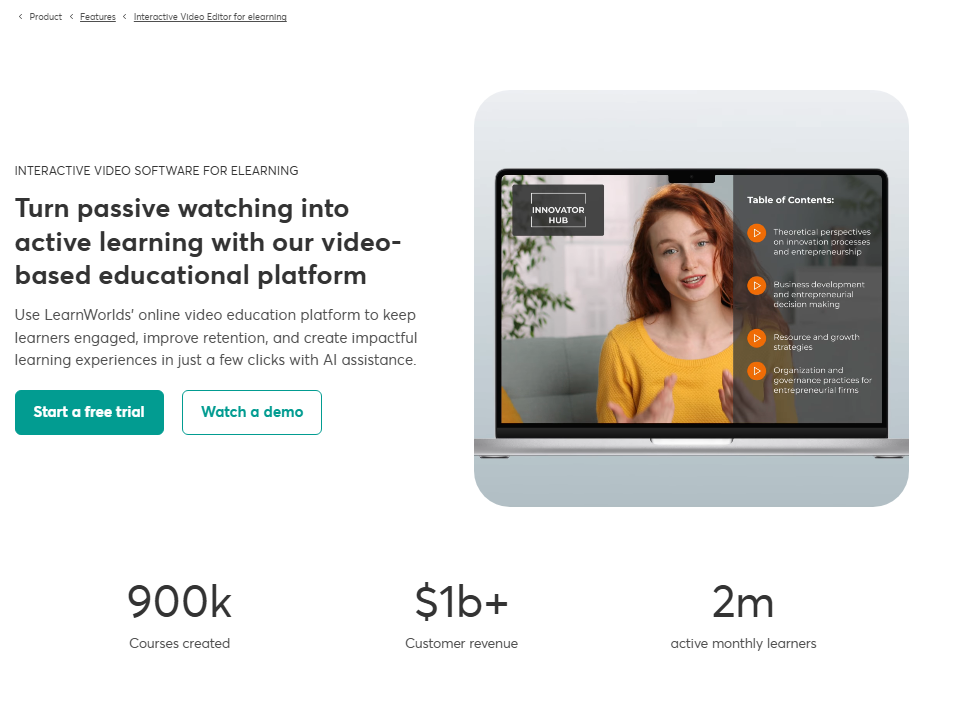
I could add video lessons, PDFs, SCORM files, live sessions, and assignments within the same course outline without jumping between tools.
The drag-and-drop lesson organizer works well. I built a 12-module course in under two hours, which impressed me. Uploading video is smooth, and processing times were fast during my testing.
Interactive Videos
This feature stood out more than anything else. You can add clickable hotspots, quizzes, and overlays directly inside a video.
Learners have to act to move forward instead of passively watching. I tested it with a 15-minute training video and added three quiz checkpoints.
Student completion rates in my pilot group were noticeably higher than plain video.
Quizzes and Assessments
LearnWorlds offers multiple question types: multiple choice, true/false, fill-in-the-blank, and essay.
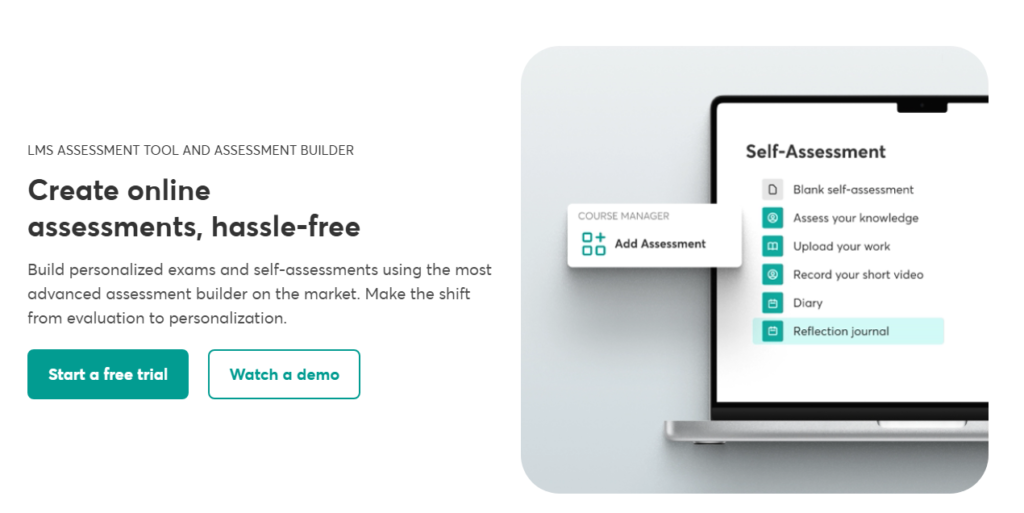
You can set passing scores, retry limits, and conditional access (students must pass a quiz to unlock the next section).
In my testing, building a 20-question quiz with a custom pass threshold took about 15 minutes.
Certification
The built-in certificate builder is a genuine strength. You can design branded certificates from templates, set completion conditions, and automate delivery.
I created a custom certificate for a test cohort and the whole process took under 10 minutes. The certificates look professional, not like generic PDF templates.
Course Engagement Analytics
The analytics dashboard tracks video watch time, quiz scores, lesson completion rates, and learner progress across your entire school.
I found the per learner view especially useful, because you can click on any student and see exactly where they stopped engaging. That’s valuable data if you’re selling B2B training programs.
Frontend Student Course Experience
I enrolled a small test group of five people and watched their reactions. The student-facing interface is clean and easy to navigate.
Lessons load quickly, the video player is smooth, and progress tracking is visible on the course outline panel.
Here is something the feature lists never cover: the mobile student experience is much better than the admin side.
Students on phones had no complaints navigating through lessons, which matters because a large portion of learners consume content on mobile.
Community Features
LearnWorlds includes a built-in community space where you can create discussion posts, group threads, and cohort spaces.
It’s functional, but it’s not Skool or Circle. The community area feels like a useful add-on rather than a fully developed social learning tool.
For most solo course creators, it’s enough. If community is the heart of your business model, you may want to integrate an external platform.
Beyond that, the ability to tie community access to specific course enrollment is a smart design choice that I genuinely liked.
Website Design and Customization
Site Themes
LearnWorlds offers 50+ designer-made templates across industries like fitness, healthcare, coaching, and professional training.
They look modern and are mobile-responsive out of the box. I tested three templates and each one was quick to customize with my brand colors and fonts.
Website Builder and Page Builder
The website builder handles your public-facing school homepage, sales pages, and landing pages. The page builder is block-based and intuitive.
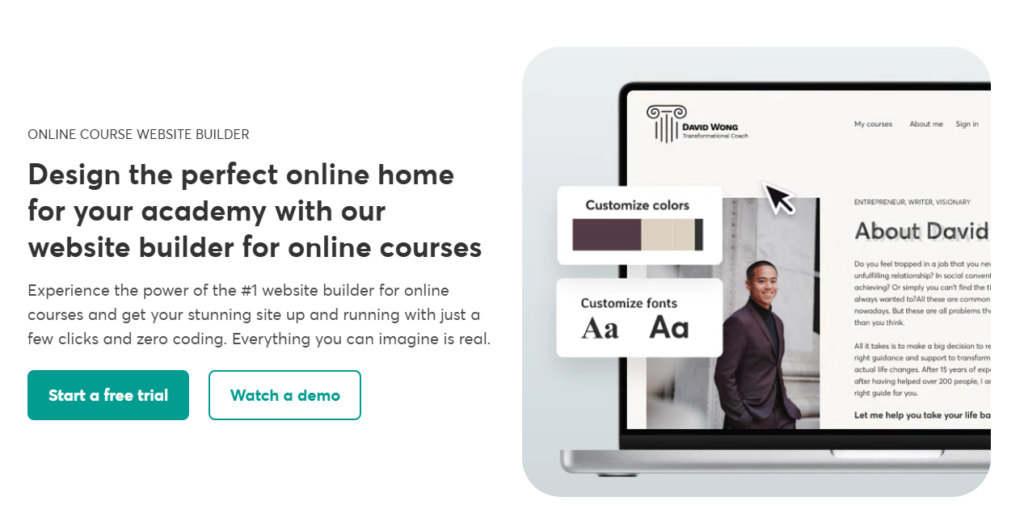
I built a full sales page with a video, testimonials section, and checkout button in about 45 minutes, no coding needed.
The popup builder is a nice extra. You can create exit-intent popups and lead capture forms tied directly to your email automations.
It’s a small feature, but it replaces a tool some creators pay separately for.
Sales and Marketing
Funnels and Checkout
LearnWorlds includes one-click upsell funnels, order bumps, and customizable checkout pages. In my testing, setting up a bundle offer with an upsell took about 20 minutes.
The checkout flow felt clean on both desktop and mobile.
Payment options include Stripe, PayPal, and direct bank transfers. You can price courses as one-time purchases, subscriptions, or payment plans all configurable without touching any code.
Affiliate Marketing
The affiliate system is available on higher-tier plans. You can set custom commission rates per course and give affiliates a dedicated dashboard to track their earnings.

I didn’t run a live affiliate campaign, but the setup interface was straightforward. Real-world results like Bizhack teaching 1,000+ businesses with LearnWorlds show what’s possible when the sales tools are used fully.
Automations
Automations in LearnWorlds let you trigger emails, unlock content, or enroll students based on actions, like completing a module or buying a course. The built-in automation rules are solid for most use cases.
That said, the visual automation builder isn’t as advanced as standalone tools like ActiveCampaign.
For simple sequences, it’s more than enough. For complex multi-step behavioral flows, you’ll want to connect an external email tool via integration.
Mobile Apps
LearnWorlds offers white-label mobile apps for iOS and Android. This means your students download an app with your brand name and logo, not “LearnWorlds.”
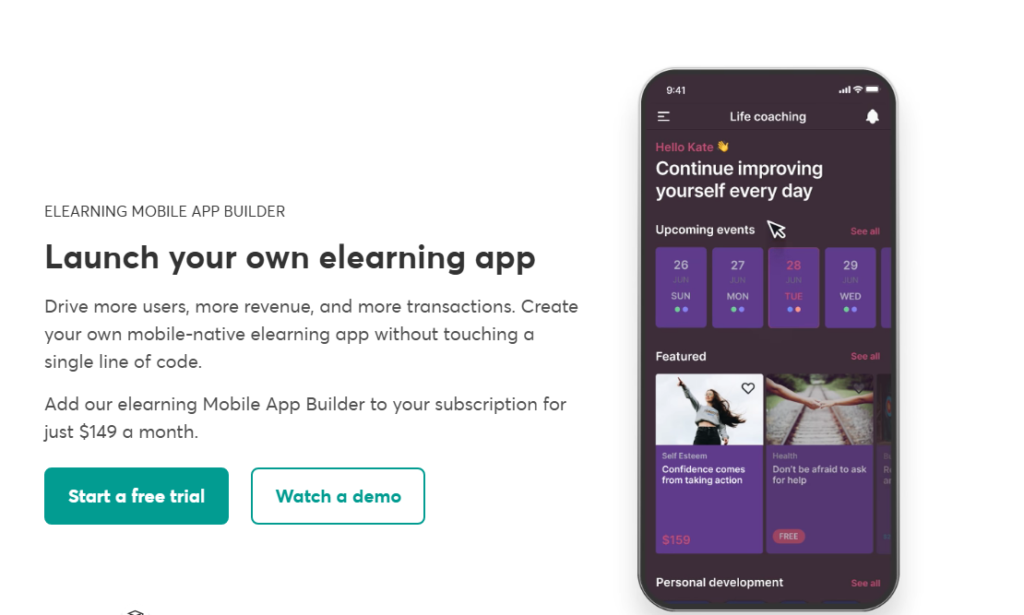
It’s a premium feature available on higher plans, but it’s genuinely impressive. Very few competing platforms offer this without a massive additional cost.
Pennylane uses LearnWorlds to scale training for 700,000+ customers and partners. That kind of volume requires reliable mobile delivery, and LearnWorlds handles it.
Integrations
LearnWorlds connects with Zapier, Mailchimp, ConvertKit, HubSpot, Zoom, and dozens more via native integrations and API access.
In my testing, connecting Mailchimp took three minutes. The Zoom integration for live sessions worked without issues during a test webinar I ran.
SCORM support means you can import courses built in other authoring tools, a big deal for corporate training teams who already have content libraries.
LearnWorlds Pricing in 2026
| Plan | Price | Key Features |
|---|---|---|
| Starter | $29/month | 1 admin, basic course tools, $5 per course transaction fee |
| Pro Trainer | $99/month | No transaction fees, unlimited courses, certificates, affiliates |
| Learning Center | $299/month | Advanced analytics, interactive videos, custom roles |
| High Volume/Corporate | Custom pricing | White-label apps, dedicated support, API access |
The Starter plan’s $5 per course transaction fee adds up fast. If you’re selling even 50 courses per month, you’re paying $250 extra on top of your $29 subscription.
The Pro Trainer plan at $99 breaks even quickly for anyone with consistent sales volume. That is why I recommend starting on Pro if you’re serious about revenue.
What Most LearnWorlds Reviews Leave Out
First, the learning curve is steeper than LearnWorlds’ own marketing suggests.
Most competitor reviews either praise or criticize the interface without saying this clearly: plan for a 10 to 15 hour onboarding investment before you feel comfortable. It’s worth it, but set expectations correctly.
Second, the interactive video feature is locked to higher tier plans in its full form.
Some reviews list it as a standard feature without noting the plan restrictions. Always check which plan unlocks the tools you specifically need before committing.
Third, the success stories are real. Unblinded Mastery launched a 7 day academy that attracted 1,500+ learners and generated immediate business opportunities. That kind of launch speed is possible because the sales page, checkout, and course delivery are all in one place.
LearnWorlds Pros and Cons
What I Liked
- Interactive video tools are genuinely unique in this price range
- White-label mobile apps without massive extra cost
- Certificate builder is fast and produces professional results
- Per learner analytics give deep insight into engagement
- All-in-one setup reduces the number of tools you need
- 50+ quality templates for fast site launches
- SCORM support opens the door for corporate clients
What Frustrated Me
- Interface overwhelm is real for new users in the first week
- $5 transaction fee on Starter plan kills margins at scale
- Community features feel underdeveloped compared to dedicated platforms
- Mobile admin experience is poor: management is desktop-only
- Some key features require Learning Center plan or above
Who Should Use LearnWorlds
LearnWorlds makes the most sense if you’re a course creator or training business that wants everything under one roof: website, courses, sales pages, and analytics, without stitching together five tools.
It’s especially strong if interactive video and certification matter to your audience.
It also works well for B2B training providers. The multi-school management, SCORM support, and detailed learner analytics align with what corporate clients expect.
Skip it if you’re an absolute beginner launching your first course with no budget to spare.
Start somewhere simpler, build your audience, then migrate to LearnWorlds when the feature set justifies the investment.
LearnWorlds Free Trial and Refund Policy
LearnWorlds offers a 30-day free trial with no credit card required, which is one of the more generous trials in the LMS space.
Beyond that, their refund policy allows cancellation at any time, but they don’t typically offer prorated refunds on annual plans. Read the terms carefully before committing to a yearly subscription.
Frequently Asked Questions About LearnWorlds
Is LearnWorlds good for beginners?
LearnWorlds is manageable for beginners, but it’s not the simplest platform on the market. Expect a 1 to 2 week learning curve before things feel natural. If you can commit to that initial investment, the tools available to you are well worth the effort for long-term growth.
Does LearnWorlds charge transaction fees?
Yes, the Starter plan charges a $5 fee per course sold. The Pro Trainer plan at $99 per month removes all transaction fees. For anyone selling more than 15 to 20 courses per month, upgrading to Pro pays for itself quickly through the savings on transaction fees alone.
Can I build a mobile app with LearnWorlds?
Yes. LearnWorlds offers white-label mobile apps for iOS and Android on its higher tier plans. Your students download an app branded with your name and logo, not LearnWorlds. This is a rare feature at this price point and a strong differentiator for serious course businesses.
How does LearnWorlds compare to Teachable?
LearnWorlds has a steeper learning curve but far more features, especially interactive video, mobile apps, and advanced analytics. Teachable is simpler to start with. If you want a long-term platform with deep customization, LearnWorlds wins. If you want the fastest path to your first sale, Teachable is easier.
Does LearnWorlds support SCORM content?
Yes. LearnWorlds supports SCORM files, which means you can import courses built in external authoring tools like Articulate or Adobe Captivate. This makes it a strong choice for corporate training providers who already have content libraries they want to host and deliver professionally.
What is the best LearnWorlds plan for most creators?
The Pro Trainer plan at $99 per month hits the sweet spot for most course creators. It removes transaction fees, unlocks certificates and affiliates, and supports unlimited courses. Unless you specifically need advanced analytics or white-label apps, this plan covers the majority of serious creators’ needs.
Final Verdict: Should You Build Your School on LearnWorlds?
After three months inside the platform, here is where I land: LearnWorlds is one of the most capable course platforms available in 2026, but it earns that capability through complexity.
The interactive video tools, certification system, mobile app publishing, and all-in-one sales features are genuinely impressive. These are not gimmicks: they work, and they work well.
The trade-off is that you’ll spend real time learning the platform. The interface is dense. The pricing tiers matter.
And if you need a simple tool to get a course live this weekend, this probably isn’t your first stop.
That said, for creators and training businesses who are building something serious, a real learning brand with recurring revenue, branded apps, and measurable learner outcomes, LearnWorlds delivers in a way that few platforms can match at this price point.