The EverWebinar vs WebinarJam debate comes up constantly among course creators, coaches, and marketers, and for good reason.
These two platforms come from the same company but serve completely different purposes. I’ve spent months testing both side by side, and the gap between them is bigger than the shared branding suggests.
One platform is a live broadcast engine. The other is a 24/7 automated selling machine. Knowing which one fits your business could save you hundreds of dollars and dozens of wasted hours.
Use code MAXZOB30 to get 30% off EverWebinar. At $79/month, that is a real cut in your running cost if you are scaling a webinar funnel long term.
Platform Overviews and Key Differences
Before getting into features and pricing, it helps to understand what each platform is actually built to do.
In short: WebinarJam broadcasts you live to an audience, and EverWebinar takes one recorded presentation and replays it on a schedule forever.
EverWebinar
EverWebinar is designed for automated, evergreen webinars. You record your presentation once, then the platform delivers it automatically on any schedule you choose: daily, weekly, just in time, or on demand.

It simulates a live experience with timed chat messages, polls, offers, and attendance counters.
I tested the setup process personally. From uploading a recorded video to launching a live looking session took me under two hours.
The engagement tools felt surprisingly real to attendees who didn’t know the webinar was pre recorded.
WebinarJam
WebinarJam is built for live events. It handles real-time broadcasting with live chat, Q&A, polls, and multi presenter support.
If you want to host a live product launch, a live coaching call, or a real-time training session with hundreds of attendees, WebinarJam is the platform built for it.
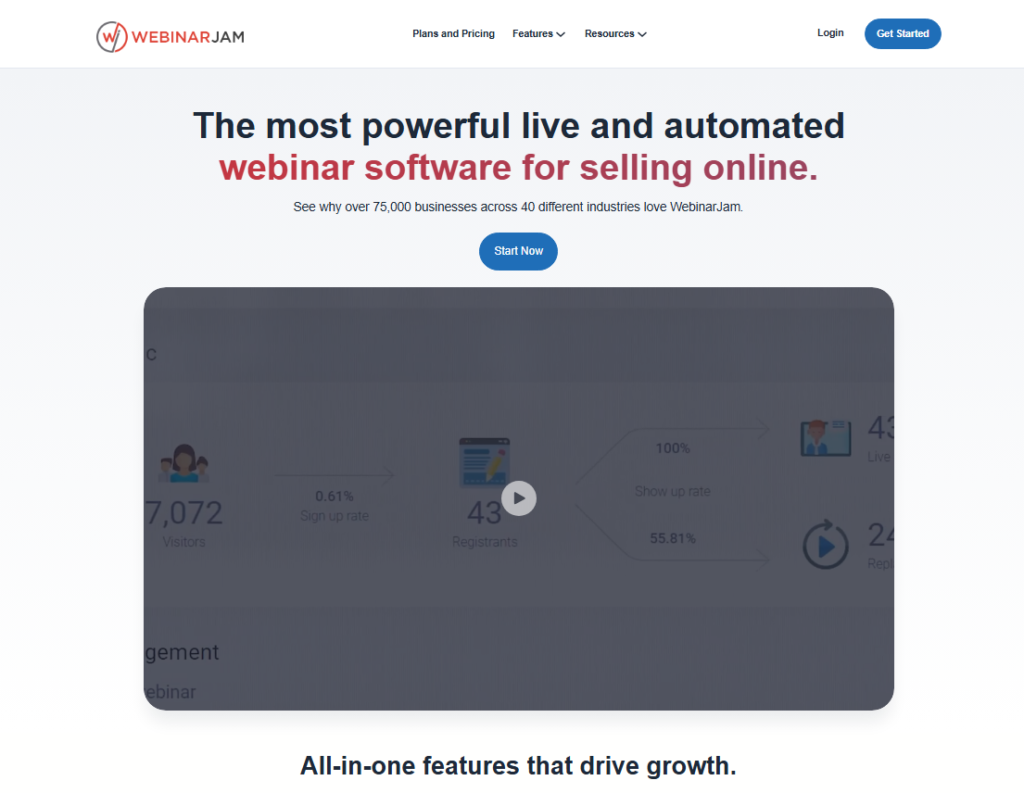
That said, WebinarJam does not handle automated delivery on its own. It can record your live sessions, but it won’t schedule and run them automatically the way EverWebinar does.
For automation, you’d need to buy both tools, which is exactly what the company sells as a bundle.
EverWebinar vs WebinarJam: Feature Comparison
Here’s what matters most when comparing these two platforms feature by feature. I ran both through the same set of use cases to give you an honest read.
| Feature | EverWebinar | WebinarJam |
|---|---|---|
| Webinar Type | Automated/Evergreen | Live Only |
| Scheduling Options | Scheduled, Just in Time, On Demand | Manual live scheduling |
| Live Chat | Simulated (pre scripted) | Real-time live chat |
| Polls and Surveys | Yes (timed, automated) | Yes (live interaction) |
| Timed Offers | Yes (with urgency triggers) | Yes |
| A/B Testing | Yes | Limited |
| Presenter Required Live | No | Yes |
| Analytics Dashboard | Advanced (conversion focused) | Standard |
| Email and SMS Reminders | Built in | Built in |
| Starting Price | $79/month | $49/month |
EverWebinar Features
EverWebinar’s advantage is its conversion infrastructure. Every piece of the platform is built around turning a passive viewer into a buyer while you are nowhere near the screen.
I was particularly impressed by the Just in Time delivery feature, which shows a new session starting in minutes. It creates urgency in a way that feels natural, not manipulative.
Beyond that, the A/B testing tools let you test different registration pages against each other. Most platforms skip this entirely.
I ran two landing page variants over three weeks and saw a measurable lift in registrations. That’s the kind of detail that compounds over time.
The chat simulation is worth calling out specifically. You pre-script chat messages to appear at specific timestamps.
When a viewer sees comments like “This is exactly what I needed to hear” at the right moment, it reinforces the message and keeps attention high. It is not deception so much as pacing, scripted the same way the presentation itself is.
WebinarJam Features
WebinarJam’s strength is genuine real-time connection. When I hosted a live session using it, the interaction quality was noticeably higher than any automated platform.
Real audience questions, spontaneous reactions, and live Q&A create energy that no automation can fully replicate.
Multi presenter support is solid. You can hand the microphone to a co host or bring an attendee on-screen, which works well for panel discussions or live demos with a guest.
The panic button feature, which lets you restart a broken broadcast instantly, is something I wish more platforms included.
That said, WebinarJam requires you to show up every single time. You are the engine. Your revenue therefore scales with your calendar, and a calendar has a hard ceiling.
That’s the structural limitation you need to weigh carefully.
How EverWebinar Works
The setup process follows a clear sequence, and once you understand it, everything clicks. Here’s how I walked through it during my own testing.
1. Upload Your Pre Recorded Video
You start by choosing a broadcast source. This can be a video file you upload directly or a recorded WebinarJam session.
The platform accepts standard video formats and processes the upload quickly. I uploaded a 45 minute presentation and it was ready within minutes.
2. Make Your Webinar Interactive
This is where EverWebinar earns its price. You set timed events: chat messages, polls, offers, and handouts to appear at specific points in the video.
This is the layer that makes a recording behave like a broadcast. I spent about 30 minutes scripting chat interactions for a 45 minute webinar, and it transformed the experience completely.
3. Schedule Your Automated Webinar
You choose how attendees can join: recurring scheduled sessions, just in time sessions that start soon after registration, or fully on demand access.
Each option serves a different conversion goal. I found just in time to be the strongest option for warm traffic because it removed the wait time that kills momentum.
4. Set Up Your Landing Page and Notifications
EverWebinar includes professional registration page templates and a built in email and SMS notification system.
You configure reminder sequences once, and the platform handles delivery automatically for every session going forward.
Here’s why this matters: show-up rates improve significantly with well-timed reminders, and EverWebinar handles this without a third-party email tool.
EverWebinar vs WebinarJam: Pricing
Pricing is where the two platforms diverge sharply: not just in cost, but in what you’re paying for.
EverWebinar Pricing Plans

- EverWebinar offers three billing options, all with the same full feature set:
- Monthly: $79 per month, billed monthly. Full flexibility with no long-term commitment.
- Annual: Billed at $1,188 per year in a single payment, so there is no monthly renewal to track.
- Biennial: Billed at $1,896 every two years. This is the lowest effective rate EverWebinar offers.
There is also a $1 trial available for new customers, which gives you full access to test the platform before committing. Use code MAXZOB30 at checkout to get 30% off your plan.
WebinarJam Pricing Plans
WebinarJam starts at $49 per month for the Starter plan, which supports up to 100 attendees. Higher tiers unlock larger audiences, additional hosts, and advanced features.
To get both live and automated webinar capability, you’d need to subscribe to both WebinarJam and EverWebinar which means paying for two separate platforms.
That is a combined bill that can easily exceed $150 per month just to cover both use cases.
EverWebinar alone covers the automated side completely, which is why most creators I’ve spoken to start there and only add WebinarJam if they run frequent live events.
Should You Use Automated or Live Webinar Tools?
This is the real question, and the answer depends entirely on your business model and how you want to spend your time.
If you sell a product or course with a proven pitch, automated webinars are the smarter infrastructure.
You build the presentation once, refine it until it converts well, then let EverWebinar run it continuously.
I have spoken with coaches who replaced their weekly live webinars with EverWebinar sessions and saw their conversion rates stay flat while gaining back 10+ hours per week.
If your business depends on trust building, Q&A, and real-time energy, like high ticket consulting or complex B2B sales, WebinarJam’s live format gives you tools that automation can’t fully replace.
The human connection in a live environment has real value that shouldn’t be dismissed.
Here’s the honest framing: most creators should start with EverWebinar. Prove your webinar converts in an automated format first.
Then layer in live events with WebinarJam only if your audience demands them.
Who Should Choose EverWebinar?
- Course creators and coaches who want to sell without presenting live every week.
- Solopreneurs who need a scalable revenue system that runs without their constant involvement.
- Marketers running evergreen funnels who need tight conversion tracking and A/B testing built in.
- Businesses with a proven webinar script that they want to deliver to new audiences around the clock, across time zones.
- Anyone scaling who has already validated their live webinar and wants to remove themselves from the delivery equation.
Who Should Choose WebinarJam?
- Live event hosts who depend on real-time audience interaction to build trust and close sales.
- High ticket sellers, where the live Q&A directly addresses objections in the moment.
- Teams running panel discussions, multi host events, or live product launches.
- Creators still testing their webinar content who aren’t ready to lock in an automated version yet.
- Community builders for whom the live experience itself is part of the value they offer to members.
What EverWebinar vs WebinarJam Comparisons Miss
I’ve read a lot of EverWebinar vs WebinarJam write-ups, and most of them stop at the feature checklist. Here are three things they consistently skip over.
First, the psychological difference in how viewers experience each format. A live webinar creates FOMO in real time.
An automated webinar, done well in EverWebinar, creates the same pressure through structure: limited session times, timed offers, and visible attendance counts.
Both work, but they work through different mechanisms. Understanding this helps you pick the right tool for your sales psychology.
Second, maintenance cost is dramatically different. WebinarJam requires your calendar every time you want revenue.
EverWebinar requires a one-time setup, then periodic optimization. Over a year, the time cost difference is enormous. This is rarely quantified in comparisons, but it’s often the deciding factor for busy operators.
Third, the $1 trial on EverWebinar is genuinely useful for evaluation. Most comparisons don’t mention it, but it gives you full platform access to test your own content before committing.
Combined with the MAXZOB30 discount code for 30% off, the entry cost is lower than almost any comparable automated webinar platform on the market.
EverWebinar vs WebinarJam: Final Verdict
After months of running both platforms on real campaigns, my recommendation is clear for most people reading this.
Choose EverWebinar if you have a proven presentation and want it working for you every day without your direct involvement.
The automation infrastructure, conversion tools, and scheduling flexibility make it the smarter long-term investment for solo creators and small teams.
The biennial plan at $1,896 every two years is the best value, and the $1 trial lets you verify this yourself at almost zero risk. Don’t forget to use code MAXZOB30 for 30% off.
Choose WebinarJam if your sales process requires live interaction and real-time Q&A is a genuine conversion driver in your market.
It is a strong platform for live events. Just know that you are the engine, and it stops when you stop.
For the majority of creators and marketers I’ve talked to, EverWebinar is the right starting point. Build your automated engine first. Add live events later if your audience pulls you there.
Frequently Asked Questions
Can I use EverWebinar without WebinarJam?
Yes, completely. EverWebinar is a standalone platform. You do not need a WebinarJam account to use it. While they come from the same company and integrate well together, EverWebinar handles automated webinars independently. Many users run EverWebinar on its own without ever touching WebinarJam.
What is the main difference between EverWebinar and WebinarJam?
WebinarJam delivers live webinars in real time and requires a presenter to be present. EverWebinar delivers pre recorded webinars automatically on a schedule. Same parent company, entirely different use cases. One is for live events, the other is for evergreen automated funnels that run without you.
Does EverWebinar feel fake to attendees?
Not when set up thoughtfully. EverWebinar uses timed chat, polls, and offers that mirror what a live session looks like. Attendees see an experience with structure and pacing. The platform is transparent in its terms of use, and many hosts include a disclosure. When done well, the experience feels intentional and engaging rather than robotic.
Is the EverWebinar $1 trial worth it?
Yes. The $1 trial gives you full platform access so you can build and test a real webinar before committing. It’s genuinely the best way to evaluate whether the platform fits your workflow. Combine it with the MAXZOB30 discount code for 30% off when you upgrade to a paid plan.
Which platform is better for beginners?
EverWebinar has a gentler learning curve for beginners who already have a recorded presentation. The setup sequence is logical, templates are ready to use, and the platform guides you through each step. WebinarJam has a steeper curve because managing a live broadcast in real-time requires more preparation and technical comfort.
Can EverWebinar replace a full email marketing tool?
For webinar related emails, yes. EverWebinar includes built in email and SMS reminders, confirmation messages, and follow up sequences tied to webinar attendance. That said, it is not a full CRM or email marketing platform. For broader campaigns outside your webinar funnel, you would still want a dedicated email tool like ActiveCampaign or ConvertKit.