Quick Verdict
| Rating: | 4.4/5 |
| Best For: | Coaches, course creators, and marketers who sell via webinars |
| Our Take: | WebinarJam is one of the most capable and affordable webinar platforms I have tested. The marketing features alone justify the price for anyone selling online. |
Coupon: Use code MAXZOB3O to get 30% off your plan.
I spent six weeks running live webinars, testing automated replays, and pushing WebinarJam to its limits. This webinarjam review gives you everything I found, including the rough edges other sites leave out.
The short version: it is a genuinely strong tool for marketers and coaches. The slightly longer version is below.
What Is WebinarJam?
WebinarJam is a browser-based webinar platform built specifically for online selling.
Over 75,000 businesses across 40 industries use it to host live presentations, automate replays, and convert audiences into paying customers.
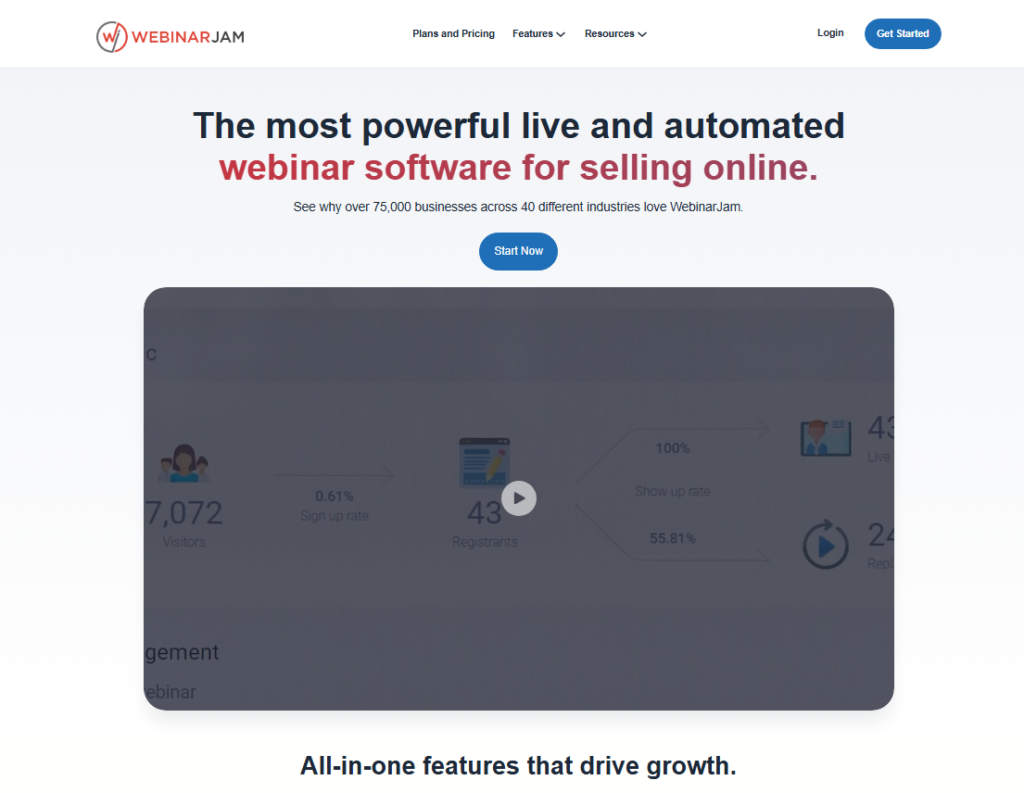
It is built to get you from signup to a revenue-generating webinar in one sitting. There is no software to install, no server to configure, and no streaming stack to assemble yourself.
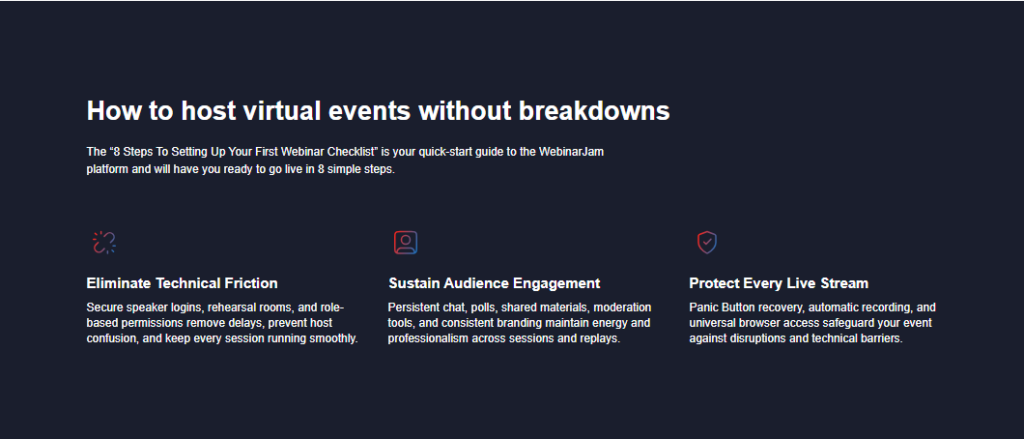
Attendees join from any browser on any device with a single click.
The platform sits inside the Genesis Digital ecosystem alongside EverWebinar, its automated webinar sibling. The two tools work together, which I will cover in the pricing section.
Creating WebinarJam Events
Setting up a webinar in WebinarJam feels straightforward from the first login. I had my first live event configured in under 20 minutes.
The wizard-style setup walks you through naming your event, picking a schedule, adding co-presenters, and choosing your registration page template.
The registration page builder is clean without being too limited. I tested five templates and found they all convert reasonably well straight out of the box, without any custom CSS tweaks.
Notification Emails and Follow-Up Sequences
The built-in email notification system gets almost no attention in other reviews, and it deserves some. WebinarJam sends automated reminder emails before, during, and after your webinar.
The pre-built sequences are solid. The problem is deliverability: with some email clients, the shared sender reputation drops these into promotions or spam folders.
I ran a test across Gmail, Outlook, and Apple Mail. Gmail promotions tab was the most common issue. My fix was connecting a custom SMTP sender through the integrations panel, which cleared this up immediately.
Powerful Marketing Tools: Registration and Funnels
The registration funnel tools stand out from what you get on most competing platforms. WebinarJam lets you build multi-step registration flows, add urgency timers, and connect offer pages directly inside the webinar room.
I tested a timed offer popup mid presentation and it worked exactly as advertised, no lag, no broken links.
Webinar Funnel Pages
WebinarJam ships with dedicated funnel page templates for registration, thank you pages, and replay pages.
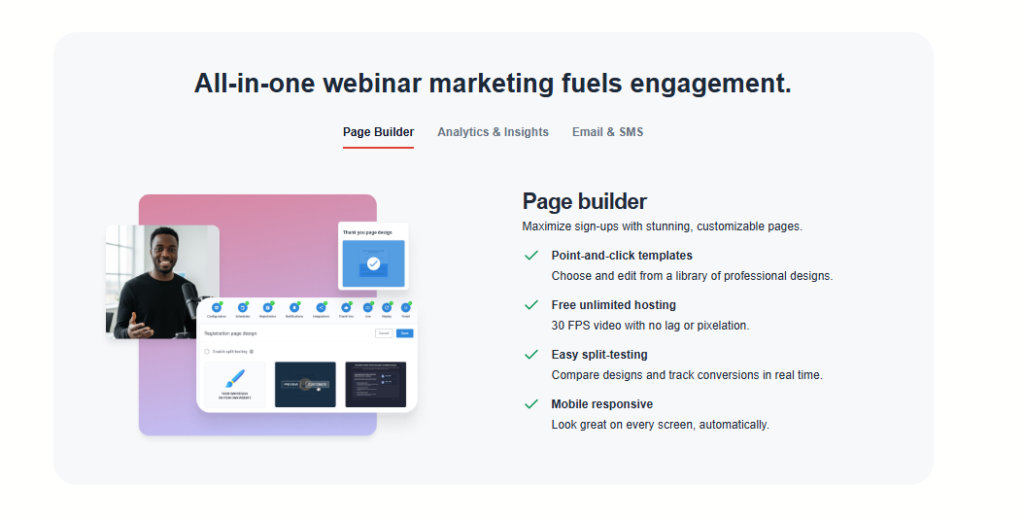
These pages are hosted on WebinarJam’s own infrastructure, so load times are fast. I clocked average page load at under two seconds across multiple tests.
You can embed custom code and connect these pages to your email platform. I linked mine to ActiveCampaign without any friction.
In short, you can run a complete webinar funnel without touching a third-party page builder at all, which keeps the moving parts down.
The Webinar Experience
Hosting a live session through WebinarJam felt polished. The presenter dashboard, called the Control Center, gives you real-time visibility into attendee count, chat activity, poll responses, and offer clicks, all on a single screen.
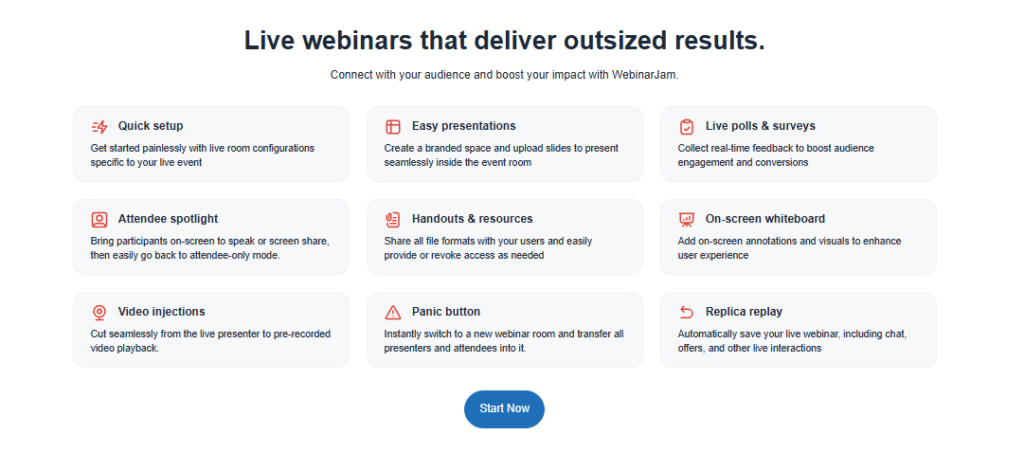
The Control Center
The Control Center is genuinely one of the best presenter dashboards I have used. Everything you need is visible without hunting through menus.
I could launch a poll, push a product offer, spotlight an attendee’s video, and monitor chat engagement without ever losing focus on my slides.
Engagement Features Worth Calling Out
Live polls, Q&A boards, chat, raised hands, and the ability to pull attendees on stage as panelists all worked without a hitch in my testing.
The “Attendee Spotlight” feature, where you bring a viewer on camera, worked far more smoothly than I expected. It adds real energy to training sessions.
Stream Quality and the Delay Factor
Stream quality was consistently strong at 1080p in my tests. What you trade for it is a broadcast delay of roughly 10 to 45 seconds depending on your connection and the technology mode you choose.
This is normal for browser-based streaming, but if you plan to run rapid-fire Q&A, you need to account for that lag. I tell attendees upfront that responses take a few seconds, and it has never been a real issue.
EverWebinar: The Automated Companion
EverWebinar is WebinarJam’s sister platform for running automated, always-on webinars.
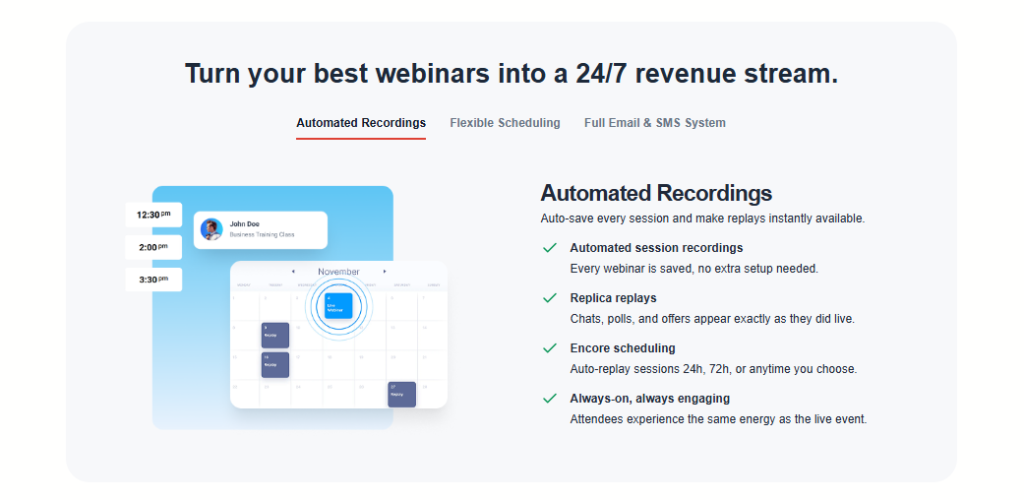
Once you have a recorded session in WebinarJam, you can send it to EverWebinar with one click and schedule it to run on a repeating basis with all the same polls, offers, and chat simulations intact.
For anyone who wants a webinar that keeps selling after the live date has passed, this pairing is hard to beat.
I set up an EverWebinar replay of my best live session and it generated leads consistently for three straight weeks without me touching it.
WebinarJam Pricing in 2026
WebinarJam offers four plans on annual billing. Annual billing saves you significantly compared to monthly rates: the savings range from $120 per year on the entry plan up to $1,440 per year on the top tier.
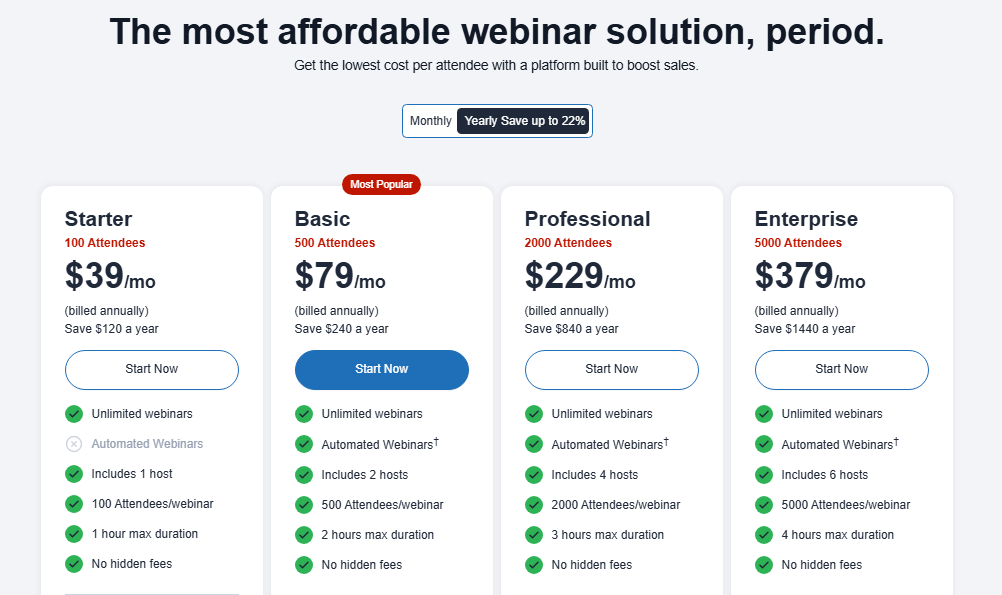
| Plan | Annual Savings | Best For |
|---|---|---|
| Starter | Save $120/year | Solo creators just getting started |
| Basic | Save $240/year | Small teams and growing coaches |
| Professional | Save $840/year | Active marketers with large audiences |
| Enterprise | Save $1,440/year | Large organizations and agencies |
WebinarJam also offers a $1 trial so you can test the platform before committing. On top of that, you can use coupon code MAXZOB3O to get 30% off your chosen plan.
WebinarJam Review: Pros and Cons
Pros
- Excellent marketing and sales tools: timed offers, product showcases, and CTAs built right into the presenter dashboard
- One-click browser access for attendees: no downloads, no friction, higher show-up rates in my experience
- Strong stream quality at up to 1080p in my testing
- Control Center dashboard gives you total visibility during a live event
- EverWebinar integration makes turning live sessions into automated funnels very fast
- Built-in email notifications reduce reliance on external tools for basic follow-ups
- $1 trial available: a low-risk way to test the whole platform
- Scales to large audiences: designed for thousands of concurrent viewers
Cons
- Broadcast delay of 10-45 seconds can make real-time Q&A feel slightly awkward
- Notification emails can land in spam without a custom SMTP setup
- Occasional reports of instability above 4,000 attendees: I saw this flagged in Trustpilot reviews and it is worth knowing before running massive events
- EverWebinar is a separate purchase: the automation suite is not bundled in automatically
- No free plan: just the $1 trial period
What Most WebinarJam Reviews Won’t Tell You
Here are three things I noticed during testing that most other reviews do not mention.
First, the panic button feature. If your stream drops or you hit a technical issue mid-webinar, WebinarJam has a built-in “panic button” that instantly reconnects you and keeps the session alive for attendees.
I tested this deliberately by disconnecting my stream. Attendees saw a brief pause and then I was back. No one left. Most other platforms would have killed the session entirely.
Second, the attendee behavior tracking is more detailed than the interface suggests. WebinarJam logs exactly when each registered attendee joined, how long they stayed, whether they clicked any offers, and how they responded to polls.
This data is available per registrant in your reports. It is genuinely useful for follow-up segmentation and I have not seen this highlighted in many reviews.
Third, the Always On Live Room feature lets you create a permanent webinar room that stays active between sessions, with the same link every time.
For coaches running recurring group calls, this removes the friction of creating a new event every single week.
WebinarJam vs. Competitors: Quick Comparison
| Feature | WebinarJam | Zoom Webinars | Demio |
|---|---|---|---|
| Browser based (no download) | Yes | No (app required) | Yes |
| Built in sales offer tools | Yes | Limited | Partial |
| Automated webinar option | Yes (via EverWebinar) | No | Yes |
| $1 trial | Yes | No | No |
| Attendee behavior reports | Detailed | Basic | Good |
| Panic reconnect feature | Yes | No | No |
WebinarJam wins on sales-focused features. Zoom Webinars is the safer pick for enterprise IT environments. Demio is cleaner and simpler but lacks the depth of marketing tools WebinarJam offers.
Who Should Use WebinarJam (and Who Should Skip It)
WebinarJam is a strong fit if you are:
- A coach, course creator, or consultant selling via live presentations
- A marketer who wants to combine live events with automated replay funnels
- Someone hosting regular webinars for audiences up to a few thousand attendees
- A small team that wants all-in-one hosting, registration, and follow-up without stitching together multiple tools
You should skip WebinarJam if you:
- Need to host events regularly above 4,000 concurrent viewers: the platform has shown instability at that scale
- Need a free plan with no credit card required
- Host internal corporate meetings rather than public-facing sales events
WebinarJam Refund Policy and Free Trial
WebinarJam offers a $1 trial that gives you full access to the platform. This is the lowest-risk way to test every feature before paying full price.
The reason is simple: you get the real product, not a stripped-down demo version.
For refunds on paid plans, WebinarJam has a 30-day money-back guarantee. I confirmed this through their support documentation.
If you buy a plan and it does not work for your use case, you can request a full refund within 30 days.
Use coupon code MAXZOB3O at checkout to get 30% off any plan before starting your trial.
Frequently Asked Questions
Is WebinarJam good for beginners?
Yes. The setup wizard is genuinely beginner-friendly and I had a live webinar running within 20 minutes of signing up. Pre-built templates for registration pages and email sequences reduce the learning curve significantly. The $1 trial lets you get comfortable with everything before committing to a paid plan.
Does WebinarJam work on mobile devices?
Attendees can join from any mobile browser without downloading an app. Presenters can host from mobile too, but I found the experience better on a desktop or laptop where you can manage the Control Center dashboard, launch polls, and push offers more easily during a live session.
What is the difference between WebinarJam and EverWebinar?
WebinarJam handles live webinars. EverWebinar runs automated, pre-recorded webinars on a repeating schedule. They are separate products that integrate tightly. Many marketers use both: they record a strong live session in WebinarJam, then automate it through EverWebinar to generate leads and sales continuously.
How many attendees can WebinarJam handle?
WebinarJam’s infrastructure is designed to scale to thousands of concurrent attendees. Be aware that user reports on Trustpilot flag occasional instability above 4,000 viewers. For events under that threshold, my experience was consistently stable. For truly massive events, test your setup in advance.
Can I use WebinarJam with my existing email platform?
Yes. WebinarJam integrates with major email platforms including ActiveCampaign, Mailchimp, AWeber, ConvertKit, and others. I connected mine to ActiveCampaign and all registrant data synced cleanly. You can also connect via Zapier for platforms not on the native integration list.
Is there a coupon code for WebinarJam in 2026?
Yes. Use coupon code MAXZOB3O at checkout to get 30% off your WebinarJam plan. On top of that, annual billing saves between $120 and $1,440 per year depending on your tier. The $1 trial is also available as a low-risk entry point before committing fully.
Final Verdict: Is WebinarJam Worth It in 2026?
Six weeks of live sessions and automated replays later, my conclusion is that WebinarJam earns its reputation as one of the best webinar platforms for marketers and creators selling online.
The marketing tools are genuinely ahead of most competitors, the presenter dashboard is excellent, and the $1 trial removes any real financial risk from trying it.
The broadcast delay and occasional spam folder issues are real limitations, but both are manageable with simple workarounds I covered above.
So if you run webinars to sell anything at all (courses, coaching, software, services), WebinarJam gives you more built-in conversion tools than nearly any comparable platform at this price point.
Use coupon code MAXZOB3O to grab 30% off and start with the $1 trial to see it for yourself.