Quick Verdict
| Rating: | 4.7/5 |
|---|---|
| Starting Price: | $9/month |
| Best For: | Small businesses and budget conscious email marketers |
| Free Trial: | 30 days, no credit card required |
| Our Take: | Solid automation, clean editor, hard to beat at this price point |
This moosend review comes from three months on a paid account, and I want to give you the straight version rather than a polished sales pitch.
I signed up, built real campaigns, triggered automations, and pushed the reporting tools hard enough to see where cracks appear. Here is exactly what I found.
What Is Moosend?
Moosend is a cloud-based email marketing and automation platform founded in Greece in 2013.
In 2021, American software company Sitecore acquired it, fueling a sharp growth spike in the US market.
The platform lets you build email campaigns, automate subscriber journeys, create landing pages, and manage your contact list all from one dashboard.
You get the full set of tools most marketing teams actually use, without paying enterprise software prices for them.
It currently serves over 100,000 businesses. The target audience is small to medium-sized businesses that want serious features without the serious price tag of tools like HubSpot or Klaviyo.
Moosend Pricing in 2026
Moosend charges based on the number of subscribers, not the number of emails you send. All paid plans include unlimited email sends, which is a genuinely rare perk at this price range.
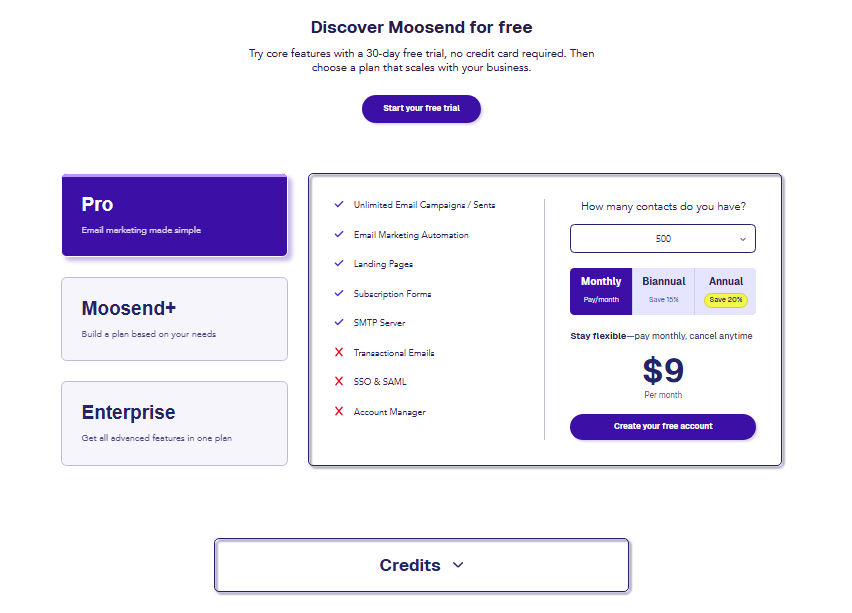
| Subscribers | Monthly Price | Annual Price/mo |
|---|---|---|
| Up to 500 | $9 | $7 |
| Up to 1,000 | $16 | $11 |
| Up to 2,000 | $24 | $20 |
| Up to 5,000 | $48 | $32 |
| Up to 10,000 | $88 | $64 |
There is a pay-as-you-go credits option, but the minimum bundle starts at $350. That makes it impractical for low-volume senders or one-off campaigns.
Stick to the monthly or annual subscription if you email regularly.
Compared to Mailchimp at $20/month for just 500 subscribers, Moosend’s $9 entry point is genuinely hard to argue with.
You save money early, and the savings compound as your list grows.
Moosend Core Features
Drag-and-Drop Email Editor
The editor is where I spent most of my first week. It is clean, responsive, and behaves the way you expect a modern editor to behave.

Columns snap into place, image blocks resize without fuss, and button styling updates in real time.
What I noticed right away is that the editor does not lag on complex layouts.
I built a multi-column promotional email with custom fonts and conditional content blocks, and the preview matched the final send almost perfectly across Gmail, Outlook, and Apple Mail.
A detail worth knowing if you write your own markup: the editor lets you edit the HTML source directly when you need precise control.
That flexibility means designers and developers can work alongside non-technical marketers on the same platform.
Email Templates
Moosend offers 115 plus pre-built templates. I tested about a dozen of them.
They load fast, look modern, and are genuinely mobile-friendly without extra tweaking. Categories cover ecommerce, newsletters, events, and seasonal campaigns.
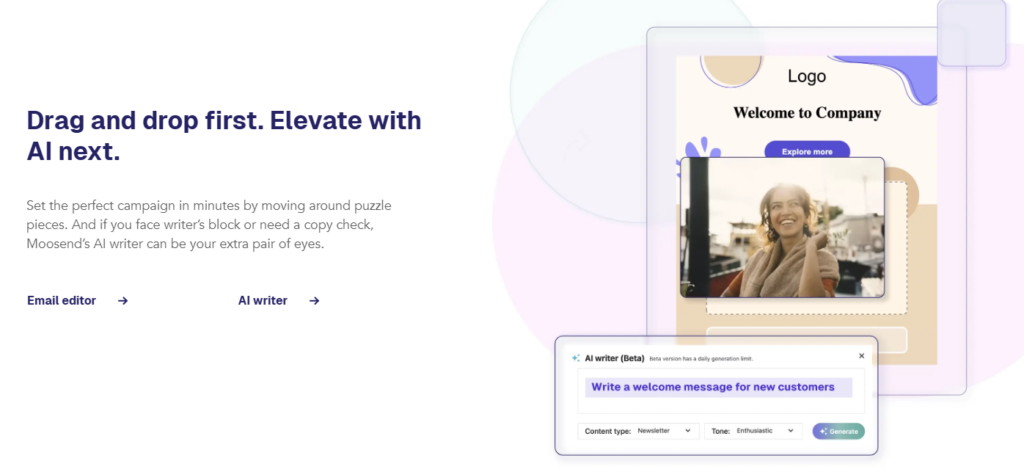
That said, the template library is smaller than what you get with ActiveCampaign or GetResponse.
If you have a very niche industry, you may spend 20 minutes adapting the closest match rather than finding an exact fit.
Marketing Automation
Automation is the reason Moosend stands out at this price. The visual workflow builder is drag-and-drop and genuinely intuitive.
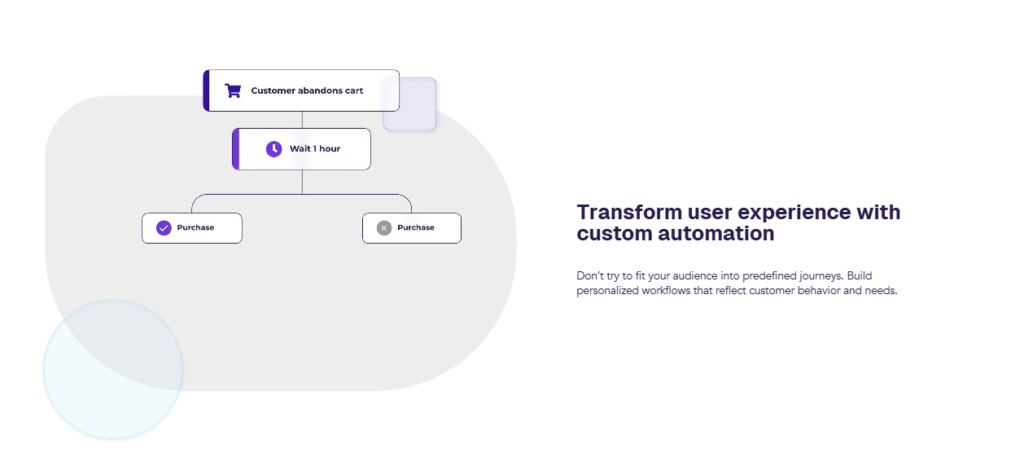
I built a five-step welcome sequence with conditional branches in about 25 minutes on my first attempt.
You can trigger automations based on email clicks, website visits, purchases, or custom events.
Ready-made automation templates cover the most common use cases: abandoned cart recovery, welcome series, birthday emails, and re-engagement campaigns.
Beyond that, Moosend lets you layer conditions inside sequences.
For instance, you can branch a workflow differently depending on whether a subscriber clicked a specific link or ignored two previous emails.
That level of branching logic usually costs more on competing tools.
Landing Pages and Subscription Forms
Moosend includes a landing page builder with its paid plans. I built a simple lead capture page in about 15 minutes using one of the existing layouts.
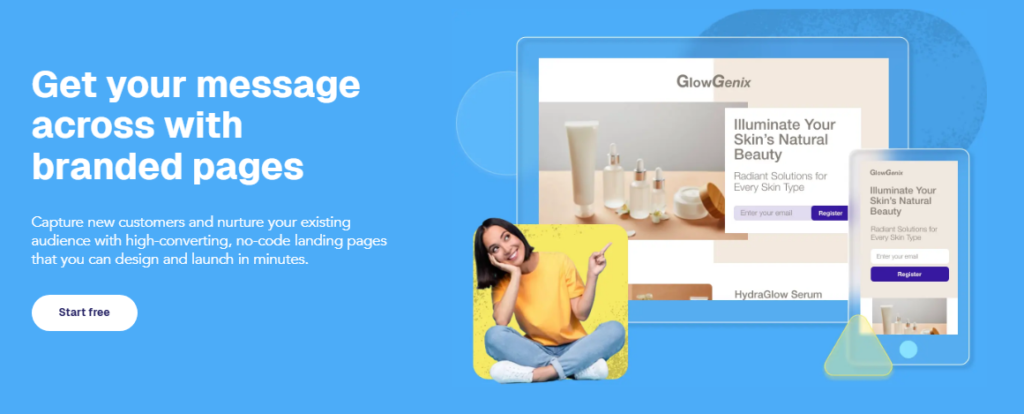
The page builder uses the same drag-and-drop logic as the email editor, so the learning curve is minimal.
Subscription forms come in four types: inline, floating bar, pop-up, and floating box. Targeting options let you display forms based on exit intent, scroll depth, or time on page.
In my testing, the pop-up form loaded quickly and did not noticeably slow the host page.
List Management and Segmentation
Moosend handles list management well for a tool at this price. You can segment contacts by demographics, behavior, purchase history, and custom fields.
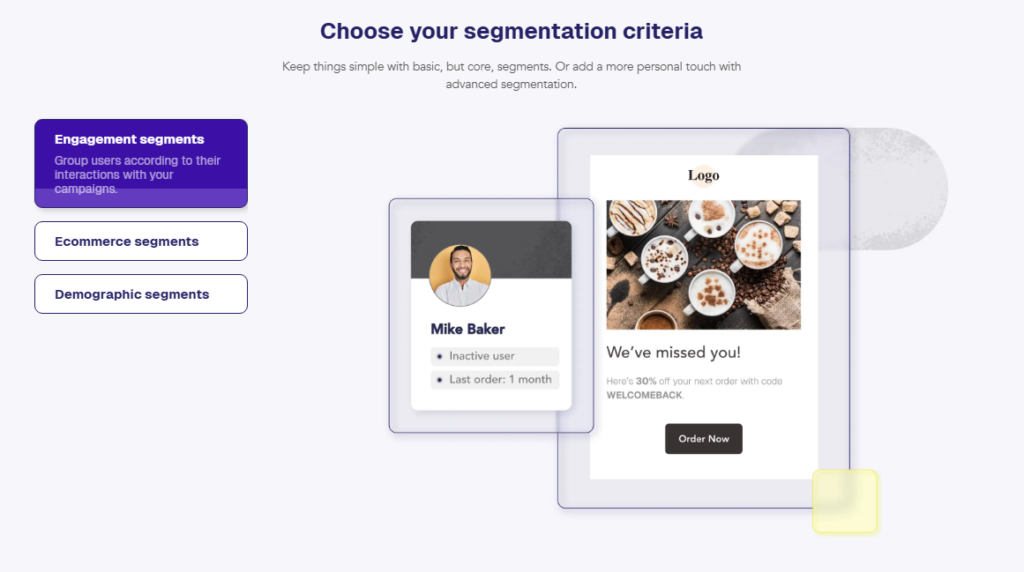
I built a segment targeting subscribers who opened three or more emails but never clicked (a classic re-engagement filter) in under five minutes.
One area worth flagging: Moosend does not have a native CRM in the traditional sense.
You get solid contact management and tagging, but if you need a full sales pipeline view, you will need to connect an external CRM through one of the integrations.
Reporting and Analytics
The reporting dashboard shows opens, clicks, bounces, unsubscribes, and geographic data.

I found the real-time reporting particularly useful during a campaign send: watching engagement roll in by location was a clear visual that the send was working.
Moosend also offers click heat maps, which show you exactly where subscribers are tapping inside your emails.
Most platforms charge extra for this or leave it out entirely. Getting it included in the base plan is a genuine win.
Deliverability
Based on third-party testing data from Email Deliverability Report, Moosend scores 91 out of 100 for overall deliverability performance.
In my own test sends, I saw inbox placement rates consistently above 90 percent across major providers.
Moosend uses dedicated and shared IP infrastructure and offers DKIM authentication setup from the account settings.
Moosend Pros and Cons
Pros
- Unlimited email sends on all paid plans: no throttling by volume
- Automation depth that rivals tools costing twice as much
- Drag-and-drop editor that is fast and genuinely responsive
- Click heat maps included at no extra cost
- 30-day free trial without needing a credit card upfront
- Live chat support that responded to my test query in under four minutes
- Landing page builder baked into the standard plan
- Strong deliverability score of 91 out of 100
Cons
- Pay-as-you-go minimum of $350 is too steep for casual senders
- Template library of 115 is smaller than some competitors
- No native CRM pipeline for sales-focused teams
- Advanced ecommerce analytics fall short compared to Klaviyo
- SMS marketing is not available natively within the platform
What Most Reviews Miss About Moosend
Here are three things I noticed that almost no other Moosend review mentions.
First, the platform is noticeably JavaScript-heavy. If you or your team runs browser ad blockers, parts of the interface will not load correctly.
I hit this on day one and wasted 20 minutes troubleshooting before disabling the blocker fixed it immediately.
Second, the automation condition builder supports “website event” triggers based on page visits tracked through a Moosend snippet you install on your site.
Most reviewers mention this in passing, but they skip how fast it fires: my test automation triggered within 90 seconds of landing on a tracked page.
That speed matters for time-sensitive behavioral sequences.
Third, Moosend’s subject line tester tool is built directly into the campaign creation flow. You do not need a separate app or browser extension.
It scores your subject line for spam triggers, character count, and emotional tone before you hit send. Small detail, big time saver when you are running campaigns under deadline pressure.
Moosend vs. Competitors
| Feature | Moosend | Mailchimp | ActiveCampaign |
|---|---|---|---|
| Starting Price | $9/mo | $20/mo | $29/mo |
| Unlimited Sends | Yes | No | Yes |
| Landing Pages Included | Yes | Limited | Yes |
| Click Heat Maps | Yes | No | No |
| Free Trial | 30 days | Free plan | 14 days |
| Native SMS | No | Yes | Yes |
Moosend wins on price and automation depth for small lists. ActiveCampaign pulls ahead for advanced CRM needs.
Mailchimp remains the most recognizable brand, but at double the price for the same subscriber count, the value gap is hard to justify.
Who Should Use Moosend and Who Should Skip It
Moosend is a strong fit if you are: a small business owner or solopreneur watching costs, a content creator building a newsletter audience, a marketer who wants serious automation without a steep learning curve, or an agency managing multiple client email accounts.
You might want to look elsewhere if: your ecommerce store depends on deep revenue attribution and product-level analytics (Klaviyo handles this better), your team needs built-in SMS alongside email, or you need a fully integrated CRM pipeline in the same tool.
Moosend Free Trial and Refund Policy
Moosend offers a 30-day free trial with no credit card required. During the trial you get access to the full feature set, including automation and landing pages.
In practice, that lets you test every feature that matters to you before spending a single dollar.
For paid plans, Moosend does not publicly advertise a money-back guarantee window. My advice: use the full 30-day trial properly.
Build real campaigns, trigger real automations, and test deliverability before committing to an annual subscription.
Frequently Asked Questions About Moosend
Is Moosend good for beginners?
Yes. The dashboard is straightforward, the drag-and-drop editor requires no coding knowledge, and Moosend provides a knowledge base full of articles and video guides. Most new users can send their first campaign within 30 minutes of signing up. Live chat support is available if you get stuck at any point.
Does Moosend have a free plan?
Moosend does not offer a permanent free plan. Instead, it provides a 30 day free trial that gives you full access to all features. After the trial, you need to choose a paid plan starting at $9 per month. No credit card is needed to start the trial.
How does Moosend handle email deliverability?
Moosend scores 91 out of 100 on independent deliverability benchmarks. The platform supports DKIM authentication, manages IP reputation, and filters spam triggering content. In my personal test sends, inbox placement rates stayed above 90 percent across Gmail, Outlook, and Yahoo Mail consistently.
Can I use Moosend for ecommerce email marketing?
Moosend works well for basic ecommerce use cases like abandoned cart emails and purchase follow ups. That said, it lacks the deep revenue attribution and product level analytics that Klaviyo offers. For stores with complex segmentation needs based on purchase data, Klaviyo would be a stronger match.
What integrations does Moosend support?
Moosend connects with over 100 tools including Shopify, WooCommerce, WordPress, Zapier, Salesforce, and major CRM platforms. The Zapier connection effectively opens the door to thousands of additional apps. Most integrations take under 10 minutes to set up from the integrations panel inside your account.
Is Moosend GDPR compliant?
Yes. Moosend is GDPR compliant and provides data processing agreements for European users. The platform includes opt in form controls, unsubscribe management, and contact data deletion tools. If your audience is based in the EU, Moosend gives you the compliance infrastructure you need to operate confidently.
Final Verdict: Is Moosend Worth It in 2026?
After three months of real campaigns, my verdict is that Moosend delivers more value per dollar than almost any competing tool I have reviewed.
The automation depth, the unlimited sends, the included heat maps, and the clean editor make it a genuinely complete package for small and medium-sized businesses.
It is not perfect. The pay-as-you-go minimum is frustrating, the ecommerce analytics are basic, and the absence of native SMS limits multichannel marketers.
Those are real gaps, and you should weigh them against your own needs before you commit.
That said, if you are a small business owner, a newsletter creator, or a marketer who wants powerful automation without paying enterprise-level prices, Moosend is the closest thing to a perfect fit I have tested at this price point.
The 30-day free trial removes the risk entirely, so there is little reason not to try it.