Quick Verdict
| Rating: | 4.7/5 |
|---|---|
| Price: | Free plan available; paid plans vary by email volume |
| Best For: | Small to mid sized businesses wanting email, SMS, and CRM in one place |
| Our Take: | Brevo delivers impressive multi-channel marketing at a price point that genuinely undercuts most rivals. A few rough edges exist, but the value is hard to argue with. |
If you landed here looking for a thorough Brevo review, I have run live campaigns on this platform for several months, working through every part of it, from the drag-and-drop email editor to the CRM and the automation builder.
It earns its reputation, and I say that as someone who expected to find more corners cut. Try Brevo and you’ll quickly see why it consistently tops value for money lists in 2026.
What Is Brevo?
Brevo started life in 2012 under the name Sendinblue. It was built for small businesses that needed affordable email marketing without complicated pricing tied to contact list size.
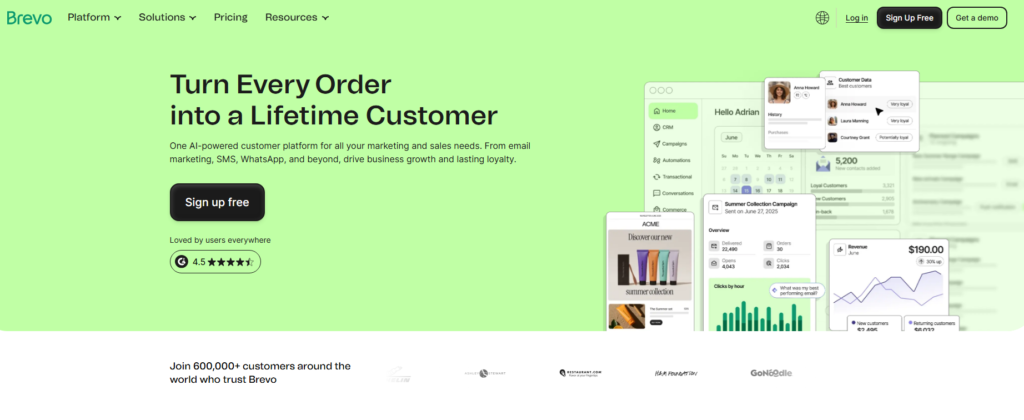
The rebrand to Brevo came with a much bigger ambition: become a full customer engagement platform.
Today, it covers email campaigns, SMS, WhatsApp, push notifications, a CRM, live chat, landing pages, and transactional email.
Over 600,000 customers around the world trust Brevo to run their marketing. That kind of scale tells you something is working.
Brevo Pricing Plans in 2026
Brevo prices by email volume rather than contact list size. That single difference is what makes it so attractive for businesses with large lists but moderate sending frequency.
| Plan | Monthly Emails | Key Features |
|---|---|---|
| Free | 300/day | Email campaigns, basic automation, contact management |
| Starter | From 20,000/mo | No daily limit, email support, basic reporting |
| Business | From 20,000/mo | Marketing automation, A/B testing, advanced stats |
| Enterprise | Custom | Dedicated IP, custom onboarding, priority support |
The free plan is genuinely generous. You get email campaign tools, contact segmentation, and basic automation at zero cost.
The 300 email daily cap is the main constraint, but for testing or very small lists it works perfectly well.
Brevo Features Tested in Detail
Email Editor and Templates
I built several campaigns using the drag-and-drop editor, and it genuinely felt smooth from the start.
The block based layout is intuitive enough that I didn’t need to consult any help docs on day one.

Something most reviews gloss over: the built in image editor lets you crop, resize, and apply filters without leaving the platform. That matters when you’re moving fast.
The template library covers a solid range of styles. The brand kit feature takes it further, letting you lock in your fonts and colors so every email looks consistent without manual effort each time.
Marketing Automation Builder
The automation builder is where Brevo punches well above its price.
I set up a multi step welcome sequence with conditional branching. If someone clicked a link, they got one follow up. If they never opened the email, they got a different one.
The visual workflow canvas made it easy to map this out.
It will not match the depth of something like ActiveCampaign on complex enterprise workflows.
There’s no split testing of automation paths, and predictive sending isn’t available at every tier.
For most small and mid sized businesses, though, Brevo’s automation covers everything they will realistically build.
CRM and Sales Tools
The built in CRM surprised me the most during testing. You can track deals through a visual pipeline, assign tasks, and log notes against contacts.
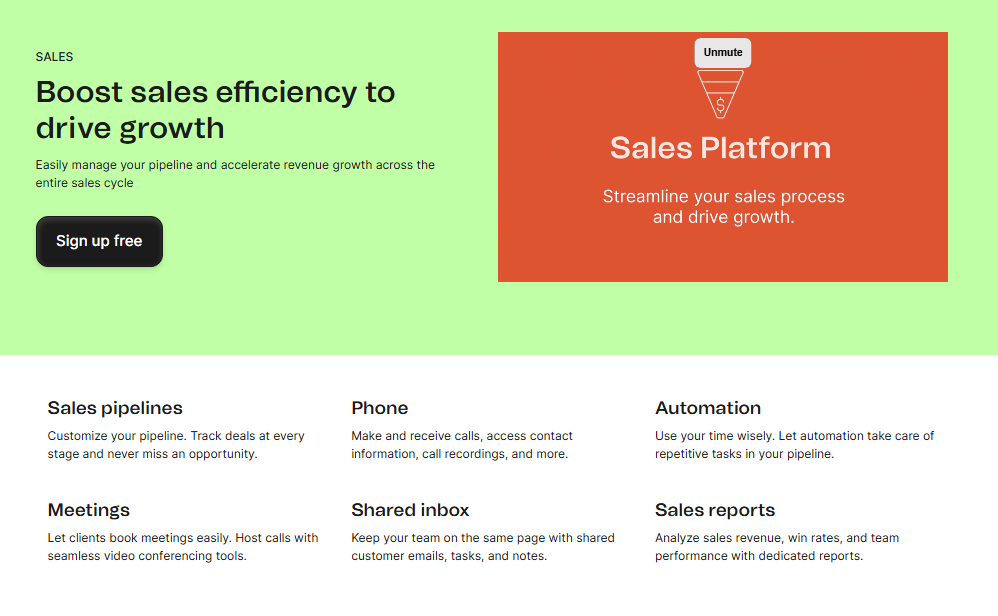
It is not Salesforce, and it was never meant to be. What it does well is bridge the gap between your marketing campaigns and your sales follow ups in one dashboard.
For a solo operator or a small team, having CRM data right next to your email stats removes a lot of switching friction.
I found myself using it daily rather than treating it as a bolt on.
SMS and Multi-Channel Messaging
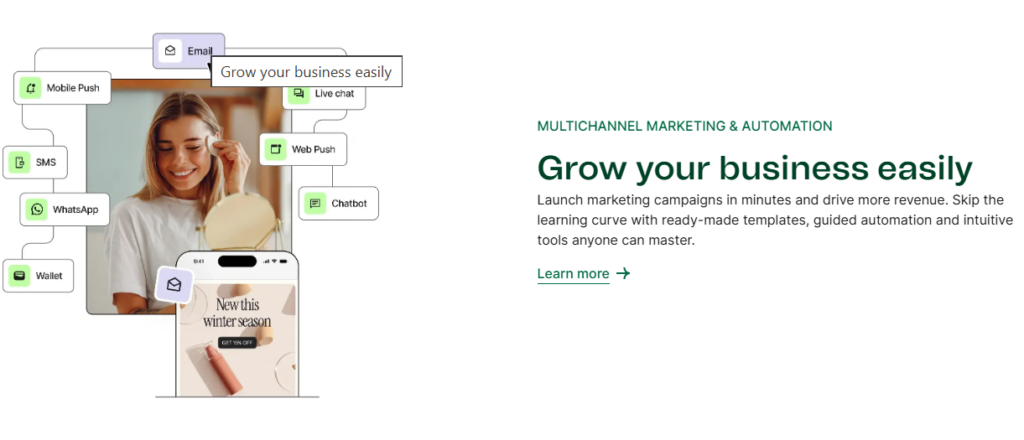
Right alongside email, Brevo handles SMS campaigns and WhatsApp messaging.
I tested an SMS campaign with a short promotional message, and the setup took under five minutes.
You buy SMS credits separately, which keeps costs transparent.
WhatsApp campaigns were moved to the higher tier plans in recent pricing changes, which is worth knowing before you commit.
Push notifications are also available, making Brevo one of the few platforms at this price point to genuinely cover this many channels.
Deliverability
Deliverability is the number that decides whether everything else matters. In my testing, open rates were consistent and strong.
Independent testing by Venture Harbour across 640,000 sent emails showed consistently strong inbox placement, with Brevo holding its own against dedicated transactional providers.
Authentication setup via SPF, DKIM, and DMARC is clearly guided inside the platform, so even non-technical users can complete it without hiring a developer.
Reporting and Analytics
The reporting dashboard gives you opens, clicks, unsubscribes, and heat maps showing where people click inside your emails.
I found the contact level activity log especially useful, because you can see exactly what an individual subscriber has done across all your campaigns.
The heat map view isn’t always available on the lowest paid tier, so check your plan before relying on it.
Integrations and API
Brevo connects with Shopify, WooCommerce, WordPress, Zapier, and dozens of other tools.
The API is well documented, and I found integrating it with a WordPress site took less than twenty minutes using their native plugin.
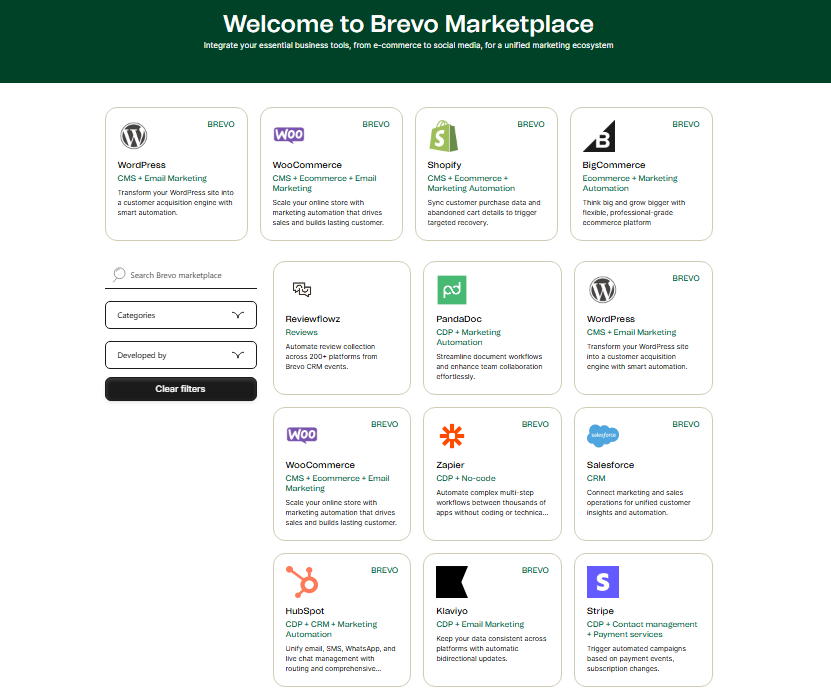
What I noticed during setup is that the Shopify integration pulls in purchase data cleanly, enabling proper ecommerce segmentation without manual imports.
Brevo Pros and Cons
Pros
- Pricing by email volume: far cheaper if you have a large list but send infrequently
- Genuinely useful free plan: not a stripped down bait and switch version
- Multi channel in one place: email, SMS, WhatsApp, push, and live chat
- Built in CRM: no extra subscription needed for basic sales pipeline management
- Strong deliverability: well above average based on real world sending data
- Automation available on free and entry plans: competitors lock this behind expensive tiers
- Clean, intuitive editor: the image editing tools inside campaigns are a genuine time saver
Cons
- Automation depth: no split testing of workflow paths or per contact predictive sending
- WhatsApp requires higher tier plan: the 2026 pricing restructure moved this feature up
- Brevo can pause accounts: if early campaign performance metrics look poor, they may block sends temporarily (a deliverability protection measure, but frustrating)
- Phone support only on higher plans: entry tier users get email support only
- Landing page builder is functional but not flashy: lacks the design flexibility of dedicated page builders
What Other Brevo Reviews Won’t Tell You
Almost nobody writes about how Brevo handles early account activity.
When I first imported a contact list from another platform, Brevo flagged the campaign after open rates came in lower than their threshold.
The account was temporarily limited. It was frustrating in the moment, but the reason behind it is Brevo keeping its shared IP pools clean, which directly protects your deliverability long term.
Right alongside that, most reviews treat the scheduling tool and live chat features as afterthoughts.
After using both over several months, I found them genuinely practical. The meeting scheduler integrates with your calendar and can be embedded on your site.
It’s not Calendly, but for businesses already paying for Brevo, eliminating a separate scheduling subscription is real money saved.
The third thing worth knowing: the Aura AI suite launched in the past two years and adds subject line generation, content assistance, and send time optimization.
I tested it across several campaigns and found the send time feature genuinely improved open rates by a few percentage points. It’s not magic, but it’s measurable.
Brevo vs. Competitors
| Feature | Brevo | Mailchimp | ActiveCampaign |
|---|---|---|---|
| Pricing model | By emails sent | By contacts | By contacts |
| Free plan | Yes | Yes | Trial only |
| Built in CRM | Yes | Limited | Yes |
| SMS marketing | Yes | Yes | Yes |
| Automation depth | Good | Basic | Advanced |
| Best for large lists | Yes | No | No |
Who Should Use Brevo and Who Should Skip It
Brevo is a strong fit if you:
- Have a large contact list but only send emails once or twice per month
- Want email, SMS, and CRM without juggling three subscriptions
- Are starting out and want a free plan that doesn’t cripple key features
- Run transactional email alongside marketing campaigns
You might want to look elsewhere if you:
- Need deep automation with split tested workflow paths, which ActiveCampaign handles better
- Primarily need a visual landing page builder with advanced design control
- Require enterprise-level phone support on a budget plan
Free Plan and Getting Started
Signing up took me under three minutes. No credit card required for the free plan. You get access to the email editor, contact management, basic automation, and the CRM right away.
The onboarding checklist walks you through your first campaign step by step, and I found it genuinely helpful rather than the usual hollow tutorial experience.
Paid plans scale based on how many emails you send per month, not how many contacts you store.
That means growing your list doesn’t automatically inflate your bill, a refreshing change from how most competitors structure things.
Frequently Asked Questions About Brevo
Is Brevo good for beginners?
Yes. The interface is clean, the onboarding checklist is genuinely useful, and the drag-and-drop editor requires no technical skills. I had my first campaign live within thirty minutes of signing up. The free plan means you can explore the platform thoroughly before spending anything.
Does Brevo charge based on contact list size?
No, and this is one of Brevo’s biggest differentiators. Pricing is based on the number of emails you send per month, not how many contacts you store. In practice that makes Brevo far more affordable for businesses with large lists and moderate sending frequency compared to Mailchimp or ActiveCampaign.
How good is Brevo’s email deliverability?
Deliverability is strong. Real world data from 640,000 sent emails shows consistent inbox placement. Brevo’s guided SPF, DKIM, and DMARC setup helps even non-technical users authenticate properly. They also actively monitor campaign performance to protect shared IP reputation, which benefits all users.
Can I use Brevo for transactional emails?
Absolutely. Transactional email is one of Brevo’s standout strengths and a core part of its original product. It handles order confirmations, password resets, and other triggered messages reliably. The API is well documented and competes comfortably with dedicated transactional providers like Postmark and Mailgun.
What support options does Brevo offer?
Email support is available on all plans, including the free tier. Phone support is reserved for higher paid plans. There’s also a detailed knowledge base, community forum, and in app chat for common questions. Response quality in my experience was helpful, though not instant on entry-level plans.
Is there a free trial for Brevo’s paid plans?
Brevo offers a free plan with no time limit rather than a traditional free trial. You can use core features indefinitely at no cost. Upgrading to a paid plan unlocks higher sending volumes, advanced reporting, and priority support, and you can downgrade again if needed.
Final Verdict: Is Brevo Worth It in 2026?
After months of real use, my conclusion is straightforward: Brevo is one of the best value marketing platforms available in 2026.
The pricing model genuinely rewards businesses with growing lists, the multi-channel coverage is rare at this price, and the deliverability holds up under real world conditions.
The automation won’t satisfy power users who need enterprise-grade workflow complexity. Brevo was never built for that market, and it does not pretend to be.
For the vast majority of small and mid sized businesses, Brevo gives you more capability per dollar than almost any competitor I’ve tested.
If you’ve been sitting on the fence, the free plan removes every barrier to trying it yourself.