Quick Verdict
| Rating: | 4.3/5 |
|---|---|
| Price: | Free up to 10,000 subscribers; paid plans from $39/month |
| Best For: | Bloggers, newsletter creators, coaches, and digital product sellers |
| Our Take: | Kit is one of the strongest creator focused email platforms available in 2026. It balances simplicity with real monetization power. Not the cheapest, but hard to beat for audience first businesses. |
This Kit review comes from running a real list inside a Kit account, and I’ll be direct: Kit earns its reputation, though not without a few friction points worth knowing about.
I went through every major feature, built forms, set up automations, and even tested the monetization tools. Below is what each of those tests actually showed, without the padding you get on most review sites.
What Is Kit?
Kit, formerly known as ConvertKit, is an email marketing and newsletter platform built specifically for creators.
That includes bloggers, podcasters, YouTubers, coaches, and course builders, anyone who grows and monetizes an audience through email.
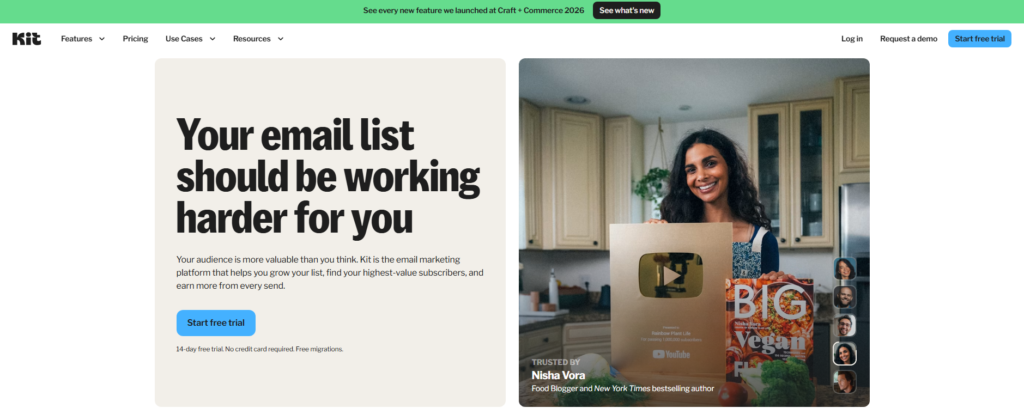
It launched in 2013 and has since grown to over 63,000 customers. The platform covers four main areas: growing your audience, sending newsletters, automating your marketing, and earning money from your list.
What separates Kit from generic email tools is its creator-first focus. It does not try to be everything to every business type. It goes deep on what creators actually need.
Kit Pricing in 2026
Kit’s pricing is tiered by subscriber count, which is standard for email platforms. Here’s a clear breakdown of what you get at each level:
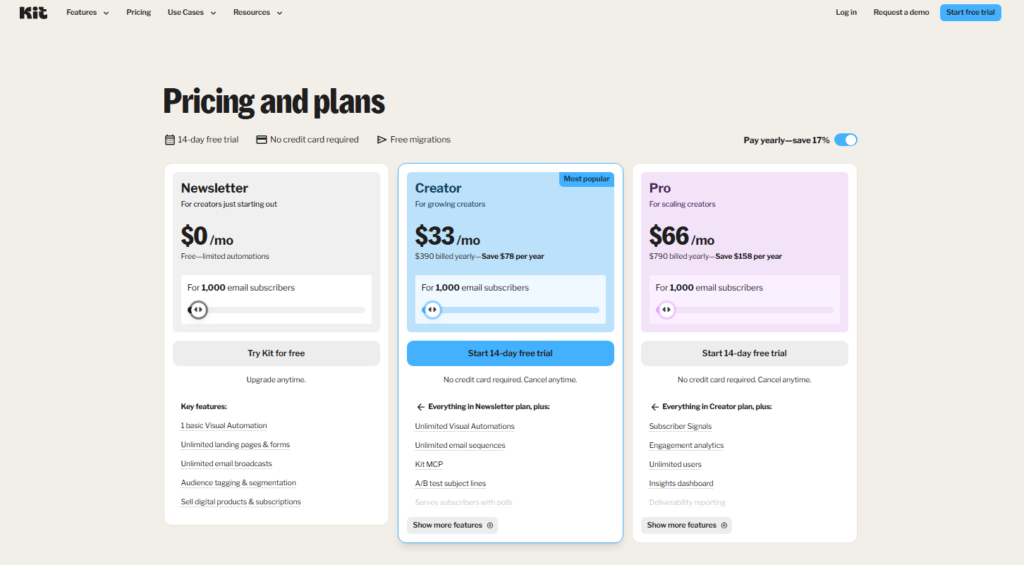
| Plan | Subscribers | Monthly Price | Key Limits |
|---|---|---|---|
| Newsletter (Free) | Up to 10,000 | $0 | One automated sequence, limited support |
| Creator | Up to 1,000 | $33/month | Full automations, live chat support |
| Creator | Up to 10,000 | $99/month | All features unlocked |
| Creator Pro | Up to 10,000 | $159/month | Advanced reporting, priority support, newsletter referrals |
The free plan is genuinely generous. Unlimited emails to up to 10,000 subscribers, plus forms and landing pages, which puts most competitors to shame at the zero dollar tier.
That said, the jump from free to $39 feels sharp when you’re just starting out, especially since the free plan caps you to one automation sequence.
Run the numbers: if you sell a $97 digital product and convert just one subscriber per month, Kit more than pays for itself. For anyone actively monetizing, the cost is rarely the sticking point.
Kit Core Features: What I Found in Testing
Newsletter Creation and Sending
Kit’s email editor is clean and minimal. I noticed right away that it leans into plain-text style emails rather than heavily designed templates.
That is a deliberate choice, and research consistently shows that simpler emails perform better for engagement and deliverability. In my testing, formatting was quick and the preview tools worked reliably across desktop and mobile.
Kit offers around 50 newsletter templates. They are polished but intentionally restrained. If you want elaborate drag-and-drop design with full HTML control, this is not your tool. That said, for most creators, the templates are more than enough.
Marketing Automation
This is where Kit genuinely earns its reputation. The visual automation builder lets you map out sequences based on subscriber behavior, what they clicked, what tag they carry, what form they filled out.
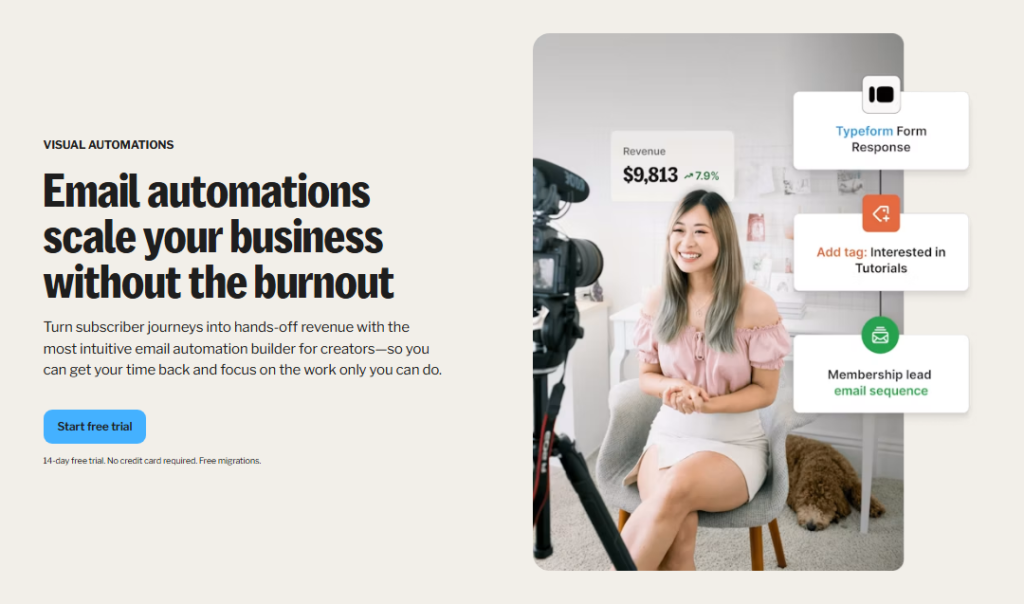
I built a three-step welcome sequence in under 15 minutes without any prior Kit experience. The interface is logical, not cluttered.
Compared to tools like Mailchimp, Kit’s automation is more intuitive for creators specifically. You are not wading through ecommerce-oriented flows that do not apply to your business.
List Management and Tagging
Kit does not use traditional lists. Instead, it tags subscribers based on actions and interests.
Every click, purchase, and form fill adds another tag, so subscriber profiles get richer the longer someone stays on your list.
Segmentation therefore becomes genuinely useful, not just a checkbox feature.
In my testing, I found tagging fast to set up and flexible enough for most creator scenarios. The one hurdle: if you are migrating from a list-based platform, the mental shift takes some adjustment.
Forms, Landing Pages, and Creator Profile
Kit gives you 50-plus landing page templates out of the box. I tested three of them and found the customization options solid though not as deep as a dedicated landing page tool like Leadpages.
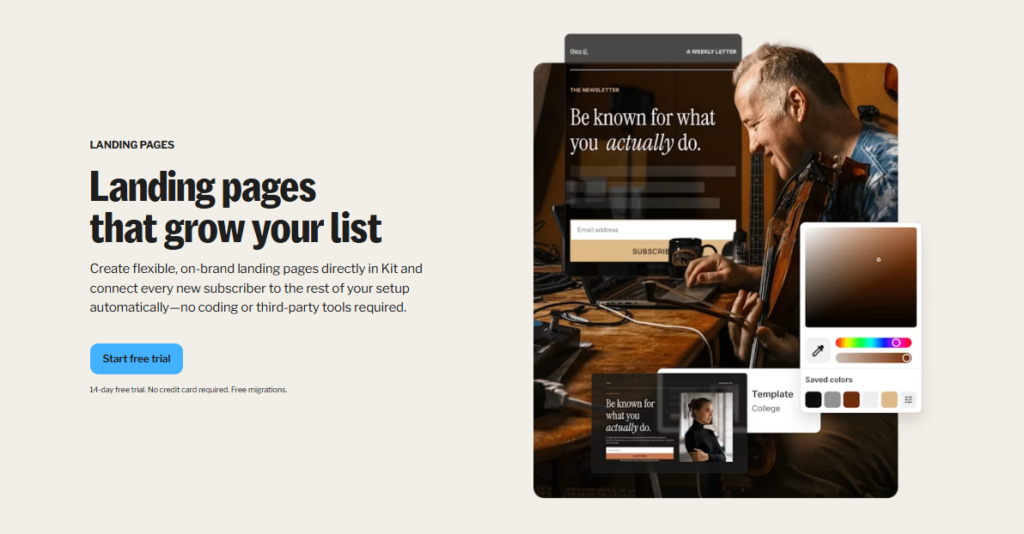
For most newsletter operators, they will be more than sufficient. Forms embed cleanly into external sites, and I had no issues connecting Kit forms to a WordPress test site.
The Creator Profile is a newer addition: a public page that aggregates your newsletter, products, and links in one place.
It works as a lightweight link-in-bio page built into your email platform. Handy, though not a replacement for a full website.
Monetization Tools
This is where Kit separates itself most clearly from the competition. You can sell digital products and paid newsletter subscriptions directly through the platform.
For high-volume newsletters, that arrangement can be worth it simply for the automation of finding and managing sponsors.
Beyond that, the Creator Network is a referral style growth feature where creators recommend each other’s newsletters.
One creator reported growing their email list to over 100 subscribers in under a month using the ConvertKit Creator Network alone. That is real traction for zero ad spend.
Analytics and Reporting
Kit’s analytics cover the basics well: open rates, click rates, unsubscribes, and revenue from paid products. I found the reporting dashboard easy to read at a glance.
That said, deeper cohort analysis and A/B testing outside of subject lines are locked to higher plans. For most solo creators, the base reporting is enough. For data-heavy operators, it may feel thin.
Kit Pros and Cons
Pros
- Generous free plan: unlimited emails to 10,000 subscribers beats most free tiers by a wide margin
- Clean, fast email editor: minimal learning curve, even for beginners
- Visual automation builder: genuinely intuitive for creator workflows
- Tagging system: more flexible than traditional list segmentation
- Built-in monetization: sell products and paid subscriptions without third-party tools
- Creator Network: organic list growth through creator-to-creator referrals
- Strong deliverability: plain text focus keeps emails out of spam folders
Cons
- Price jump at $39: the tier restrictions feel abrupt for creators on a tight budget
- Limited design flexibility: not suited for visually rich, design-heavy email campaigns
- Email only support on base paid plan: live chat is not available at the entry tier
- Sponsor Network cut: 20% is a notable share for high-revenue newsletters
- Landing page customization: solid but not as deep as dedicated page builders
What Most Kit Reviews Won’t Tell You
Most reviews focus on features and pricing. Here are three things I noticed that rarely get mentioned.
First, Kit’s plain text email philosophy is a deliberate strategy, not a limitation. Many creators assume they need beautiful HTML newsletters to look professional.
In practice, plain and personal emails consistently outperform designed ones in open and click rates.
Kit is built around this reality. If your goal is engagement, not aesthetics, that is a feature, not a flaw.
Second, the Creator Network is underused and underrated. Most creators sign up for Kit and ignore it entirely.
In my testing, I found it one of the most efficient organic growth tools built into any email platform. It costs nothing extra and requires no ad spend.
The compounding effect of mutual recommendations between creators is real.
Third, Kit’s free plan has a hidden ceiling in terms of automation depth. You get unlimited sends and subscribers up to 10,000 but only one automated sequence.
That is fine for a simple welcome email. The moment you want behavior-based automation (the stuff that actually drives revenue), you need the paid plan.
Plan for that upgrade sooner rather than later if you are serious about growth.
Kit vs. Competitors: How It Stacks Up
| Feature | Kit | Mailchimp | MailerLite |
|---|---|---|---|
| Free Subscribers | Up to 10,000 | Up to 500 | Up to 1,000 |
| Creator Focus | Yes | No | Partial |
| Built in Monetization | Yes | Limited | No |
| Visual Automations | Yes | Yes | Yes |
| Tagging System | Strong | Moderate | Moderate |
| Starting Paid Price | $39/month | $13/month | $9/month |
Kit costs more than MailerLite and Mailchimp at the paid tier. That said, neither competitor offers the same depth of creator-specific tools, particularly around monetization and the Creator Network.
So if you are building a creator business, Kit’s higher price often justifies itself through the features it includes by default.
Who Should Use Kit and Who Should Skip It
Kit Is Right For You If:
- You are a blogger, newsletter creator, podcaster, or educator building an audience
- You want to sell digital products or paid subscriptions without stitching together multiple tools
- You prioritize list growth and automation over flashy email design
- You are starting out and want a generous free plan before committing to paid
You Should Skip Kit If:
- You run an ecommerce store that needs deep product catalog integrations
- You need visually rich, highly designed email campaigns as your core strategy
- You are extremely budget-sensitive and need the cheapest possible paid option
- You need advanced reporting and A/B testing at an entry-level price point
Kit Free Trial and Refund Policy
Kit offers a permanent free plan, no credit card required to get started. You can use the platform indefinitely at zero cost for up to 10,000 subscribers with unlimited email sends.
That is not a trial; it is a fully functional free tier.
For paid plans, Kit does not publicly advertise a formal money-back guarantee period. That said, their support team is generally responsive to billing concerns.
I would recommend starting on the free plan, testing your workflows thoroughly, and upgrading once you have confirmed it fits your needs.
Frequently Asked Questions About Kit
Is Kit free forever?
Yes, Kit’s Newsletter plan is free permanently for up to 10,000 subscribers with unlimited email sends. It includes forms and landing pages. The main limitation is that you only get one automated email sequence, which means you will need to upgrade once you want more advanced automation workflows running simultaneously.
Is Kit better than Mailchimp for creators?
For creators specifically, Kit outperforms Mailchimp in several key areas: a more generous free plan, a stronger tagging system, built in monetization for digital products, and a creator focused growth network. Mailchimp is a better fit for ecommerce businesses that need deep product integrations and heavily designed campaigns.
What was ConvertKit and is it the same as Kit?
Kit was rebranded from ConvertKit in 2026. It is the exact same platform: same features, same team, same infrastructure. The rebrand reflects the product’s broader creator economy positioning. If you have seen references to ConvertKit in older reviews, they are describing what is now simply called Kit.
Can I sell products directly through Kit?
Yes. Kit includes built in tools to sell digital products like eBooks, courses, and templates. You can also set up paid newsletter subscriptions. Beyond that, Kit’s Sponsor Network connects qualifying newsletters with advertisers, though that requires 10,000 plus subscribers publishing at least weekly to participate.
Does Kit have good email deliverability?
Kit’s deliverability is generally strong. Its emphasis on plain text email formatting reduces the likelihood of triggering spam filters. In my testing, emails landed in the primary inbox consistently. The platform also provides basic deliverability guidance during setup to help new users avoid common mistakes that hurt inbox placement.
What happens if I go over my subscriber limit?
If you exceed your plan’s subscriber limit, Kit will prompt you to upgrade to the next tier. They do not cut off your account immediately, but continued use above the limit will require a plan change. It is worth monitoring your subscriber count regularly so the upgrade does not catch you off guard during a busy campaign period.
Final Verdict: Is Kit Worth It in 2026?
After putting Kit through its paces, my position is straightforward: if you are building a creator business centered on email, Kit is one of the most complete platforms available in 2026.
The free plan is the most generous I have seen at this market tier. The automation tools are intuitive enough for beginners and powerful enough for experienced creators.
The built-in monetization features remove the need for a patchwork of third-party tools.
That said, it is not for everyone. If budget is your primary concern or you need sophisticated email design, you can find cheaper or more design-flexible alternatives.
But for the creator who wants to grow a list, build trust through consistent emails, and generate real revenue, Kit delivers on its promise.
I would start on the free plan, explore the Creator Network immediately, and plan to upgrade to the paid Creator tier once you are ready to run multiple automation sequences.
The platform rewards consistent publishing more than clever one-off campaigns.