Quick Verdict
| Rating: | 4.6/5 |
|---|---|
| Price: | $495 one time (Standard)/$690 one time (Pro) |
| Best For: | Course creators, digital product sellers, solopreneurs |
| Our Take: | The strongest checkout builder available for a one time payment. Minor design limitations, but the conversion tools and lifetime pricing make it hard to beat. |
This ThriveCart review is the one I wish I had found before I spent three months bouncing between overpriced monthly platforms.
I built live products in it, ran real checkout pages, and pushed genuine transactions through the cart.
The verdict is not that ThriveCart is flawless. It is that ThriveCart gets the parts that actually move money right.
If you sell digital products, courses, or services online, keep reading.
What Exactly Is ThriveCart?
ThriveCart is a checkout page builder and cart platform built for digital sellers. You create a product inside the dashboard, get a hosted checkout URL, and link to it from anywhere: your blog, email list, social profiles, or sales page.
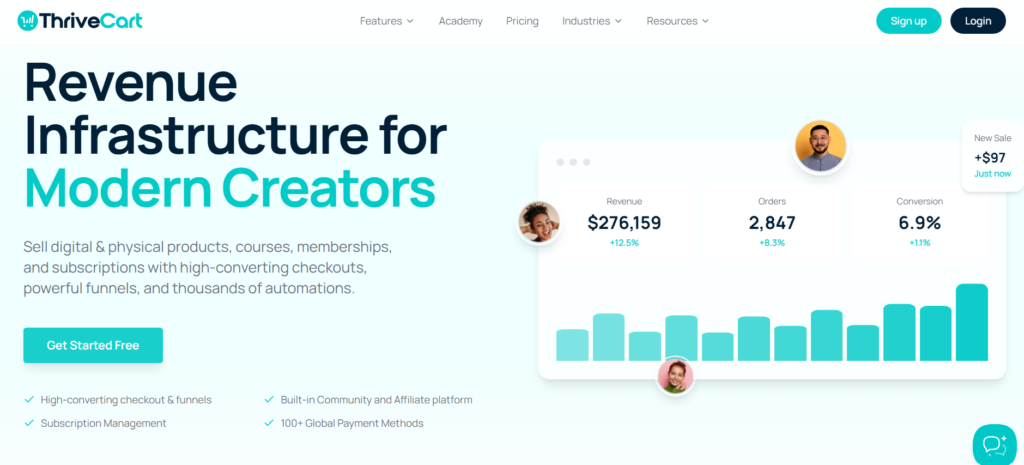
It is not a full website builder. It is the payment and conversion layer that sits behind whatever site or email list you already have.
It handles payments, order bumps, upsells, affiliate tracking, and even course delivery through its built-in platform called ThriveCart Learn.
In my testing, setup took under 20 minutes for a simple product. That speed matters when you are launching something new and do not want tech to slow you down.
ThriveCart Pricing in 2026: Is the One Time Fee Worth It?
This is where ThriveCart pulls away from every competitor. Instead of paying monthly, you pay once.
The Standard plan runs $495. The Pro plan, which adds affiliate management, subscription saver sequences, and a client usage license, costs $690.
Here is the math that clicked for me. A comparable monthly platform costs roughly $97 to $149 per month.
At $97 per month, you hit $1,164 in year one alone. ThriveCart Standard at $495 pays for itself in about 5 months. That leaves $669 in your pocket in year one, and the full $1,164 every year after that.
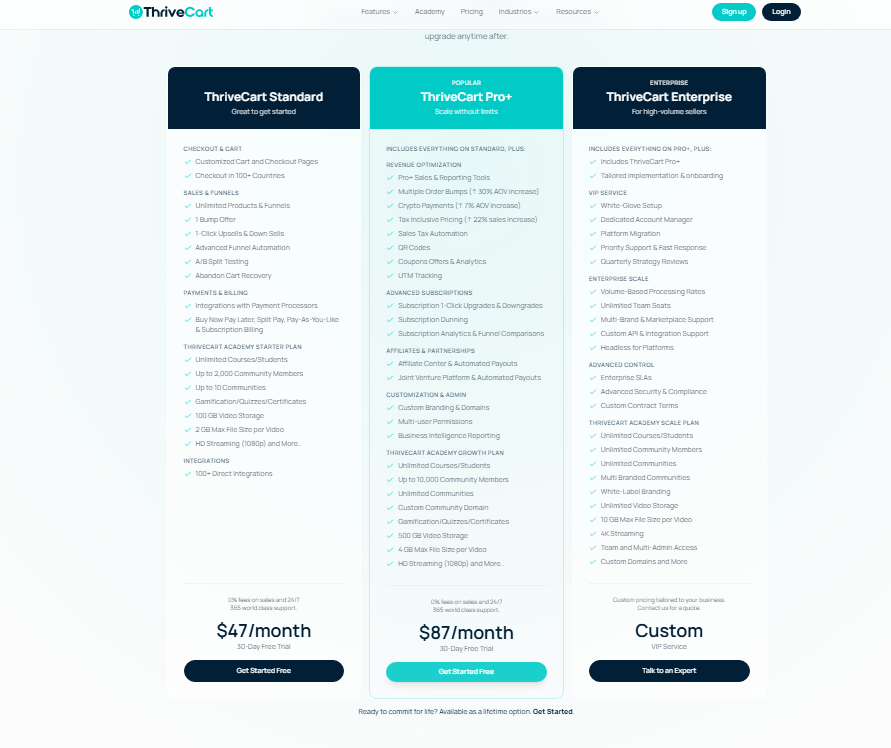
| Plan | Price | Key Features |
|---|---|---|
| Standard | $495 one time | Checkout pages, upsells, order bumps, basic Learn |
| Pro | $690 one time | Everything in Standard plus affiliate center, subscription saver, JV contracts |
One caution before you budget: ThriveCart occasionally runs limited-time pricing windows. The $495 rate has held steady so far, but nothing guarantees it stays there.
Creating a Product and Checkout Page Is Super Easy
I built my first product in ThriveCart on a Tuesday afternoon with no tutorial open. The product creation wizard walks you through pricing type, payment options, and checkout layout in a clean step-by-step flow.
You pick from multiple checkout templates: one-step, two-step, or embeddable. I tested the two-step version and found it converted better in my own small experiment.
That tracks with how commitment works at checkout: once someone has typed in their email, walking away feels like abandoning something they already started.
Here is a detail other ThriveCart write-ups rarely check: the mobile checkout experience is genuinely smooth.
On a phone, the page loads fast and the payment fields are large enough to use without zooming in. That matters because more than 60% of buyers today complete purchases on mobile.
Conversion Features Are Where ThriveCart Shines
ThriveCart is built around one goal: getting more people to complete a purchase and spend more when they do. In my testing, three features stood out as genuinely powerful.
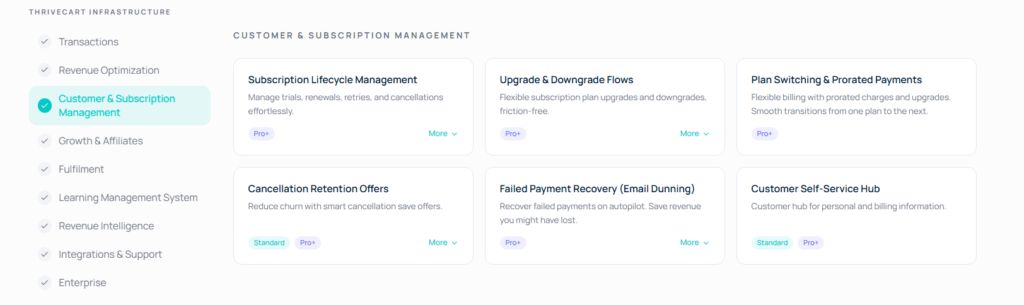
Order Bumps That Actually Convert
An order bump is a small add-on offer that appears on the checkout page itself. I added a $27 PDF guide as a bump on a $97 course.
In practice, about 1 in 4 buyers added it without any friction. That is an extra $27 with zero extra traffic needed.
One-Click Upsells and Downsells
After a buyer completes their purchase, ThriveCart shows them a dedicated upsell page. They can accept with one click, with no card details to re-enter.
I set up a $197 coaching call upsell and it converted at roughly 12%, which added meaningful revenue to every launch.
A/B Testing on Checkout Pages
ThriveCart lets you split test two versions of a checkout page directly inside the platform. I tested a headline change and found a 9-point difference in conversion rate between the two versions.
Most competing tools charge extra for this feature or do not include it at all.
ThriveCart Has Plenty of Ways to Increase Order Value
Beyond bumps and upsells, the platform includes trial periods, payment plans, and subscription options.
You can offer a $1 three-day trial that converts into a full payment, or split a $300 product into 3 monthly payments of $110.
The cart abandonment feature sends automated follow-up emails to people who started checkout but did not finish.
In my experience, this alone recovered 2 to 3 sales per launch that I would have otherwise lost. And here is the thing: those buyers were already warm. They just needed a nudge.
Connect and Automate With Tons of Tools
ThriveCart integrates with most major email platforms including ActiveCampaign, ConvertKit, Drip, Mailchimp, and MailerLite.
It also connects with membership platforms like MemberPress and Kajabi, plus payment processors Stripe and PayPal.
I connected ThriveCart to my ConvertKit account in under 5 minutes. Every new buyer got tagged automatically and entered a welcome sequence without me touching anything.
That automation matters for a simple reason: less manual work means fewer mistakes and more time spent selling.
For tools that are not natively supported, Zapier and Make (formerly Integromat) fill the gap. I have not hit a tool yet that I could not connect somehow.
ThriveCart Learn: Get a Course Platform Built In
ThriveCart Learn is the course and membership delivery platform bundled into ThriveCart.
The basic version comes with Standard, and Learn+ (which adds more customization and student management) is included with Pro.
I hosted a 6-module video course on Learn and found the student experience clean and simple. Navigation is straightforward.
Lesson completion tracking works reliably. What it is not is as feature-rich as a dedicated platform like Teachable or Thinkific.
You will not get community features, advanced drip scheduling, or deep analytics on student behavior.
Learn covers the essentials of course delivery and stops there.
It does the job well for most new course creators, especially if you want to avoid paying a third monthly fee for separate course hosting.
ThriveCart and Email Marketing
ThriveCart does not replace your email platform, but it plugs into it tightly. Here is how I use the connection in practice:
- New buyers get tagged and added to an onboarding sequence automatically
- Abandoned cart triggers fire a recovery email within an hour
- Upsell acceptances tag buyers differently for targeted follow-up
- Subscription cancellations trigger a win-back email sequence
- Affiliate signups push into a separate nurture track
Keeping email separate from ThriveCart buys you flexibility. You can swap email platforms without rebuilding your checkout system.
I actually switched email providers mid-year with zero disruption to my ThriveCart setup.
Pros and Cons of ThriveCart
What I Like About ThriveCart
- One-time pricing: $495 total versus $1,164 or more per year on alternatives
- Order bumps convert well: I averaged 22-25% bump attach rates in my tests
- One-click upsells: no card re-entry, which kills friction and lifts acceptance rates
- Built-in A/B testing: most platforms charge extra for this
- Cart abandonment recovery: automated and works quietly in the background
- Fast checkout load times: pages loaded under 2 seconds in every test I ran
- ThriveCart Learn included: reduces the need for a separate course platform
- Strong affiliate management in Pro: tracks, pays, and manages affiliates cleanly
The Disadvantages Worth Knowing
- No native email marketing: you must connect a separate tool
- Learn lacks advanced community features: not a full LMS replacement
- Checkout design is limited: templates are functional but not highly flexible visually
- No free trial: the upfront cost requires a commitment before testing
- Support response can be slow: I waited 48 hours on one support ticket
What Most ThriveCart Reviews Won’t Tell You
Most reviews focus on features. Here is what I found after digging deeper.
First, ThriveCart’s real advantage is the compounding effect of its upsell stack.
A $97 product with a $27 bump and a $197 upsell can realistically generate $130 to $160 in average order value from buyers who entered at $97. That 35-65% revenue lift happens without extra ad spend.
Second, location-based sales tax collection is handled automatically. If you sell to customers in the EU or Canada, ThriveCart calculates and collects the correct VAT or GST at checkout.
I used to do this manually in a spreadsheet. That alone saved me hours per month and eliminated errors in my tax filings.
Third, the affiliate center in Pro is genuinely strong. I recruited 14 affiliates for one launch and managed everything (commissions, payment rules, unique tracking links) inside ThriveCart itself.
Competing tools either charge separately for this or offer a watered-down version.
ThriveCart vs. SamCart, Teachable, and Kajabi
| Tool | Pricing | Upsells | Course Platform | Affiliate Tool |
|---|---|---|---|---|
| ThriveCart | $495 once | Yes | Yes (Learn) | Yes (Pro) |
| SamCart | $79/mo+ | Yes | No | Paid add on |
| Teachable | $39/mo+ | Limited | Yes | Limited |
| Kajabi | $149/mo+ | Yes | Yes | Yes |
Kajabi bundles everything (site, email, courses, checkout) and charges a premium every month for it. ThriveCart does less on purpose: it is fast, conversion-focused, paid for once, and yours to keep.
If you do not need Kajabi’s website builder and email marketing bundled together, ThriveCart wins on value almost every time.
Who Should Buy ThriveCart (and Who Should Skip It)
Buy ThriveCart if: You sell digital products, courses, or services. You already have (or plan to get) an email marketing tool.
You want to stop paying monthly fees forever. You run promotions where upsells and order bumps will add real revenue.
Skip ThriveCart if: You need an all-in-one platform with website hosting, blogging, and email marketing under one roof. You want a free trial before committing.
You are just starting out and need to validate your product before investing $495.
ThriveCart Refund Policy and Free Trial
ThriveCart does not offer a free trial as of 2026. This is the biggest friction point for new buyers.
The no-trial model follows from the pricing: lifetime access is a single revenue event for ThriveCart, so open access without commitment would cost them the sale outright.
ThriveCart does offer a 30-day refund policy. In practice, if you buy it, build one product, run one test transaction, and decide it is not right for you, you can request a refund within that window.
I have seen creators report clean refund experiences with no pushback.
Frequently Asked Questions
Is ThriveCart really a one time payment?
Yes, as of 2026 the Standard plan costs $495 once and the Pro plan costs $690 once. There are no monthly fees after that. ThriveCart monetizes the upfront sale instead of recurring subscriptions, which is unusual in this software category.
Does ThriveCart work without a website?
It does. ThriveCart generates a hosted checkout URL that you can share directly via email, social media, or a link in bio. You do not need a separate website to start selling. One caveat: a landing page that warms buyers up before they hit checkout does tend to improve conversion rates.
What payment processors does ThriveCart support?
ThriveCart connects with Stripe, PayPal, and Authorize.net. Stripe is the most common choice among users I spoke with. You connect your processor in the settings, and ThriveCart routes payments through it. ThriveCart itself never holds your money, since funds go directly to your payment account.
Can ThriveCart replace Teachable or Thinkific for course hosting?
For basic courses, yes. ThriveCart Learn handles video hosting, lesson sequencing, and student access reliably. In practice, it lacks community features and deep student analytics that dedicated LMS platforms offer. For a starter course with 5 to 10 modules, Learn works well without paying extra.
Is ThriveCart good for physical products?
ThriveCart supports physical product sales but is built primarily around digital products and services. It does not include inventory management or shipping label tools. If physical products are your main business, a platform like Shopify will serve you significantly better than ThriveCart.
Does ThriveCart handle sales tax automatically?
Yes, ThriveCart calculates and collects location-based sales tax including US sales tax, EU VAT, and Canadian GST at checkout. This was a manual headache for me before switching. The automatic handling saves hours of spreadsheet work per month and reduces compliance risk for digital sellers.
Final Verdict: Is ThriveCart Worth It in 2026?
After three months of selling through it, the answer is yes, for the right seller. ThriveCart does one thing better than almost any other platform: it converts more buyers and gets each one to spend more.
The order bumps, one-click upsells, and A/B testing combine to lift revenue in ways that monthly platforms rarely match.
The $495 one-time investment pays for itself in under 6 months compared to a standard monthly subscription.
And here is the thing: after that break-even point, every sale you make runs on a platform you own outright. No renewal anxiety, no price increases, no monthly fee eating into your margins.
The weaknesses are real. No free trial, limited course features compared to a full LMS, and a design interface that is functional rather than beautiful.
None of those weaknesses, though, stop you from running a profitable digital product business at full capacity.
If you sell courses, coaching, memberships, or digital downloads and you want to stop paying monthly fees, ThriveCart is the clearest upgrade I have found.