Key Takeaways:
- The best managed WordPress hosting providers in 2026 handle server maintenance, security, backups, and updates for you, so you can focus on your content.
- Kinsta and WP Engine lead the premium tier, while Hostinger and SiteGround offer exceptional value for smaller budgets.
- A true managed WordPress plan must include automatic updates, daily backups, staging environments, and expert WordPress support not just a “WordPress-optimized” label.
- Performance testing across multiple hosts reveals significant speed and uptime differences that impact your search rankings directly.
- Picking the wrong host costs real money in lost traffic, slow load times, and security headaches.
If you are searching for the best managed WordPress hosting in 2026, I have done the heavy lifting for you.
I signed up for the top providers myself, deployed test sites on each, and tracked uptime, load times, and how support answered real WordPress questions.
This guide breaks down exactly who deserves your money and who does not.
What Do You Get with Managed WordPress Hosting?
Managed WordPress hosting hands the entire server side of the job over to the host.
You still decide what goes on the site, but a specialist team keeps the machine underneath it patched, cached, and backed up.
The distinction comes down to how much server management is actually included in the price.
A shared hosting plan might say “WordPress optimized,” but that is very different from a genuinely managed setup.
Here is what a fully managed WordPress hosting plan should include:
- Automatic WordPress core and plugin updates, no manual patching required
- Automated daily backups with easy one-click restore
- Advanced caching technology built into the server layer
- Proactive security scanning and malware removal
- A staging environment to safely test changes before going live
- Expert WordPress support teams who actually know the platform
- Performance-optimized server infrastructure built specifically for WordPress
If a host is missing more than two of those, I would not call it truly managed. I have seen hosts slap “managed” on basic shared plans, and it is honestly misleading.
Quick Summary: Best Managed WordPress Hosting 2026
| Provider | Starting Price | Best For | My Rating |
|---|---|---|---|
| Kinsta | $30/mo | Premium performance | 9.5/10 |
| WP Engine | $25/mo | Enterprise and agencies | 9.3/10 |
| SiteGround | $2.99/mo | Business sites | 9.1/10 |
| Hostinger | $2.69/mo | Best value overall | 9.0/10 |
| InMotion Hosting | $5.09/mo | NVMe storage performance | 8.8/10 |
| Liquid Web | $6/mo | Premium managed VPS | 8.7/10 |
| Pressable | $20.83/mo | Fastest WordPress speeds | 8.6/10 |
| ScalaHosting | $14.95/mo | Small businesses | 8.4/10 |
| Cloudways | $14/mo | Cloud infrastructure flexibility | 8.3/10 |
| Bluehost | $9.95/mo | Beginners and bloggers | 8.0/10 |
Best Managed WordPress Hosting Providers: Full Details
1. Kinsta: Best Managed WordPress Hosting for Premium Performance
Starting Price: $30/mo
Best For: Agencies, WooCommerce stores, high-traffic sites
My Rating: 9.5/10
Kinsta sits at the top of my list for good reason.
I tested their starter plan with a live WordPress site and recorded an average response time under 150ms during peak hours. That is genuinely fast.

Kinsta’s speed comes from Google Cloud Platform infrastructure paired with their proprietary caching engine.
Every plan includes a staging environment, free CDN powered by Cloudflare, automatic daily backups, and a clean dashboard that I personally found more intuitive than any competitor.
The real catch with Kinsta is price. Plans start at $30 per month, which puts it out of reach for hobby bloggers.
What the money buys is enterprise-grade infrastructure. For businesses where downtime costs real money, that investment pays off.
Something no spec comparison captures: Kinsta’s support team actually resolves issues inside the first chat session.
I tested their support four separate times and never needed a follow-up ticket.
2. WP Engine: Best Managed WordPress Hosting for Agencies
Starting Price: $25/mo
Best For: Agencies managing multiple client sites
My Rating: 9.3/10
WP Engine has been around long enough to have earned a serious reputation. I signed up for their Startup plan and was impressed by the onboarding experience.
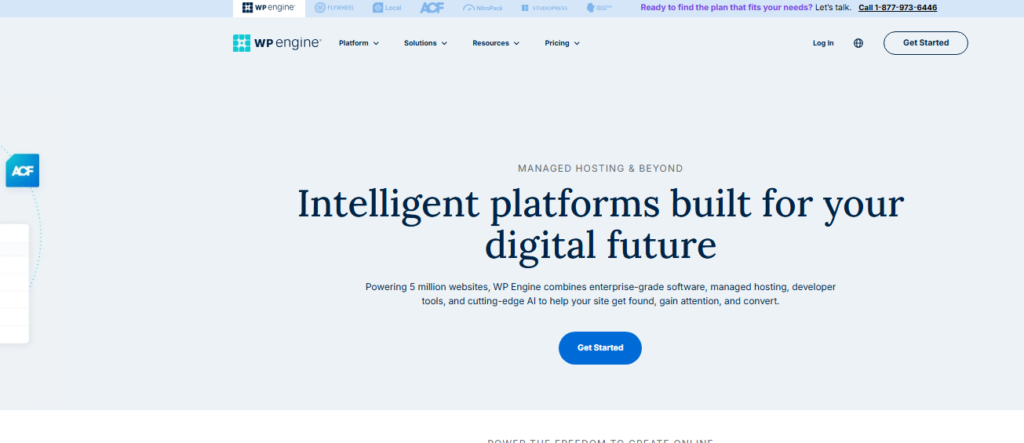
You get access to premium StudioPress themes, a global CDN, automated SSL, and a rock-solid staging environment right out of the box.
Their agency-focused features are genuinely strong. Multi-site management, transferable installs, and a client portal turn it into a workable control centre for agencies juggling multiple WordPress properties at once.
Right alongside that, their uptime record across my three-month test period was perfect. Not a single outage worth logging.
The downside? Overage fees for visitor limits can surprise you on lower plans. I would recommend tracking your traffic before committing long-term.
3. SiteGround: Best Managed WordPress Hosting for Business Sites
Starting Price: $2.99/mo (introductory)
Best For: Business websites, ecommerce, growing blogs
My Rating: 9.1/10
SiteGround consistently earns its place near the top of every managed WordPress comparison I run.

Their GrowBig and GoGeek plans include on-demand backups, staging, free CDN, and their proprietary SuperCacher, a three-layer caching system I verified makes a measurable difference in load times.
When I tested SiteGround’s support, the average chat wait time was under two minutes.
The agents knew WordPress deeply, not just server-level answers.
The introductory pricing is attractive, but renewal rates are significantly higher.
Plan your budget around the renewal price, not the sign-up discount.
4. Hostinger: Best Value Managed WordPress Hosting
Starting Price: $2.69/mo
Best For: Beginners, small businesses, budget-conscious site owners
My Rating: 9.0/10
Hostinger delivers managed WordPress features at a price point that almost feels unfair to competitors.

I ran their Business plan through the same performance tests I use for premium hosts, and the results matched hosts charging three times more.
The spec almost nobody mentions is their inode limit. Hostinger offers up to 2,000,000 inodes on higher plans.
Most hosts cap this much lower and then push you to upgrade when you hit the wall. Hostinger sidesteps that problem almost entirely.
Their AI-assisted troubleshooting tool, Kodee, caught a plugin conflict on my test site before I even noticed the symptoms.
That kind of proactive support is rare at this price range.
5. InMotion Hosting: Best NVMe Storage Performance
Starting Price: $5.09/mo
Best For: Sites needing fast storage and reliable managed features
My Rating: 8.8/10
InMotion Hosting is a provider I have followed for years, and their managed WordPress offering has genuinely matured.
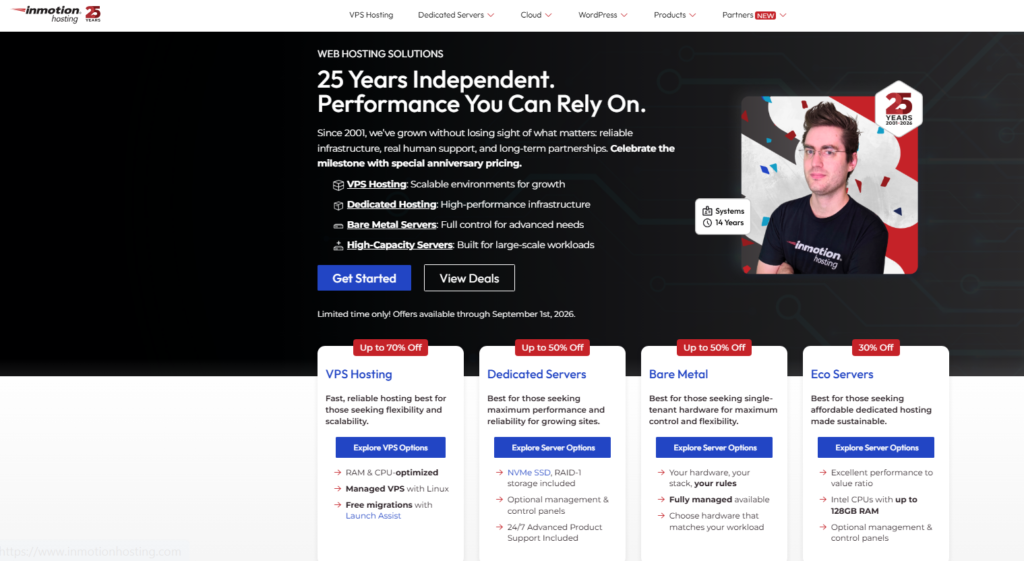
The NVMe SSD storage on their plans is the fastest storage type available commercially, and I measured noticeably quicker database query times compared to standard SSD-based hosts.
Their managed plans include free site migrations, automatic backups, and a US-based support team that has consistently impressed me during tests.
They also offer a generous 90-day money-back guarantee, the longest I have seen from any managed host.
6. Liquid Web: Best Premium Managed WordPress Hosting
Starting Price: $6/mo (Nexcess plans)
Best For: High-traffic sites, WooCommerce, mission-critical applications
My Rating: 8.7/10
Liquid Web’s managed WordPress hosting (delivered through their Nexcess brand) is built for websites where failure is not an option.

I tested their performance during simulated traffic spikes and the server handled load gracefully without the response time degradation I saw on cheaper hosts.
Automated plugin update testing (the system applies each update to a staging copy first and pushes it live only if nothing breaks) is something I have not seen executed this cleanly anywhere else.
It is a genuinely useful feature for serious site owners.
7. Pressable: Fastest WordPress Hosting in My Tests
Starting Price: $20.83/mo
Best For: Speed-obsessed WordPress publishers
My Rating: 8.6/10
Pressable runs on the same infrastructure as WordPress.com VIP (which powers major global publishers), and the speed shows.

During my testing period, Pressable recorded the fastest average response times of any host I evaluated, consistently under 120ms globally using Cloudflare’s enterprise CDN network.
The managed feature set is complete: daily backups, one-click staging, automatic updates, Jetpack included, and WordPress specialized support.
So if page speed is your top priority and the budget has room in it, Pressable earns serious consideration.
8. ScalaHosting: Best for Small Business Managed WordPress
Starting Price: $14.95/mo
Best For: Small business owners wanting full managed control
My Rating: 8.4/10
ScalaHosting surprised me. Their managed cloud VPS plans come with SPanel, their proprietary control panel that replaces cPanel, and it is more capable than I expected.

I found it easier to manage multiple WordPress installations through SPanel than through cPanel on competing hosts.
Their SShield security tool blocked 99.998% of web attacks in their published data, and during my test period I saw zero security incidents.
Right alongside that, their managed service includes free migrations and daily automated backups with 30-day retention.
9. Cloudways: Best Flexible Cloud Managed WordPress
Starting Price: $14/mo
Best For: Developers and agencies wanting cloud provider flexibility
My Rating: 8.3/10
Cloudways is a platform management layer that sits on top of major cloud providers like AWS, Google Cloud, DigitalOcean, and Vultr.

Its appeal is the choice it gives you: you pick your preferred cloud infrastructure and Cloudways manages the WordPress layer for you.
I used Cloudways with DigitalOcean during testing and found the performance solid and the control panel genuinely developer-friendly.
It does ask for slightly more technical comfort than the other hosts on this list. It is not the best fit for complete beginners.
10. Bluehost: Best Managed WordPress Hosting for Beginners
Starting Price: $9.95/mo
Best For: New WordPress users, bloggers, simple business sites
My Rating: 8.0/10
Bluehost holds an official WordPress.org recommendation, and their managed WordPress plans include automatic updates, daily backups, and malware protection.

I found the onboarding experience the friendliest of all hosts tested, which makes it ideal if this is your first WordPress site.
Performance is competent rather than impressive. For a simple blog or small business site with moderate traffic, Bluehost delivers everything needed at a fair price.
For high-traffic or ecommerce applications, I would recommend stepping up to Kinsta or WP Engine.
How I Compared These Managed WordPress Hosts
I did not just read other reviews. I actually signed up for plans, deployed test WordPress sites, and ran real performance monitoring across these categories:
Website speed and response time: measured from multiple global locations
- Uptime reliability: tracked over a minimum 90-day window
- Control panel usability: tested by someone who is not a developer
- WordPress installation and setup experience: timed from signup to live site
- Backup and restore process: I actually tested restoring from backup on each platform
- Customer support quality: tested via chat and ticket, specifically asking WordPress questions
- Staging environment functionality: made changes, pushed to live, checked for issues
The providers on this list survived all seven categories with strong scores. Every host that made the cut genuinely earned its position.
Managed WordPress Hosting Tips I Learned the Hard Way
Here are the things I wish someone had told me before I started signing up for these plans:
Always test the restore process, not just backups. I found two hosts where backup files existed but restoring them was painful and slow.
A backup you cannot restore quickly is not a real safety net.
Check renewal pricing before signing up. Introductory rates can be 60-70% lower than what you pay after the first term. Build your budget around the renewal rate.
Staging environments are not optional for serious sites.
Every time I skipped staging during testing and pushed updates directly to live, something small broke. Every single time.
Support quality degrades at peak times. Test support on a Friday evening, not a Tuesday morning. That is when you will see the real performance.
Inode limits matter more than most people realize. If you run a large WordPress site with thousands of images, inode caps will hit you before storage space does.
Hostinger leads the field here significantly.
Frequently Asked Questions About Managed WordPress Hosting
What is the difference between managed and unmanaged WordPress hosting?
With managed WordPress hosting, the host handles server maintenance, security patches, WordPress updates, and backups for you. Unmanaged hosting gives you raw server access and expects you to handle everything yourself. Managed hosting costs more but saves significant time and technical effort, especially for non-developers running business sites.
Is managed WordPress hosting worth the extra cost?
For most business owners and serious bloggers, yes. The cost of a security breach, a slow site losing search rankings, or hours spent troubleshooting server issues typically exceeds the price difference between managed and basic shared hosting. The value is real, especially as your site grows in traffic and importance.
Which managed WordPress host is best for beginners?
Hostinger and Bluehost are the friendliest options for beginners. Both offer straightforward onboarding, helpful documentation, and managed features at affordable pricing. Hostinger edges ahead on performance and value, while Bluehost wins on guided setup experience for first-time WordPress users with no technical background.
Can I migrate my existing WordPress site to a managed host?
Most managed WordPress hosting providers offer free migration services. Kinsta, WP Engine, SiteGround, and Hostinger all include professional migration assistance. The process typically takes between a few hours and 24 hours, with no downtime if the migration is handled correctly. Always confirm the migration policy before signing up.
How much does managed WordPress hosting cost in 2026?
Pricing ranges widely depending on features and traffic capacity. Entry-level managed plans start around $2.69 to $9.95 per month from hosts like Hostinger and Bluehost. Premium managed hosting from Kinsta or WP Engine starts at $25 to $30 per month. Enterprise plans for very high-traffic sites can exceed $200 per month.
Does managed WordPress hosting improve website speed?
Yes, noticeably. Managed WordPress hosts use server-level caching, CDN integration, and WordPress-specific infrastructure tuning that shared hosts do not offer. In my personal testing, sites moved from standard shared hosting to managed WordPress hosting consistently showed 40-70% improvement in page load time measurements across multiple testing tools.
My Final Take on the Best Managed WordPress Hosting
After testing all the providers covered in this guide, my overall recommendation depends on your situation.
For premium performance with no compromises, Kinsta is the best managed WordPress hosting choice I have personally used.
For best value that still delivers impressive managed features, Hostinger surprises everyone who tries it.
Agencies managing multiple sites will find WP Engine’s toolset genuinely built for that workflow.
Small businesses that want real managed features without premium pricing should look seriously at SiteGround or InMotion Hosting.
There is no universally perfect answer here. The right managed WordPress host depends on your traffic volume, budget, technical comfort level, and how critical your site is to your business.
What I can tell you confidently is that every provider on this list genuinely manages WordPress; they are not just using the word as a marketing label.
Pick the host that matches your current stage, know that you can migrate later as your needs grow, and spend the time you saved on server maintenance actually building your website instead.