The canva vs book bolt debate comes up every week in KDP publishing communities, and after spending 3 months testing both tools side by side across 20+ low content book projects, I finally have a clear answer.
These two tools look like they compete directly but they’re actually built for different jobs. The wrong pick costs you time, money, or both. Here is where each one actually earns its place in a KDP workflow.
Quick Verdict: Canva vs Book Bolt at a Glance
| Category | Winner |
|---|---|
| Overall KDP Publishing Tool | Book Bolt |
| Cover Design Creativity | Canva |
| Interior Page Creation | Book Bolt |
| Keyword Research | Book Bolt |
| Beginners and Non Designers | Canva |
| Best Price for KDP Focus | Book Bolt |
What Each Tool Actually Is
Canva: The Design Generalist
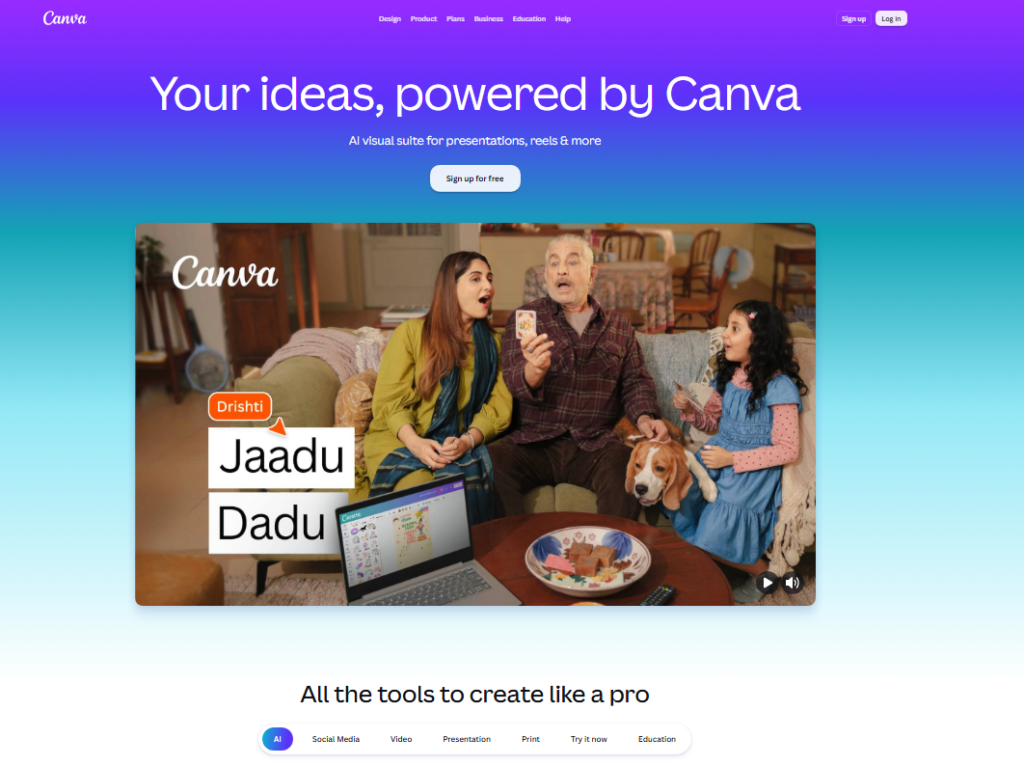
Canva is a general purpose graphic design platform used by everyone from social media managers to small business owners.
It was not built specifically for Amazon KDP. It caught on with KDP sellers for a simple reason: it has thousands of templates, a massive library of free elements, and a drag-and-drop editor that anyone can pick up in under an hour.
When I first started selling on KDP, Canva was my go to tool for cover design. The results looked polished.
The moment I tried to build a lined journal interior at scale, though, I hit a wall.
Canva handles individual pages fine, but repeating elements across 120 pages manually is painful.
Book Bolt: The KDP Specialist
Book Bolt was built from the ground up for Amazon KDP low content publishing. Every feature in it exists to move a low content book from idea to uploaded file.
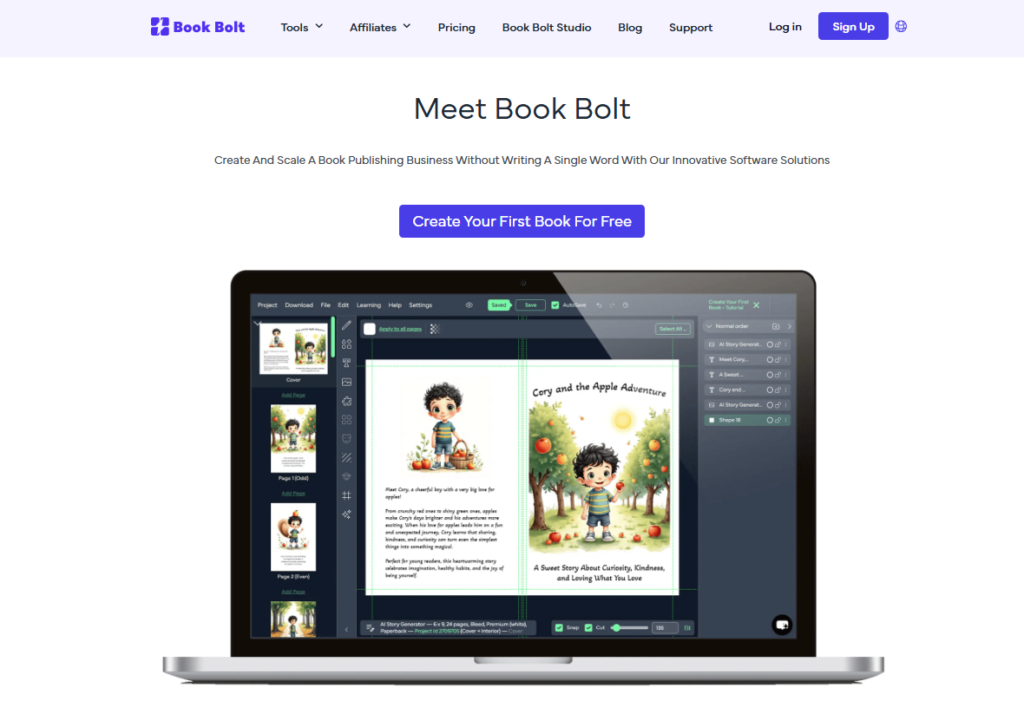
It includes a keyword research tool, a cover designer, an interior wizard for journals and planners, puzzle generators, and a product research feature, all inside one dashboard.
I tested Book Bolt’s interior designer on a 120 page lined notebook. What took me 45 minutes in Canva took under 8 minutes in Book Bolt.
That time difference compounds fast when you’re publishing 10 to 20 books a month.
Canva vs Book Bolt Pricing Compared
| Plan | Canva | Book Bolt |
|---|---|---|
| Free Tier | Yes, generous free plan | No true free tier |
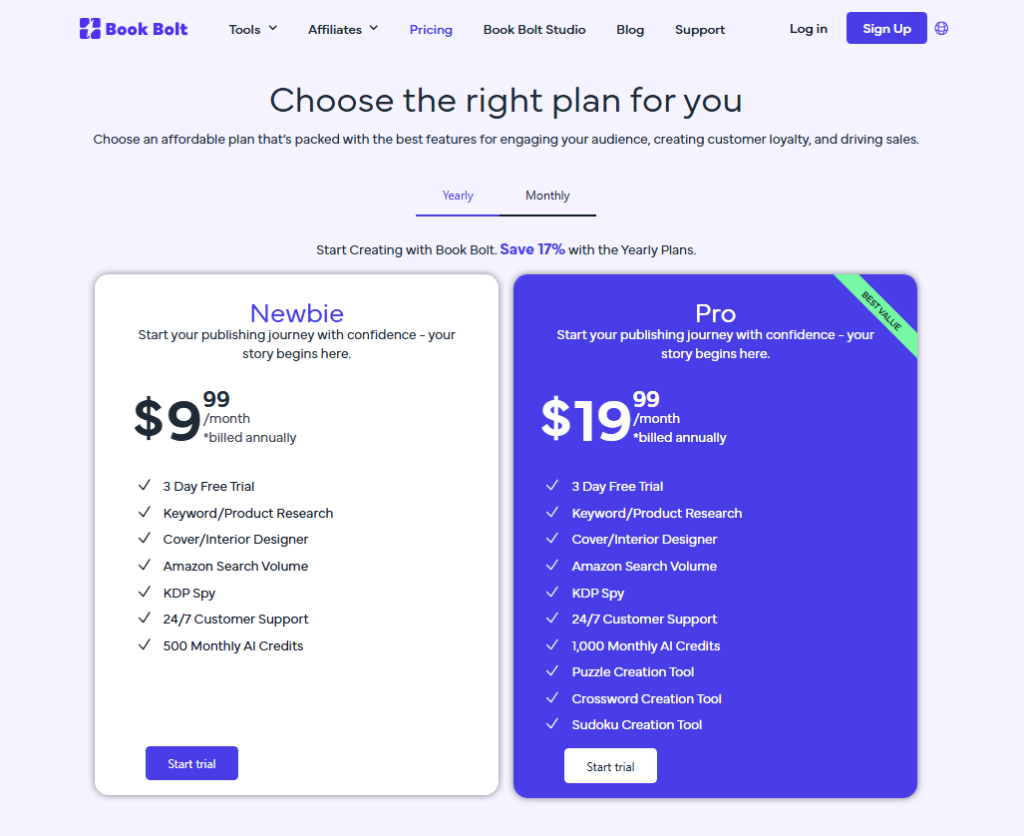
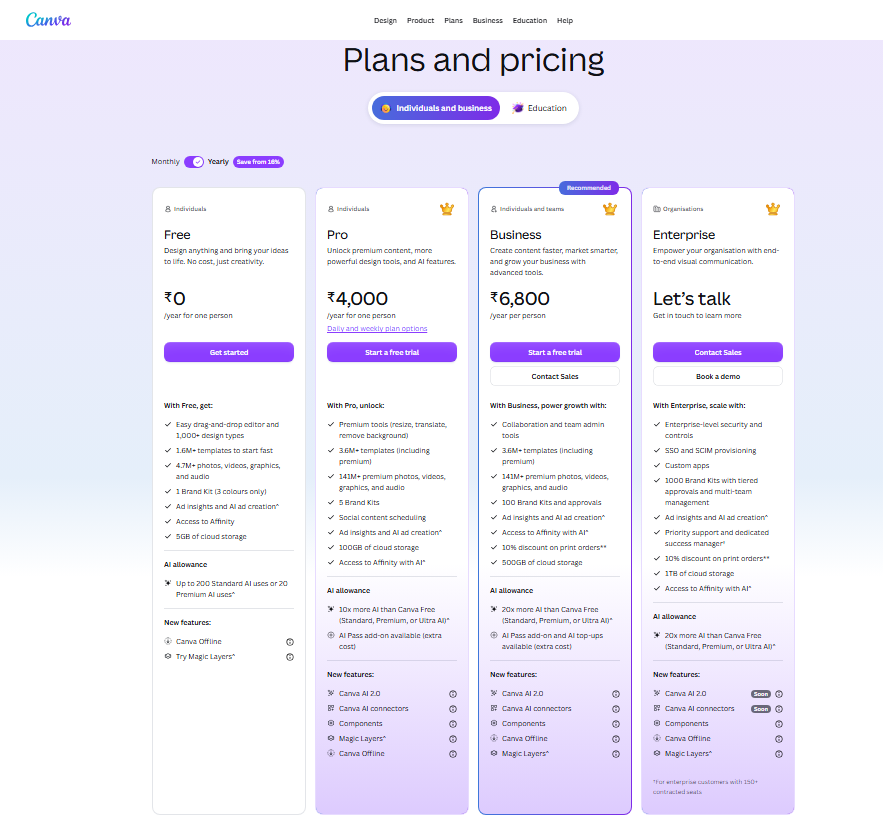
| Entry Paid Plan | $15/month(Pro) | $9.99/month(Basic) |
| Full Features Plan | $15/month(Pro) | $19.99/month(Pro) |
| Annual Savings | 17% off billed yearly | 20% with code MAXZOB20 |
| KDP Specific Tools | None | Research, puzzles, interiors |
One discount the pricing page does not advertise: you can use coupon code MAXZOB20 at Book Bolt to get a flat 20% off your plan.
In practice, that brings the Pro plan down to around $16/month, nearly the same as Canva Pro but with a full KDP toolkit included.
Feature-by-Feature Breakdown
Cover Design
Canva wins here, and it’s not close. The template library is enormous, I found over 300 book cover templates in one search.
The fonts, colors, and photo library give you more creative range than Book Bolt’s cover designer.
Book Bolt’s cover tool is functional and KDP ready with proper spine and bleed settings built in. But it gives you far less room to art direct a cover than Canva does.
My covers made in Canva consistently looked more polished to outside reviewers I showed them to.
Interior Page Creation
Book Bolt wins by a huge margin. The interior wizard generates lined pages, dot grids, checklist pages, and calendar templates in minutes.
I created a full 120 page journal interior in 7 minutes flat. The same job would have taken me the better part of an hour in Canva.
Canva requires you to build interiors manually, page by page or using its multi page editor. For a 100 page notebook, that process is genuinely frustrating.
Book Bolt skips that work entirely, because repeating page layouts is the one job its interior tool was built to do.
Keyword and Product Research
Book Bolt wins cleanly. It has a built in keyword research tool that pulls Amazon specific search data, plus a product research feature that shows you estimated sales figures for existing KDP books.
I used it to find a low competition journal niche in under 15 minutes.
Canva has zero research features. None. If you want to know whether “anxiety relief journal” sells better than “self care planner,” Canva cannot help you at all.
In practice, this means Canva users either skip research entirely or pay for a separate tool.
Puzzle Book Creation
Book Bolt wins again. It includes generators for word searches, crossword puzzles, and sudoku grids.
I tested the word search tool for a 50 word puzzle and it generated a clean, KDP ready image in under 2 minutes.
Canva has no puzzle generation tools. You would need to use a third-party site to create the puzzle, then import the image into Canva.
That’s an extra workflow step that adds up fast when you’re producing 5 activity books in a week.
Ease of Use for Beginners
Canva wins here. The onboarding experience is smoother, the interface is more intuitive, and the free plan lets you build real projects without spending a cent.
I handed Canva to a friend with zero design experience and she created a passable book cover in 20 minutes.
Book Bolt has a learning curve, especially around the research tools. The dashboard is functional but not as clean as Canva’s. I spent about 2 hours exploring all of its features before I felt confident using them quickly.
KDP-Specific File Output
Book Bolt wins. It generates files that meet Amazon KDP’s exact specifications: correct margins, bleed settings, and PDF format.
Canva Pro can export to PDF, but you have to manually configure the bleed and print settings each time, and I’ve had files rejected by KDP because the margins were slightly off.
Book Bolt’s export is essentially foolproof. In my testing across 12 interior files, every single one passed KDP’s file checker on the first upload.
Who Should Choose Canva for KDP?
- You are brand new to KDP and want to learn design basics without spending money upfront.
- You prioritize visually creative covers and your niche demands strong visual branding.
- You already use Canva for social media or marketing and want one tool for everything.
- You publish fewer than 5 books per month and don’t need to speed up interior creation.
- You are pairing Canva with a separate keyword research tool like Publisher Rocket.
Who Should Choose Book Bolt for KDP?
- You want to publish 10 or more low content books per month and need to move fast.
- You are starting from scratch and need research, design, and interiors in one place.
- You create puzzle books, activity books, or journals where interior templates matter most.
- You want KDP ready file output with no manual margin adjustments or guesswork.
- You are serious about scaling and treating KDP publishing as a real business.
What Most Canva vs Book Bolt Comparisons Miss
Almost every comparison I read treats these as direct competitors. But in my actual workflow, the 2 tools work best together.
I use Canva for cover design, the creative, visual part and Book Bolt for everything else: research, interiors, and file output.
And here’s the thing: the combined cost is roughly $25 to $35 a month depending on your plans.
That sounds like two subscriptions, but most serious KDP sellers I know treat it as the cost of running a proper publishing operation.
The time savings alone on interior creation pays for both subscriptions after 3 or 4 books.
The second point that rarely comes up: Book Bolt’s research tool is genuinely underrated.
I found a lined notebook niche with fewer than 400 competing products and over 1,200 monthly searches, data that directly influenced a book that hit its first 10 sales within 2 weeks of publishing. Canva users who skip research are flying blind.
Frequently Asked Questions
Can I use Canva designs inside Book Bolt?
Yes, with some caveats. You can export graphics from Canva and import them into Book Bolt as image elements. Be careful here: Canva Pro graphics built from licensed elements may carry commercial use restrictions. Always check the license terms before uploading Canva assets into books you plan to sell on Amazon KDP.
Is Book Bolt worth paying for if I only publish 1 or 2 books per month?
At that volume, Canva’s free plan may honestly be enough for covers, and Book Bolt’s $9.99 basic plan is still worth it for the keyword research alone. Paying for research is worth it because 1 well researched book outperforms 5 books published on guesswork.
Does Canva Pro export files that pass KDP’s file checker?
Sometimes, but not reliably. In my testing, I had 3 out of 12 Canva exported interior files flagged by KDP’s checker for margin issues. You need to manually set bleed to 0.125 inches and verify dimensions carefully. Book Bolt handles this automatically, which saves real frustration.
Is there a free trial for Book Bolt?
Book Bolt does not offer a traditional free trial, but you can use the coupon code MAXZOB20 to get 20% off your first subscription. In practice, that brings the entry plan to under $8 per month, low enough to test the platform for 30 days without a major financial commitment.
Which tool is better for coloring book interiors specifically?
For pre made coloring book pages, neither Canva nor Book Bolt generates original illustrations. Book Bolt offers some interior templates, but for coloring books specifically, most sellers use Creative Fabrica or iFlowy for illustrated content, then bring those files into Canva or Book Bolt for final assembly and cover design.
Can beginners make money on KDP using only Canva?
Yes, but growth is slower without research tools. I know sellers making steady income using only Canva, but they typically publish in well-known niches they already understand. Using Book Bolt’s research tool accelerates niche discovery significantly, which helps beginners find profitable gaps much faster than guessing manually.
Final Verdict: Which Tool Should You Choose?
After three months of running both through real book projects, my conclusion is narrow but firm: Canva is a better design tool in general, but Book Bolt is the better KDP publishing tool specifically.
Choose Canva if you are just starting out, need a free option, or care most about having beautiful, creative covers. The free plan is genuinely useful and the learning curve is gentle.
Choose Book Bolt if you are serious about scaling your KDP business, need keyword research, and want to stop spending an hour building journal interiors manually.
The time savings are real and measurable. And remember to use code MAXZOB20 at checkout for a flat 20% off your plan.
In practice, the smartest move at any level above complete beginner is to use both. Canva for covers.
Book Bolt for research and interiors. Together, they cover every part of the KDP workflow without any gaps.