Key Takeaways:
- The best website builders in 2026 range from drag-and-drop tools for beginners to developer-grade platforms for serious projects.
- Squarespace leads for small businesses wanting an all-in-one setup without a steep learning curve.
- Shopify dominates high-volume ecommerce, while Wix stays the most flexible all-rounder.
- AI-assisted building is now standard. Every major platform ships some form of AI site generation.
- Pricing varies wildly between advertised and actual costs, so always check what’s included at each tier.
If you’ve been searching for the best website builders and feel overwhelmed by the sheer number of options, I completely understand that feeling.
I built real multi-page sites on all seven of these platforms, working through their editors, their real pricing tiers, and their AI tools first hand.
This guide covers everything that actually matters: pricing, ease of use, AI tools, scalability, and which builder fits which type of person.
Quick Picks: Best Website Builders by Use Case
Not everyone needs the same foundation. A one-page portfolio and a full online store need completely different tools, so the right pick depends on what you are actually building.
Here’s where each platform shines.
- Best all-in-one for small businesses: Squarespace
- Best for high-volume ecommerce: Shopify
- Best for creatives and no code design control: Showit
- Best for beginners who want flexibility: Wix
- Best for designers who care about speed: Framer
- Best for designers with some HTML/CSS knowledge: Webflow
- Best for bloggers and maximum flexibility: WordPress
A few platforms I’m watching closely in 2026: Hostinger’s website builder has improved dramatically in template quality, and Framer keeps pushing performance benchmarks that the bigger players can’t quite match yet.
Platforms I’d skip right now: Any builder with no custom domain on paid plans, and anything that locks your content behind proprietary formats you can’t export.
How to Choose a Website Builder: What Actually Matters
I’ve made the mistake of picking a platform based on a flashy demo video. Don’t do that.
Here’s what actually separates a good builder from one you’ll want to abandon six months later.
Pricing: Actual Cost vs. Advertised Prices
The advertised price is almost never what you’ll pay. Most builders push their cheapest plan in the headline, then reveal that ecommerce, custom domains, or basic SEO tools are locked behind higher tiers.
When I tested each platform, I mapped out what the functional starting price actually was, meaning the lowest plan where you’d have a working, professional site.
Wix starts free but the free plan shows Wix ads. Squarespace’s personal plan starts around $16/month billed annually.
Shopify’s entry point is $39/month. Always calculate the annual cost upfront. That is the real number.
Ease of Use: How Much Do You Want to Learn?
Drag-and-drop sounds simple until you realize some builders let you place elements anywhere on the page (Wix, Framer), while others use section-based layouts that restrict your freedom but keep things cleaner (Squarespace, Showit).
Neither is wrong. The question is which style matches how your brain works.
In my testing, Wix had the shallowest learning curve for pure beginners.
Webflow, by contrast, took me a full afternoon just to understand the basics of its layout system.
Built-In Features vs. Bolted-On Add-Ons
Some builders include almost everything natively: blogging, forms, basic SEO, scheduling. Others are lean by design and rely on a marketplace of third-party apps.
Neither approach is wrong, but the app-heavy model can get expensive fast.
I’ve watched simple Wix setups balloon to $80/month once you add a booking app, a review tool, and an email marketing integration.
Scalability: Will Your Website Grow With Your Business?
This matters because a site migration is genuinely painful. If you start on a platform that can’t handle your traffic or product catalog two years from now, you’ll be rebuilding from scratch.
Shopify and WordPress scale to enterprise level. Squarespace and Wix max out at mid-sized businesses, generally speaking.
AI Features in 2026
Every major builder now has some form of AI generation. Wix’s Aria assistant can build full sites from a text prompt and handle complex content tasks.
Squarespace’s AI tools help with copywriting and section suggestions. As noted in a Wix announcement, “With Wix Harmony we’ve redefined how people can build online” and the ChatGPT integration backs that claim up in practice.
Are AI only builders worth using yet? In my experience, they’re great for getting a draft up fast, but they still need significant human refinement before they look truly professional.
AI gets the structure and a first draft of the copy in place. Finishing the design and the wording is still your job.
Platform Stability: Is Your Website Built to Last?
Smaller or newer builders come and go. I prioritize platforms that have been around for at least five years, have transparent ownership, and ideally have a track record of honoring user content.
The safe play: stick with established names unless you’re comfortable migrating if a platform folds.
7 Best Website Builders Reviewed
1. Squarespace: Best All-in-One Builder for Small Businesses
Best For: Small business owners, freelancers, service providers
Starting Price: $16/month (billed annually)
Ease of Use: 4.5/5
AI Tools: Yes, copy generation, section suggestions
I’ve recommended Squarespace to clients for years, and it keeps earning that recommendation.

The templates are genuinely beautiful out of the box, not in a generic way, but in a way that makes a brand look credible from day one.
The section-based editor means you rarely produce something that looks accidental.
Where Squarespace earns its spot is the combination of design quality, built-in tools (scheduling, ecommerce, blogging, email marketing), and a clean backend that non-technical users can manage without me.
Design customization does hit real limits compared to Wix or Framer.
2. Shopify: Best Builder for High-Volume Ecommerce
Best For: Online stores with serious sales volume
Starting Price: $39/month
Ease of Use: 4/5
AI Tools: Yes, product descriptions, store setup
Shopify isn’t really a “website builder” in the traditional sense. It is an ecommerce infrastructure platform that happens to include site building tools.

That distinction matters. If you’re selling physical or digital products at scale, nothing else comes close.
Inventory management, shipping integrations, POS systems, and a massive app ecosystem make it the obvious pick.
If you’re a blogger or service provider who might sell one digital product, Shopify is overkill.
The pricing reflects its commercial focus, and the monthly fees add up quickly when you layer in apps.
3. Showit: Best for Creatives and No Code Design Control
Best For: Photographers, designers, creative agencies
Starting Price: $19/month
Ease of Use: 3.5/5
AI Tools: Limited
Showit gives you granular design control without writing a single line of code.
You can position elements with pixel-level precision. It is the closest a no-code builder gets to a design tool like Figma.

Paired with that, Showit integrates with WordPress for blogging, which gives you serious SEO capability without switching platforms entirely.
The learning curve is steeper than Squarespace. I’d suggest it only to people who genuinely care about visual differentiation and are willing to invest time in learning the tool.
4. Wix: Best for Flexible Beginners and Design Focused Developers
Best For: Beginners who want flexibility, developers who prioritize design
Starting Price: Free (paid plans from ~$17/month)
Ease of Use: 4.8/5
AI Tools: Industry leading (Aria AI)
Wix is the builder I recommend most often to first timers. Wix’s free website builder offers 2000+ templates, all fully customizable, and the drag-and-drop editor genuinely lets you place anything anywhere.
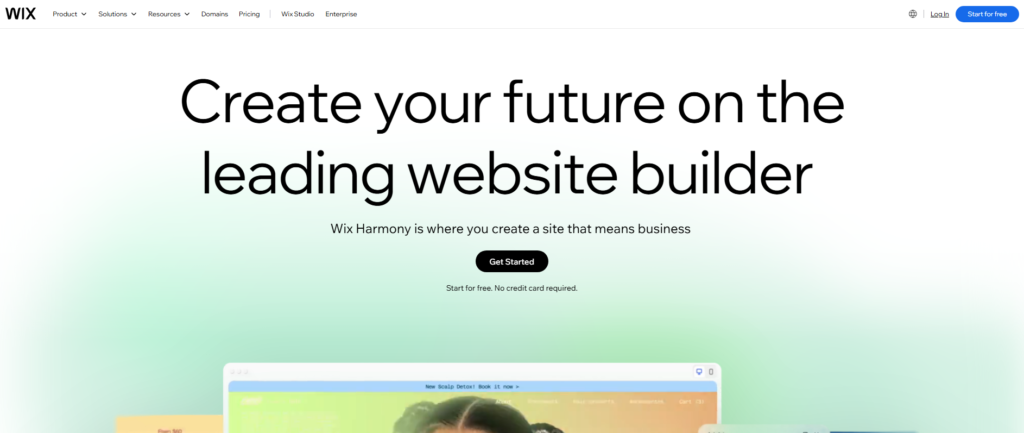
The Aria AI assistant is the most capable I have tested. It can generate a full site, write content, and troubleshoot design issues conversationally.
Wix’s SEO tools have matured a lot, and that almost never shows up in builder comparisons.
You can now track how your site appears in LLMs like ChatGPT alongside traditional search engines, which is increasingly relevant in 2026.
5. Framer: Best for Designers Who Prioritize Speed and Performance
Best For: Designers, SaaS landing pages, performance obsessed teams
Starting Price: Free (paid from ~$10/month)
Ease of Use: 3/5
AI Tools: Yes, layout generation
Framer sites load fast. Seriously fast. In my testing, Framer-built pages consistently outperformed equivalents on Squarespace and Wix in Core Web Vitals scores.
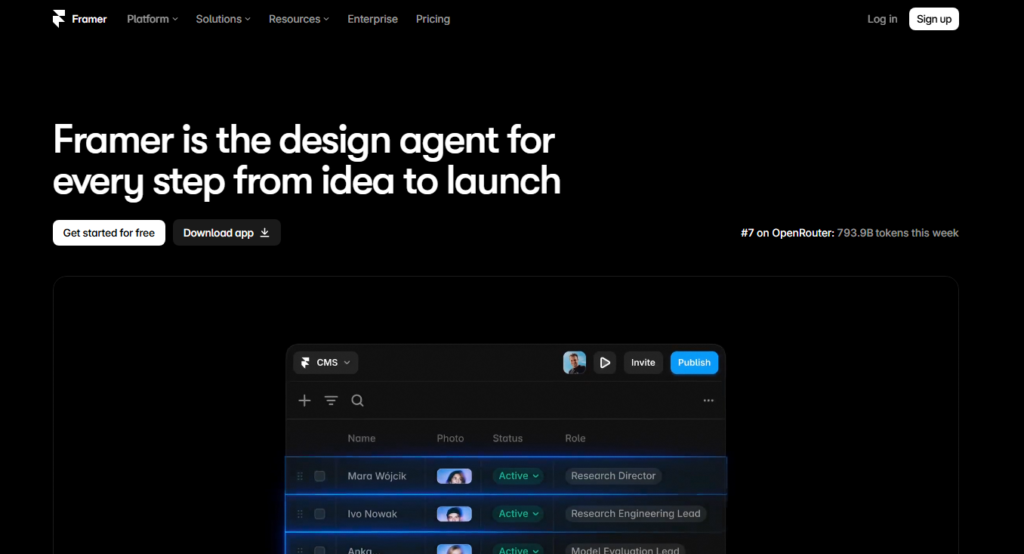
For anyone selling anything where page speed directly affects conversions, that gap matters.
Framer does come with a real learning curve. It’s designed for people who think visually and understand layout principles.
If you’re a non-designer, you’ll feel lost within the first 20 minutes.
6. Webflow: Best for Designers with Basic HTML and CSS Knowledge
Best For: Web designers, agencies, technically minded marketers
Starting Price: Free (paid from ~$14/month)
Ease of Use: 2.5/5
AI Tools: Growing
Webflow sits between a visual builder and a full development environment. You build with a visual interface, but the underlying logic mirrors how CSS actually works.
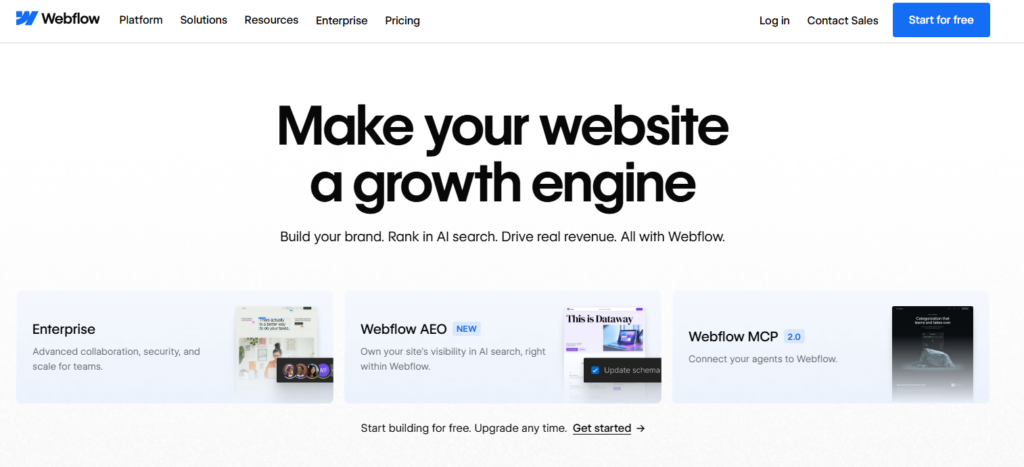
This matters because it means you can produce sites that behave exactly as intended without fighting the tool’s defaults.
I wouldn’t recommend Webflow to anyone who hasn’t at least browsed a CSS tutorial.
The power is real, but so is the frustration ceiling for people without that background.
7. WordPress: Best for Bloggers, Developers, and Maximum Flexibility
Best For: Bloggers, developers, content-heavy sites
Starting Price: Free software (hosting from ~$3-10/month separately)
Ease of Use: 3/5
AI Tools: Via plugins
WordPress powers a massive share of the internet. It’s not technically a “builder” the way Wix is. It is an open-source CMS that you install on hosting.
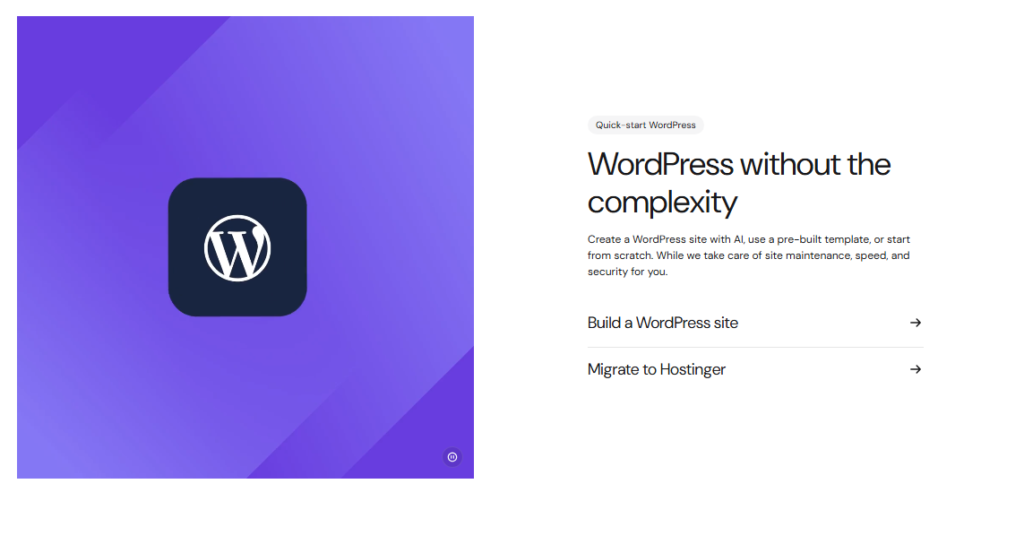
The upside is total freedom: themes, plugins, custom code, whatever you need. The downside is that you own your own maintenance, security, and updates.
For serious bloggers or businesses that need total content ownership, WordPress is still the gold standard.
According to Tooltester, platforms like Webnode still boast over 40 million users, which illustrates just how many people are still choosing independent CMS routes over all-in-one builders.
Website Builder Comparison: Pricing, Ease of Use, and Key Features
| Builder | Starting Price | Ease of Use | AI Tools | Best For |
|---|---|---|---|---|
| Squarespace | ~$16/mo | 4.5/5 | Yes | Small business |
| Shopify | $39/mo | 4/5 | Yes | High-volume ecommerce |
| Showit | ~$19/mo | 3.5/5 | Limited | Creatives |
| Wix | Free/$17/mo | 4.8/5 | Best in class | Flexible beginners |
| Framer | Free/$10/mo | 3/5 | Yes | Designers, speed |
| Webflow | Free/$14/mo | 2.5/5 | Growing | Designers/developers |
| WordPress | Free+hosting | 3/5 | Via plugins | Bloggers, full control |
Why I Keep Recommending Squarespace to Most People
I’ve been pointing clients toward Squarespace for years. Not because it’s perfect, but because it’s the most reliably good choice for the widest range of people, particularly small business owners who don’t want to think about their website infrastructure every week.
The Price Difference Is Real but Worth Examining
Squarespace costs more than some alternatives, but when I add up what you’d pay for equivalent functionality on a cheaper platform (booking tools, email campaigns, basic analytics, ecommerce), the gap narrows significantly.
The all-in-one pricing model removes the app stacking math you’d otherwise need to do on more modular platforms.
Content Ownership Matters More Than People Realize
Almost no website builder comparison tells you who actually owns your content, or what happens to it if you need to leave.
Squarespace allows you to export your content in standard formats.
That said, no hosted builder gives you the same raw ownership as self-hosted WordPress.
Know this going in and choose accordingly.
What Squarespace Does Best
Template quality is consistently high. The backend is clean enough that a client can update their own pages without calling me.
Built-in tools cover about 80% of what most small businesses actually need. The practical upshot: less time managing tools, more time running the actual business.
Website Builder Tips From Building Real Sites
Start with the end in mind. Decide whether you’ll ever need ecommerce before picking a platform. Migrating later is painful.
Test the mobile editor, not just the desktop preview. Some builders have great desktop interfaces but clunky mobile editing. Webflow is the main culprit here.
Check what happens at renewal. Introductory pricing is common. Calculate your year two cost before committing.
AI generation is a starting point, not a finish line. Every AI built site I’ve reviewed needed 2-3 hours of human refinement before it was genuinely ready to publish.
AEO is the new SEO frontier. In an interview about the future of search, Duda’s CEO noted that “AI crawled sites generate 320% more human traffic”, meaning how your site is structured for AI visibility is now as important as traditional keyword placement.
Frequently Asked Questions
Which website builder is easiest to use in 2026?
Wix consistently ranks as the easiest to use. Its drag-and-drop editor lets you place elements anywhere without any coding knowledge. The Aria AI assistant also guides you through setup, which dramatically reduces the time from sign up to a working, published site. It’s the builder I recommend to first timers without hesitation.
What is the best free website builder available right now?
Wix and Framer both offer genuinely usable free plans. The Wix free plan includes full access to the editor but displays Wix branding. Framer’s free tier is better suited for portfolio or single page sites. For a fully professional free setup, free plans are typically a starting point, not a permanent solution.
Is Squarespace or Wix better for small businesses?
Squarespace is stronger for businesses that want clean, design led sites with built in tools and minimal ongoing maintenance. Wix is better if you need more customization flexibility or want to grow into more complex features over time. Both handle small business needs well, your choice depends on how much design control you want.
Can I build an ecommerce store with any of these builders?
Yes, but not all equally. Shopify is purpose built for ecommerce and handles serious product catalogs best. Squarespace and Wix both support online stores well at small to medium scale. WordPress with WooCommerce is a strong option for businesses that want full ownership. Framer and Showit are generally not recommended for ecommerce first projects.
How important are AI tools when picking a website builder in 2026?
AI tools now meaningfully accelerate how fast you can get a site live. Wix’s Aria is the most capable native AI assistant among mainstream builders. That said, AI tools should influence your decision, not dominate it. Core factors like pricing, scalability, and ease of use still matter far more for long-term satisfaction.
What website builder is best for SEO in 2026?
WordPress still offers the deepest SEO control via plugins like Yoast or Rank Math. Wix and Squarespace have both significantly improved their SEO tools. Wix now tracks how your site appears in AI-powered search platforms like ChatGPT, which is a meaningful advantage as AI-driven traffic becomes a larger share of discovery.
Final Verdict: Which Website Builder Should You Choose in 2026?
After building a site on each of these seven platforms, here is where I land: most people who ask me which website builder to use would be well served by Squarespace or Wix.
Those two platforms cover the widest range of use cases with the least frustration.
If you’re selling products at real volume, start with Shopify, full stop. If you’re a designer who cares deeply about visual precision, look at Showit or Framer before defaulting to the mainstream choices.
If you’re a developer or serious blogger who wants ownership above everything else, WordPress remains the most capable long-term foundation you can build on.
The right builder isn’t the one with the longest feature list. It’s the one you’ll actually use consistently and grow with over time.
Pick the platform that matches your current skill level, your budget reality (not the advertised price), and where you want to be in two years. That’s the builder worth your time.