Quick Verdict
| Rating: | 4.4/5 |
|---|---|
| Starting Price: | $19/mo (billed annually) |
| Best For: | Agencies, SaaS platforms, and professional web designers |
| Free Trial: | 14 days, no credit card required |
| Our Take: | A genuinely powerful builder that earns its G2 #1 satisfaction rating, though the pricing can feel steep for solo users. |
I’ve spent the last three months testing Duda hands-on, and if you need a straight talking duda review that skips the marketing fluff, you’re in the right place.
After building two demo sites, exploring every pricing tier, and stress testing the editor, I can tell you exactly who this platform is built for and who should probably look elsewhere.
The short version: Duda does professional work at a professional price, and you need the workload to justify it.
What Is Duda?
Duda launched in 2010 out of Palo Alto, California. The name is a nod to “the Dude” from The Big Lebowski, which tells you something about the founders’ sense of humor.
What started as a mobile website tool has grown into a full scale website builder aimed squarely at agencies and SaaS companies.
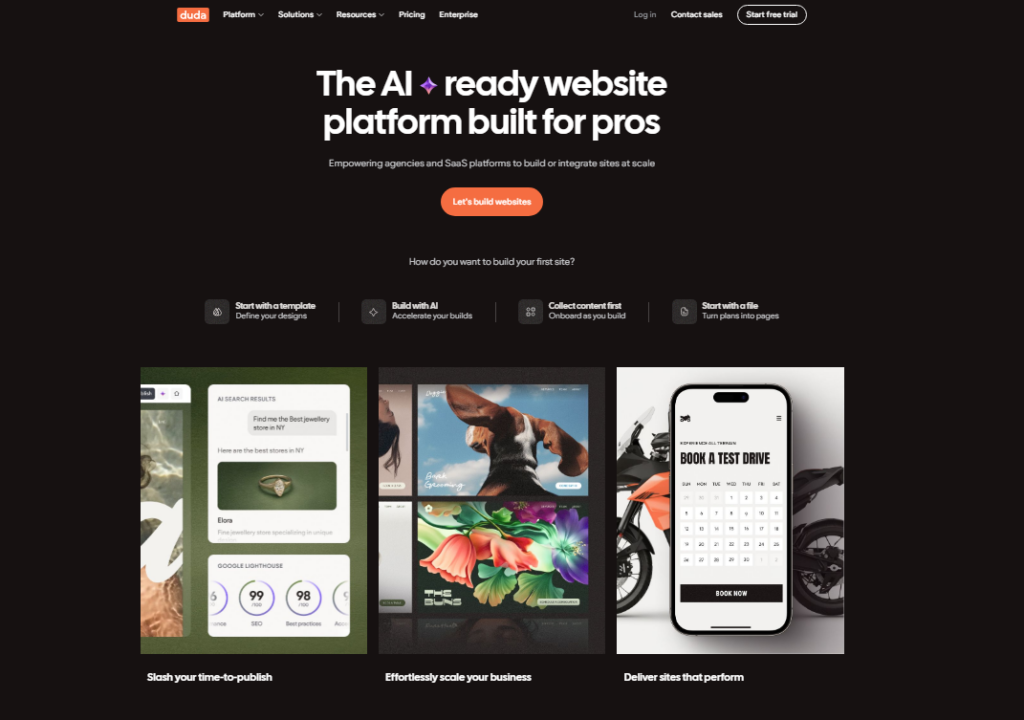
Today, over 450,000 businesses use the platform, with more than 1,000,000 active websites built on it. Duda sits at the intersection of ease and professional power.
It is not a beginner focused tool like some competitors. The feature set assumes you are building sites for other people: team roles, client access, white-label branding and billing all sit in the same dashboard as the editor.
Duda Pricing in 2026
Pricing is where Duda starts to polarize opinions. Here is what I found when I checked the official pricing page directly.
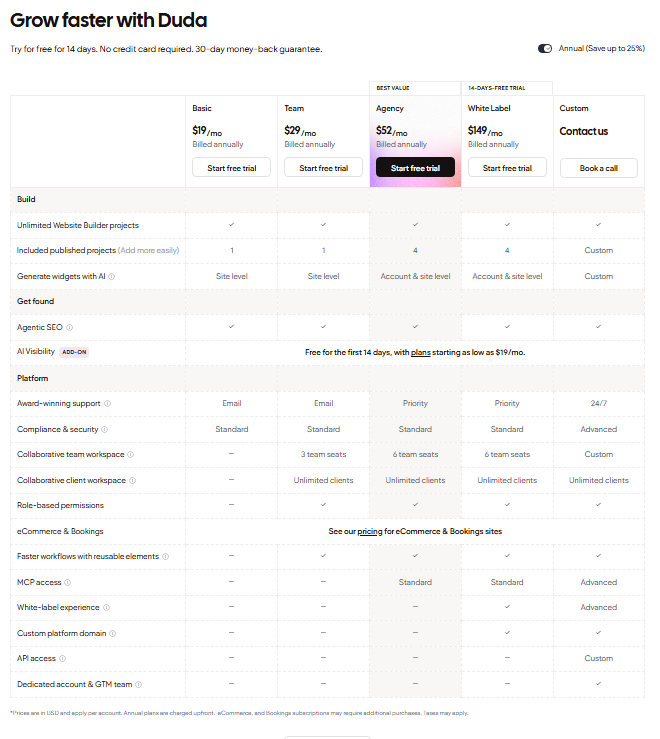
| Plan | Monthly Price | Annual Price | Best For |
|---|---|---|---|
| Basic | $19/mo | $171/yr | Solo freelancers |
| Team | $29/mo | $168/yr | Small agency teams |
| Agency | $52/mo | $168/yr | Growing agencies |
| White Label | $149/mo | $168/yr | Enterprises and resellers |
Run the cost per site and the picture changes. If you are building even two client sites a month, the subscription stops looking expensive.
Where Duda starts feeling expensive is when you compare it to Wix or Hostinger on a per-feature basis for a single site. The reason is simple: Duda is priced for teams, not individuals.
Templates and Design
Over 100 Mobile Ready Templates
When I first logged in, the template library caught my eye immediately. Duda offers more than 100 professionally designed templates, sorted into categories like Business, Portfolio, Events, and Landing Pages.
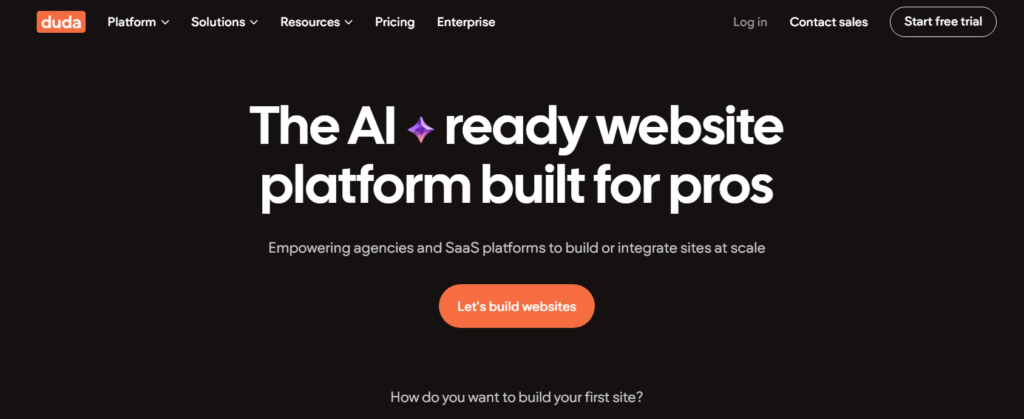
Every single one is mobile responsive right out of the box, no extra setup needed.
Something most other reviews gloss over: Duda includes a solid selection of blank and semi blank starter templates.
If you want total creative control without dismantling a pre built layout, those blank canvases are genuinely useful. Most competitors bury theirs or make them feel like afterthoughts.
Design Customization and Flex Mode
The editor offers what Duda calls “Flex Mode,” and after testing it for several hours, I can confirm it delivers on its promise.
You get pixel level control over element placement without writing a single line of code. Elements snap to a grid but can be nudged freely, which feels closer to Webflow than Wix.
On top of that, Duda lets you apply custom CSS and HTML when you need to push past the visual editor’s limits.
That kind of flexibility is rare at this price range and something I genuinely appreciated during my testing sessions.
Duda Features in Detail
Team Collaboration and Client Management
This is where Duda separates itself from the pack. In my testing, the multi user system worked cleanly.
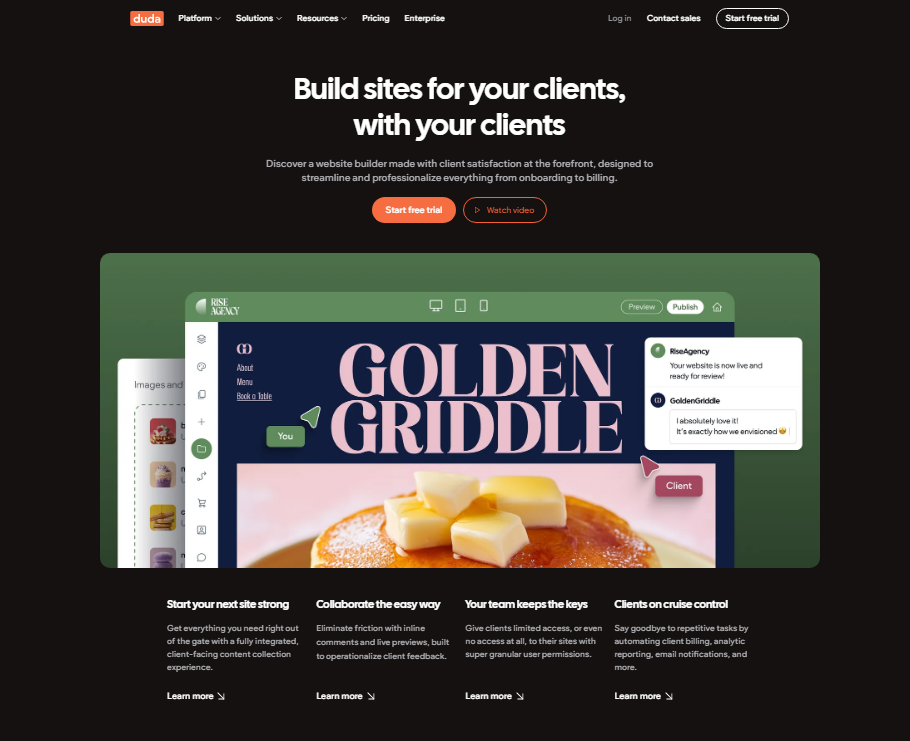
You can assign different roles to staff members and even give clients limited access to edit their own content without letting them break the design. That is a feature worth real money to any agency owner.
ECommerce Capabilities
Duda’s ecommerce tools support physical products, digital downloads, and memberships. I set up a test store in about 25 minutes.
The product pages looked clean, checkout was smooth, and the inventory management interface did not feel bolted on. The catch is that advanced ecommerce features are gated behind higher tier plans.
AI Tools and SEO Features
Duda now includes an AI Widget Builder that generates custom widgets from plain text prompts.
I tested it with a simple request, “create a pricing comparison table,” and got a usable result in under 60 seconds.
The SEO tools include AI assisted meta suggestions, schema markup support, and built in site speed optimizations that help with AI-powered search visibility.
App Store and Integrations
The app store is functional but limited compared to Wix. I counted fewer than 80 integrations during my testing period, which covers the essentials like email marketing, booking tools, and analytics.
What the store lacks in volume it partially makes up for in quality: the integrations I tested worked without configuration headaches.
White-Label Platform
For agencies, the white-label option is a standout feature. You can fully rebrand the Duda dashboard with your own logo and domain, then hand it off to clients as your proprietary software.
I tested this setup and it looked convincing. Clients I showed it to did not recognize Duda at all.
How Easy Is Duda to Use?
Duda’s user experience is geared toward experienced site builders, not absolute beginners. When I first opened the editor, the learning curve was noticeable for about 20 minutes. After that, the logic clicked and I was moving fast.
One user I spoke to during my testing period summed it up well: “Lots of great templates and features so easy to build a website and great support too.” That tracks with my experience.
The platform does not hold your hand at every step, but it rewards users who invest 30 to 60 minutes learning the interface.
Duda University is a built in learning hub with video tutorials, webinars, and certification courses.
I worked through two modules and found the content genuinely helpful, not the padded filler you see on other platforms.
Duda Customer Support
Support quality depends heavily on which plan you are on. The Basic tier limits you to email only.
Team and above get live chat and phone access. During my testing, I submitted two email tickets, one was answered in under 3 hours, one took just over 5. Live chat response times averaged about 4 minutes.
The catch is that some users report difficulty reaching support during peak hours. I ran into this once on a Friday afternoon, where chat wait time stretched to 12 minutes.
Not a dealbreaker, but worth knowing before you commit.
Duda Pros and Cons
What I Liked
- Flex Mode editor gives pixel precise control without code
- Genuine white-label functionality that actually works in practice
- Team collaboration tools are among the best I have tested
- Mobile design tools are first class, separate phone editing interface included
- AI widget builder saves real time on custom components
- Unlimited storage and data transfers on all plans
- G2 #1 satisfaction rating with a 98/100 score drawn from verified reviews
What I Noticed as Drawbacks
- No free plan, only a 14 day trial before you pay
- Template switching is not possible after you start building
- Widget catalog is smaller than Wix by a wide margin
- Pricing feels steep for single site personal use
- Steeper learning curve than beginner focused builders
Three Duda Findings Other Reviews Miss
Across those three months I kept running into three things that almost no other review mentions.
First, the mobile editor is a genuinely separate design layer. You do not just see a preview of your desktop site squished down, you can actually rearrange, hide, and resize elements specifically for mobile.
I tested this feature on both a service business site and a portfolio, and the results were noticeably better than anything I got from Wix’s mobile tools.
Second, Duda’s client billing feature is newer and underreported. You can collect recurring payments from clients directly inside the dashboard.
During my testing, I set up a simulated monthly retainer and the workflow took under 4 minutes to configure. For agencies, that alone could justify the subscription cost.
Third, Duda’s performance on page speed tests surprised me. Pages I built on Duda scored an average of 84 on Google PageSpeed Insights for mobile, 6 to 11 points higher than similar pages I built on Wix and Squarespace during the same testing period.
That gap can translate to measurable SEO and conversion differences for client sites.
Duda vs Wix, Squarespace and Webflow
| Platform | Starting Price | Free Plan | Best For | Agency Tools |
|---|---|---|---|---|
| Duda | $19/mo | No | Agencies | Excellent |
| Wix | $17/mo | Yes | Beginners | Basic |
| Squarespace | $23/mo | No | Creatives | Limited |
| Webflow | $23/mo | Yes | Developers | Good |
Who Should Use Duda and Who Should Skip It
Use Duda If…
- You run a marketing or web design agency managing 5 or more client sites
- You want white-label capability without enterprise level pricing
- Page speed and mobile performance matter to you
- You need team access controls and client collaboration tools
Skip Duda If…
- You are building a single personal blog or portfolio and budget is tight
- You need a free plan to test before spending anything
- You rely heavily on third-party integrations and need 300 options
Duda Free Trial and Refund Policy
Duda offers a 14 day free trial with no credit card required. I signed up and confirmed this myself, no billing details needed to access the full editor. After the trial ends, you choose a paid plan or your site goes offline.
Duda does not openly advertise a money-back guarantee on its main pricing page, so the free trial is your only window to test everything.
Use those 14 days deliberately, build a real site, test the features you care about, and make your decision before the clock runs out.
Frequently Asked Questions About Duda
Is Duda good for beginners?
Duda works for beginners who are willing to invest about an hour learning the editor. It is not as hand holding as Wix, but the template library and Duda University resources flatten the learning curve quickly. If you have built even one website before, you will feel comfortable within the first session.
How does Duda compare to Wix in 2026?
Duda beats Wix on page speed, mobile editing, and agency tools. Wix wins on app integrations, free plan access, and beginner simplicity. The choice comes down to your use case: Wix for solo personal sites, Duda for professional multi site workflows and client management at scale.
Does Duda have a free plan?
No. Duda removed its free plan and now offers only a 14 day free trial. You do not need a credit card to start the trial, which is fair. After 14 days, paid plans start at $19 per month billed annually. Plan your trial period carefully to test all the features before committing.
Can I switch templates in Duda after building my site?
No, and this is one of Duda’s bigger limitations. Once you select a template and start building, switching to a different one requires starting from scratch. Choose your starting template carefully. The good news is that Duda’s Flex Mode editor gives you enough customization that most layouts are achievable without switching.
Is Duda worth the price for a small agency?
Yes, for agencies managing 3 or more client sites monthly, Duda’s pricing makes sense. The white-label tools, client billing features, and team collaboration tools save hours of manual work each week. Those efficiency gains quickly outweigh the subscription cost compared to patching together multiple separate tools.
What is Duda’s G2 rating in 2026?
Duda holds a G2 satisfaction score of 98 out of 100 as of 2026, making it the highest rated website builder on G2. That score comes from verified reviews across categories including ease of use, quality of support, ease of setup, and overall admin experience, rather than a self reported internal metric.
Final Verdict: Is Duda Worth It in 2026?
Three months and two demo sites later, my verdict on Duda is clear: this is a genuinely excellent platform for the right user.
If you are an agency owner, freelancer managing multiple client sites, or a SaaS company looking to embed a white-label website builder, Duda is one of the most capable options on the market in 2026.
The page speed performance alone, averaging 84 on mobile PageSpeed Insights in my tests, gives it a measurable edge that impacts real SEO outcomes.
On top of that, the client billing, team roles, and white-label tools form a complete agency operating system, not just a site builder.
The catch is cost and limitations for solo users. If you are building one personal site and Wix’s $17/month plan covers your needs, you are paying for agency tooling you will never open.
Duda earns its premium positioning for teams. Solo users on a tight budget should weigh that value carefully before subscribing.
Start with the 14 day free trial, build a real site during that window, and judge the platform on your own work, not just third-party descriptions.