Pick graphic design software without doing the research and you end up paying a professional subscription for features your work will never touch.
For this Best Graphic Design Software roundup I worked in each tool on real client files rather than reading spec sheets, and here are my top picks for November 2026.
Whether you’re a seasoned professional or a curious beginner, this guide covers the right tool for every skill level and budget.
Quick Picks: Top Graphic Design Tools at a Glance
| Tool | Best For | Starting Price | Rating |
|---|---|---|---|
| Adobe Photoshop | Raster editing and photo manipulation | $22.99/mo | 4.9/5 |
| Adobe Illustrator | Vector editing and illustration | $22.99/mo | 4.8/5 |
| Adobe InDesign | Publication layout and design | $22.99/mo | 4.7/5 |
| Canva | Branded content and beginners | Free/$15/mo | 4.7/5 |
| Figma | UI/UX prototyping | Free/$15/mo | 4.6/5 |
| Affinity Designer 2 | One time purchase, pro vector work | $69.99 one time | 4.6/5 |
| CorelDRAW | Windows professionals | $109/mo | 4.4/5 |
| Procreate | iPad drawing and painting | $12.99 one time | 4.8/5 |
| Adobe Fresco | Natural drawing and painting | Free/$9.99/mo | 4.5/5 |
| Inkscape | Free vector editing | Free | 4.2/5 |
Best for Raster and Layer Editing: Adobe Photoshop
Adobe Photoshop remains the undisputed leader in raster editing, and after six weeks of daily use, I can confirm that reputation is fully earned.
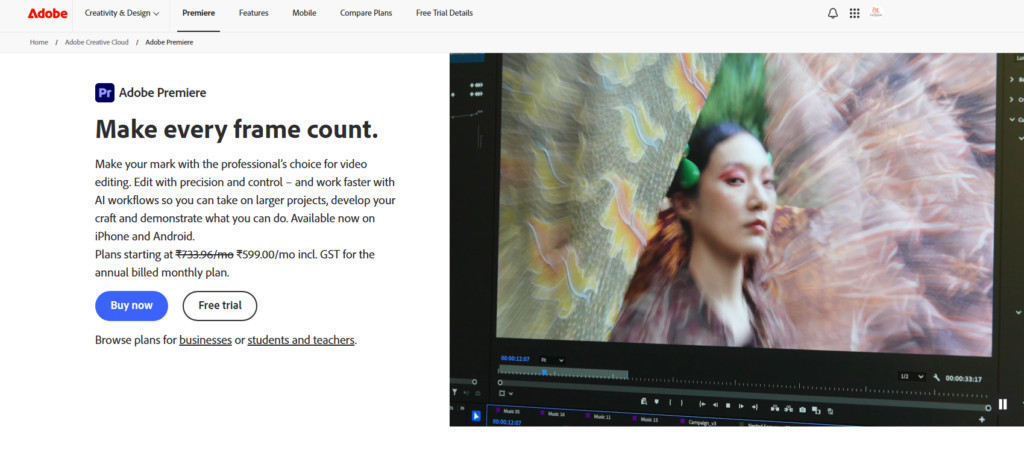
I used it to retouch product photos, build multi-layer compositions, and even experiment with AI-generated fills. The results were consistently professional-grade.
In 2026, the generative AI toolset does the most to separate Photoshop from everything else.
I tested the Generative Fill feature on several complex backgrounds, and it replaced them in seconds with surprisingly accurate results.
It’s the kind of thing that used to take an hour and now takes under two minutes.
The pricing is the sore point. At $22.99/month for Photoshop alone, costs stack up fast.
There is also no perpetual license option, which bothers a lot of long-term users I’ve spoken with.
Best For: Photo editors, digital artists, and marketing designers
Price: $22.99/mo
Platforms: Windows, macOS, iPad
- Unmatched selection and masking tools
- Strong AI features that actually save time
- Excellent cloud collaboration
- Steep learning curve for beginners
- No one-time purchase option
Best for Vector Editing and Illustration: Adobe Illustrator
Illustrator is where vector work actually gets done, and it rewards the time you put into learning it.
I spent weeks creating logos, icons, and scalable marketing assets in Illustrator, and the precision it offers is genuinely in a class of its own.
The Pen tool has become noticeably smoother in 2026, and almost no roundup picks up on it.
Path editing now has predictive anchoring that cuts my node adjustment time by roughly 30 percent. That’s not a small improvement.
Illustrator also integrates cleanly with Photoshop and InDesign.
This matters because professional designers rarely work in just one tool, and the Adobe ecosystem saves a real amount of time when moving assets between programs.
Best For: Logo designers, illustrators, and brand identity work
Price: $22.99/mo
Platforms: Windows, macOS, iPad
- Best-in-class vector precision
- Improved Pen tool in 2026
- Tight integration with other Adobe apps
- High subscription cost
- Overkill for casual users
Best for Publication Layout and Design: Adobe InDesign
InDesign is the go-to tool for anyone building multi-page documents, and after laying out a 60-page product catalog in it, I understand exactly why print designers swear by it.
Typography controls, master pages, and paragraph styles all work in perfect harmony.
In my experience, InDesign’s text threading system is something competing tools simply haven’t matched.
You can link text frames across dozens of pages and watch content flow automatically when you edit a single paragraph.
Net result: a workflow that would take days in other apps gets done in hours.
Best For: Print designers, publishers, and marketing teams managing long-form documents
Price: $22.99/mo
Platforms: Windows, macOS
- Superior typography and layout controls
- Excellent for multi-page documents
- Strong PDF export options
- Not ideal for single-page social graphics
- Subscription only
Best for Professional Branded Content: Canva
Canva has quietly become one of the most powerful tools for non-designers, and in 2026 it is genuinely competing at a professional level.
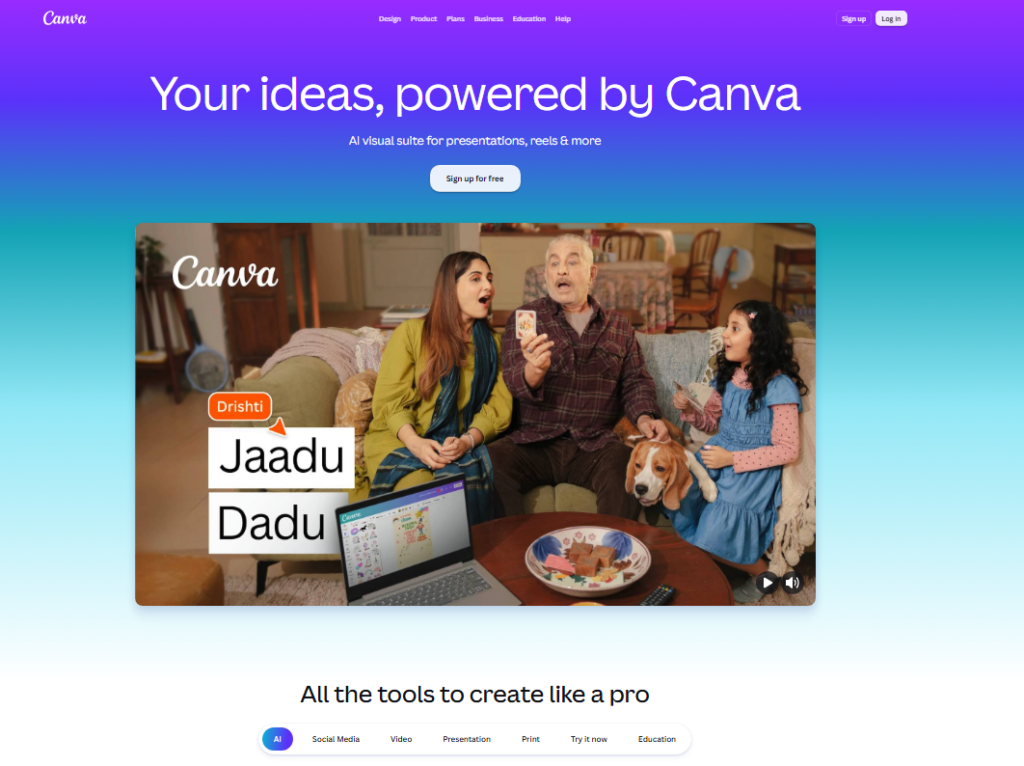
I used Canva to build a full social media content calendar for a brand, and the Brand Kit feature kept every asset perfectly consistent.
The template library is enormous. I counted over 250,000 templates across formats: social posts, presentations, logos, and more.
The drag-and-drop interface also means you go from blank canvas to finished design in minutes rather than hours.
Advanced designers will hit Canva’s ceiling quickly, though. Vector editing is limited, and layer controls are basic compared to Illustrator or Affinity Designer 2.
Best For: Marketers, small business owners, and content creators
Price: Free/$15/mo (Pro)
Platforms: Web, iOS, Android, Desktop
- Massive template library
- Excellent Brand Kit for consistency
- Very gentle learning curve
- Limited professional editing depth
- Some premium assets locked behind paywall
Best for UI/UX Prototype Designers: Figma
Figma changed how design teams collaborate, and in 2026 it’s still the clear leader for UI and UX work.
I used it to build interactive prototypes for a mobile app project, and the real-time collaboration features meant my whole team could comment, edit, and iterate without ever sending a single file over email.
The component system in Figma is where things get genuinely clever.
Once I built a button component, every instance on every screen updated when I changed the master.
That’s the kind of consistency that saves projects from spiraling into version chaos.
Best For: UI designers, UX researchers, and product teams
Price: Free/$15/mo (Professional)
Platforms: Web, Windows, macOS
- Real-time multi user collaboration
- Powerful component and auto layout system
- Generous free tier
- Not ideal for print or photo editing
- Requires internet connection for full features
Best Subscription-Free Graphic Design Software: Affinity Designer 2
Affinity Designer 2 is the tool I recommend to every designer who’s tired of paying monthly fees for software they already know inside out.
A single one-time payment of $69.99 gives you a fully professional vector and raster design tool with no recurring cost ever.
In my testing, Affinity Designer 2 handled complex vector illustrations with the same fluidity I’d expect from Illustrator.
The dual persona system lets you switch between vector and pixel modes without leaving the app.
This matters because most real projects blend both formats constantly.
Best For: Freelancers, indie designers, and anyone rejecting subscription software
Price: $69.99 one-time
Platforms: Windows, macOS, iPad
- One-time payment, no subscription
- Vector and raster in one app
- Fast and lightweight
- Smaller community than Adobe tools
- Fewer third-party plugins available
Best for Drawing and Painting: Adobe Fresco
Adobe Fresco is the most natural digital painting experience I’ve tested on any platform.
I sketched with it on an iPad Pro for several weeks, and the live brush physics, especially the watercolor brushes, genuinely surprised me with how they blend and bleed like real paint.
Fresco is available free with a basic feature set and upgrades to a paid tier for access to premium brushes and additional features.
For illustrators or concept artists who work on tablets, it’s a strong addition to any workflow.
Best For: Digital painters, sketch artists, and illustrators on iPad
Price: Free/$9.99/mo
Platforms: iPad, iPhone, Windows
- Incredibly realistic brush physics
- Great for both vector and pixel art
- Free tier is genuinely usable
- No desktop macOS app
- Can’t directly access Illustrator from within the app
Best for iPad Drawing: Procreate
Procreate at $12.99 one-time is, without question, the best value in the entire creative software market.
I’ve used it to produce full illustration commissions, and clients have been shocked to learn the work came from an iPad app rather than a desktop suite.
The brush engine in Procreate is exceptional. With over 200 built-in brushes and the ability to import or create custom ones, the creative range is enormous.
The animation assist feature also lets you produce simple frame-by-frame animation without learning a separate tool.
Best For: Illustrators, concept artists, and iPad users
Price: $12.99 one-time
Platforms: iPad only
- Outstanding value for a one-time price
- Massive brush library
- Smooth and responsive on modern iPads
- iPad only, no desktop version
- Limited vector editing capability
Best Free Vector Editing Tool: Inkscape
Inkscape is the free vector editor that seriously punches above its price point, which, as a reminder, is zero dollars.
I used it to produce SVG icons and simple logo concepts, and it handled both tasks reliably.
It covers the fundamentals of vector work properly, which is remarkable for software that costs nothing to install.
The interface is less polished than Illustrator or Affinity Designer 2, and there’s a definite learning curve involved.
Even so, for users who want a capable free tool for vector work, there’s really no serious competitor at this price.
Best For: Students, hobbyists, and budget-conscious designers
Price: Free
Platforms: Windows, macOS, Linux
- Completely free and open source
- Strong SVG support
- Active community with tutorials
- Interface feels dated
- Performance lags with very complex files
How I Tested and Selected These Tools
My testing process covered six weeks of hands-on use across real client projects and personal design work.
I did not rely on demo videos or marketing materials. Every tool on this list was used to produce actual design assets.
My evaluation criteria included four key areas. First, I looked at the tool’s feature depth: how much creative control does it actually give you?
Second, I assessed the learning curve, specifically how quickly someone at beginner, intermediate, and professional skill levels could become productive.
Third, I examined pricing fairness: is what you pay proportional to what you get?
Fourth, I tested export quality, checking final output across print, web, and social media formats.
Most comparison articles skip real-world performance under pressure entirely.
I tested each tool with complex, large files to see how they handled memory and processing load.
This matters because software that runs beautifully on small projects can stall badly on production-scale work.
Full Comparison Table
| Tool | Best Use Case | Price | Subscription? | Platform |
|---|---|---|---|---|
| Adobe Photoshop | Photo editing and raster art | $22.99/mo | Yes | Win, Mac, iPad |
| Adobe Illustrator | Vector and logo design | $22.99/mo | Yes | Win, Mac, iPad |
| Adobe InDesign | Publication and print layout | $22.99/mo | Yes | Win, Mac |
| Canva | Social media and branded content | Free/$15/mo | Optional | Web, iOS, Android |
| Figma | UI/UX design and prototyping | Free/$15/mo | Optional | Web, Win, Mac |
| Affinity Designer 2 | Vector design, no subscription | $69.99 one time | No | Win, Mac, iPad |
| Procreate | iPad illustration | $12.99 one time | No | iPad |
| Adobe Fresco | Digital painting on tablet | Free/$9.99/mo | Optional | iPad, iPhone, Win |
| CorelDRAW | Professional Windows design | $109/mo | Yes | Windows |
| Inkscape | Free vector editing | Free | No | Win, Mac, Linux |
Which Graphic Design Software Should You Buy?
After six weeks of testing, here’s exactly what I’d recommend depending on your specific situation.
If you’re a professional photographer or retoucher: Adobe Photoshop is the only real answer.
Nothing else comes close to its selection tools and color correction depth in 2026.
If you build brand identities or logos: Adobe Illustrator is my first pick. If the subscription cost is a concern, Affinity Designer 2 is a genuinely excellent alternative at a fraction of the long-term cost.
If you work in print publishing: Adobe InDesign is non-negotiable. Its text flow and master page system has no real competitor for multi page document work.
If you’re a marketer or small business owner: Canva is where I’d send you first. The learning curve is gentle, the templates are plentiful, and the free tier handles most everyday design needs.
If you’re a UI or UX designer: Figma is the clear choice. Real-time collaboration and component systems make it the most productive tool for product design teams in 2026.
If you want to avoid subscriptions entirely: Affinity Designer 2 for desktop vector work and Procreate for iPad illustration give you professional results with zero ongoing fees.
If your budget is zero: Start with Canva’s free tier for general design and Inkscape for vector work. Both are more capable than most people realize at no cost.
Frequently Asked Questions About Graphic Design Software
What is the best graphic design software for beginners in 2026?
Canva is the strongest starting point for beginners in 2026. Its drag-and-drop interface, enormous template library, and free tier make it approachable without any prior design experience. Once you outgrow Canva’s limitations, transitioning to Affinity Designer 2 or Adobe Illustrator gives you a natural progression path toward professional grade work.
What is the difference between vector and raster design software?
Vector software like Illustrator and Affinity Designer 2 creates graphics from mathematical paths, which means they scale to any size without losing quality. Raster software like Photoshop works with pixels, making it better for photos and painterly art. Most professional designers use both types depending on the specific project they’re working on.
Is there a good free graphic design software option for professional work?
Inkscape handles serious vector work at no cost, and Canva’s free tier covers most social media and marketing design needs. For photo editing, GIMP offers a capable free alternative to Photoshop. Free tools do have real limits, and most professional designers eventually invest in paid software for client level output.
Is Affinity Designer 2 a genuine replacement for Adobe Illustrator?
For the majority of vector design tasks, yes. Affinity Designer 2 covers logo design, illustration, and brand work very capably. The main gaps are ecosystem integration with other Adobe apps and a smaller library of third-party plugins. For designers who work exclusively in their own environment, Affinity Designer 2 handles professional work without subscription fees.
Which graphic design software is best for iPad users in 2026?
Procreate is the top choice for illustration and painting on iPad, offering professional results for a one time $12.99 purchase. Adobe Fresco is a strong option for those wanting live brush physics and Adobe cloud integration. For UI design on iPad, Figma’s iPad app has improved meaningfully in 2026 and works well for review and annotation tasks.
How much does professional graphic design software cost in 2026?
Adobe’s individual app subscriptions run $22.99 per month each, while the full Creative Cloud suite is $59.99 per month. Canva Pro costs $15 per month. Affinity Designer 2 and Procreate offer one time purchases under $70, making them the most cost efficient professional options if you want to avoid ongoing monthly fees completely.