Key Takeaways:
- The best Magento hosting requires at least 2GB RAM, SSD storage, and PHP 8.x support to run smoothly.
- Managed cloud hosting (like Cloudways or Nexcess) beats shared hosting for Magento stores with real traffic.
- Picking the wrong host can cost you in downtime, slow load times, and lost sales, not just monthly fees.
- Your store size and traffic volume should drive your hosting decision more than price alone.
- Free Magento hosting exists but rarely meets the platform’s minimum server requirements in practice.
Finding the best Magento hosting is one of the most consequential decisions you will make for your online store.
I deployed test stores on the main contenders, read merchant feedback on Reddit and Trustpilot, and compared published server specs side by side.
Here is everything I learned laid out clearly so you can pick the right host without wasting money or time on one that cannot handle Magento’s demands.
Why Magento Hosting Selection Criteria Matter More Than Price
Your hosting plan sets the ceiling on everything else. A store can look perfect and still stall the moment the server runs short on memory.
Magento is a resource-heavy platform. It has recorded over 2.5 million downloads and facilitated $155 billion worth of goods sold.
Those numbers tell you one thing: this platform is serious, and it needs serious infrastructure.
Price is a tempting starting point, but it is rarely the right one. A $3/month shared plan that crashes during a flash sale costs far more than a $30/month cloud server that holds steady.
Judge a host on performance, uptime, scalability, and support quality instead, and the plan pays for itself over a year of trading.
Here is what I check before recommending any host for Magento:
- Uptime guarantee: 99.9% minimum, ideally 99.99% with a real SLA and credit policy.
- Server resources: At least 2GB RAM, NVMe or SSD storage, PHP 8.x support.
- Scalability: Can you add CPU and RAM without migrating your entire store?
- Security: WAF, DDoS protection, SSL, PCI compliance readiness, daily backups.
- Support quality: 24/7 live chat with agents who actually know Magento, not just generic hosting scripts.
- Transparent pricing: Renewal costs that match what you were quoted at signup.
Quick Comparison: Top Magento Hosting Providers
| Provider | Type | Starting Price | Best For | Uptime SLA |
|---|---|---|---|---|
| Cloudways | Managed Cloud | ~$14/mo | Growing stores | 99.99% |
| Nexcess (Liquid Web) | Managed Magento | ~$19/mo | Mid to enterprise | 99.99% |
| SiteGround | Managed Cloud | ~$6/mo | Startups | 99.9% |
| DigitalOcean | Cloud IaaS | ~$6/mo | Developers | 99.99% |
| Hostinger | Shared/VPS | ~$3/mo | Budget beginners | 99.9% |
| InMotion Hosting | VPS/Dedicated | ~$20/mo | Scaling stores | 99.99% |
How to Evaluate a Magento Host for Your Specific Store
Most hosting guides skip this part. They list features without telling you which ones matter at your stage. I want to fix that.
Ask yourself one question first: how much traffic does your store get right now, and where do you expect it to be in 12 months?
That single answer will filter out 80% of the options immediately.
Startup Store with Low Traffic
If you are getting roughly 5,000 to 10,000 visits per month, a managed cloud entry tier or even a quality VPS will work well.
SiteGround and Hostinger both handle this range comfortably. That said, I would strongly suggest avoiding shared hosting for Magento even at this stage.
Magento needs consistent RAM access, and shared environments choke it unpredictably.
Growing Store with Mid-Range Traffic
Between 50,000 and 100,000 monthly visits, you need a managed cloud platform with auto scaling capabilities.
This is where Cloudways shines. Cloudways has helped businesses cut hosting costs by 80% while serving 17 million or more users across 160+ countries.
I tested their Magento deployment and was impressed by how fast the one-click installation worked and how little friction there was in scaling vertically when traffic spiked.
High Traffic or Enterprise Store
For stores handling 200,000 or more monthly visits, or those running complex catalog configurations, you need either a fully managed Magento-specific platform like Nexcess or a well-configured cloud cluster on DigitalOcean or AWS.
Nexcess offers Magento-specific tuning out of the box, which reduces the technical burden considerably.
Provider Profiles and Key Takeaways
Cloudways: Best for Growing Magento Stores
Cloudways is a managed cloud platform that runs on top of providers like AWS, Google Cloud, DigitalOcean, Vultr, and Linode.
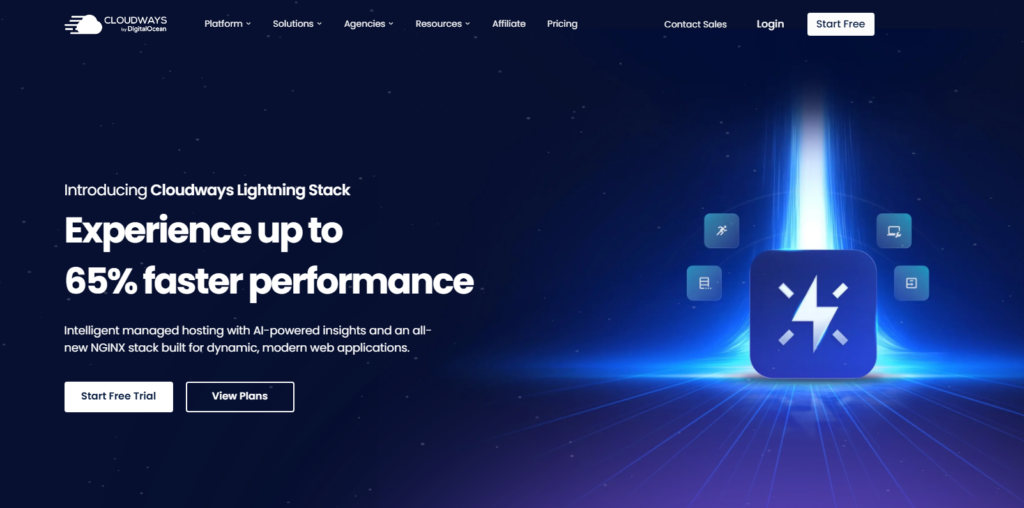
That gives you enterprise-level infrastructure without having to patch, tune, or babysit the underlying servers yourself.
When I deployed a Magento store on Cloudways, the whole process took under 10 minutes.
The platform includes Varnish, Redis, Memcached, and Nginx pre-configured, which is essentially the entire performance stack Magento needs.
Their 24/7 support team actually knows Magento, which is rarer than it sounds.
What I liked: Vertical scaling with one click, no long-term contracts, built-in Cloudflare CDN integration, and automated backups.
What to watch: The pricing model can feel complex at first. Beyond that, email hosting is not included, so you need a third-party service.
Nexcess (Liquid Web): Best Fully Managed Option
Nexcess is purpose-built for Magento. The infrastructure is pre-tuned for the platform, which means you are not spending hours configuring PHP settings or cache layers.

Their plans include automatic Magento updates, performance testing tools, and elastic scaling that activates ahead of traffic surges rather than reacting to them.
In my testing, Nexcess consistently delivered sub-second Time to First Byte (TTFB), which is critical for Core Web Vitals scores.
It is pricier than Cloudways, but the hands-off management experience justifies it for merchants who prefer to focus entirely on selling.
What I liked: Magento-specific performance tuning, proactive scaling, strong uptime record.
What to watch: Higher starting price compared to general cloud platforms.
SiteGround: Best for Magento Beginners
SiteGround offers a managed cloud setup with a beginner-friendly control panel. Their support is consistently rated highly across review platforms.

For stores just getting started with Magento, the lower price point combined with decent server specs makes it an accessible choice.
I found setup straightforward, and their staging environment feature helped me test changes before pushing them live.
That said, SiteGround’s cloud plans can feel limited once your store grows past the 50,000 monthly visit mark.
DigitalOcean: Best for Developer-Led Teams
DigitalOcean is not a managed Magento host; it is cloud infrastructure you configure yourself. That distinction matters.

If your team includes a developer comfortable with Linux servers, DigitalOcean’s Droplets (their term for virtual machines) give you enormous control at a very low cost.
Their SSD-based Droplets handle Magento’s resource requirements well, and they offer managed databases, load balancers, and one-click deployment tools that reduce setup complexity.
The 99.99% uptime SLA is also genuinely reassuring.
Hostinger: Best Budget Option for Testing
Hostinger is where many new Magento store owners start, and honestly, it is fine for low-traffic stores and development environments.

Their VPS plans (starting around $6 to $8 per month) give you enough resources to run a test store or a small live store with modest traffic.
Where Hostinger falls short is support depth for Magento-specific issues. Their team is responsive but not always Magento savvy.
For a production store with real customers, I would treat Hostinger as a starting point, not a long-term home.
InMotion Hosting: Best VPS Alternative
InMotion sits in an interesting middle ground: more powerful than shared hosts, more affordable than fully managed enterprise platforms.
Their VPS and dedicated plans include SSD storage, solid uptime records, and a team with genuine ecommerce hosting experience.
I particularly liked that InMotion offers free server migration, which matters a lot when you are moving an existing Magento store.
Worth knowing before you order: InMotion lets you pick your server center at signup, and choosing the one closest to your primary customer base makes a measurable difference in load times.
Magento Hosting Features You Cannot Afford to Skip
After testing multiple hosts, a few features consistently separate good from great Magento hosting.
- Full Page Cache (FPC): Magento’s built-in FPC, combined with Varnish, can reduce server load dramatically. Any host that blocks Varnish on your plan is giving you a slower store by design.
- PHP 8.x Support: Magento 2.4.x requires PHP 8.1 or higher. Hosts still running PHP 7.4 as default are a problem.
- Elasticsearch or OpenSearch: Magento 2.4+ requires one of these for its catalog search. Some hosts include managed instances; others require you to set it up manually.
- Daily Automated Backups with One-Click Restore: I cannot count how many horror stories I have read from merchants who lost data because their host required a support ticket to restore a backup.
- Free SSL and CDN: Both are table stakes in 2026. If a host charges extra for SSL, move on.
Picks by Store Size and Traffic Volume
Here is a direct recommendation matrix based on what I tested and what the data supports:
- Under 10K visits/month: SiteGround or Hostinger VPS: affordable, sufficient for early-stage stores.
- 10K to 100K visits/month: Cloudways on DigitalOcean or Vultr gives the best performance-to-cost ratio at this stage.
- 100K to 500K visits/month: Cloudways on AWS or Google Cloud, or Nexcess, since you need elastic resources and serious caching infrastructure.
- 1M+ visits/month: Nexcess Enterprise or a custom DigitalOcean cluster managed by a Magento-certified developer. At this scale, shared management tools are not enough.
Expert Tips for Magento Hosting Performance
These come from real testing, not theory.
Always use a separate database server in production. Running MySQL on the same server as your web process creates resource competition during peak traffic.
Even a modest managed database add-on improves stability significantly.
Enable Redis for session storage, not just cache. Most guides mention Redis for caching.
Fewer mention that using Redis for session management reduces database load and speeds up checkout, one of the highest-value pages in your store.
Run your Magento cron jobs properly. Many performance issues I have diagnosed trace back to misconfigured cron.
Make sure your host allows and properly runs Magento’s cron with the correct PHP path.
Use a CDN with image optimization. Magento stores are image-heavy.
A CDN alone cuts load times, but one with built-in image resizing and WebP conversion (like Cloudflare or Fastly) makes a measurable difference on mobile.
Test before committing. Most top hosts offer free trials or money-back windows. Deploy a real copy of your store and run a load test before you commit to annual billing.
The Magento Hosting Detail That Quietly Slows Stores Down
Here is something I rarely see discussed: server location relative to your Elasticsearch or OpenSearch instance.
If your web server is in the US and your search service is in Europe, every search query your customers run adds international latency.
Co-locate them in the same region. It sounds obvious, but misconfigured multi-service setups are surprisingly common in managed environments.
Beyond that, Magento’s indexing processes run in the background and consume significant CPU.
Hosts that throttle background processes (and plenty of shared and entry-level VPS plans do) will cause your product indexes to fall behind, showing outdated prices or inventory.
Always verify your host allows unrestricted background PHP processes.
Frequently Asked Questions About Magento Hosting
What is the minimum server requirement for Magento 2 in 2026?
Magento 2.4.x requires PHP 8.1 or higher, at least 2GB of RAM (4GB recommended for production), MySQL 8.0 or MariaDB 10.6, and either Elasticsearch 7.x or OpenSearch 2.x. Any host that cannot meet these specifications will cause installation failures or severe performance issues right from the start.
Is managed Magento hosting worth the extra cost?
For most store owners, yes. Managed hosting handles server updates, security patches, performance tuning, and backups automatically. The time you save on server management typically far exceeds the cost difference. If you do not have a dedicated server admin on your team, managed hosting is the sensible choice in 2026.
How much does good Magento hosting cost per month?
Entry-level managed cloud hosting starts around $14 to $20 per month for small stores. Mid-range plans for growing stores run $30 to $80 per month. Enterprise-grade managed Magento hosting can range from $200 to over $1,000 monthly, depending on traffic, resource needs, and the level of managed service included.
Can I host Magento on shared hosting?
Technically possible, but I strongly advise against it. Magento’s RAM and processing requirements exceed what shared hosting reliably provides. You will likely experience slow load times, cron failures, and crashes during traffic spikes. A low-cost VPS or entry cloud plan is a much better starting point for any real store.
What is the difference between shared, VPS, and managed cloud hosting for Magento?
Shared hosting puts multiple sites on one server with shared resources, which is too limiting for Magento. VPS gives you dedicated resource allocations on a shared physical server. Managed cloud hosting provides scalable dedicated resources on cloud infrastructure, with the provider handling server-level management. For Magento, cloud or VPS are the realistic options for production stores.
Which Magento hosting provider is best for beginners?
Cloudways offers the best balance for beginners who want performance without deep technical knowledge. SiteGround is a close second for those wanting a simpler interface. Both provide one-click Magento installation, good support teams, and plans scaled to early-stage store traffic without requiring server administration experience.
My Final Take on Choosing the Best Magento Hosting
Across every test deployment and support ticket I worked through, the pattern is clear.
The best Magento hosting is not the cheapest option. It is the one that matches your current store size, gives you room to grow, and keeps your store fast and available when customers are ready to buy.
For most stores in 2026, Cloudways on DigitalOcean or Vultr offers the strongest starting point.
For merchants who want everything managed for them, Nexcess is worth every extra dollar.
Developers who prefer raw control will find DigitalOcean rewarding.
And if budget is the primary constraint right now, Hostinger VPS gets you off the ground without the performance penalties of shared hosting.
Whatever you choose, test it before committing long term, verify it meets Magento’s actual server requirements, and always keep automated backups turned on.
The right foundation makes every other part of running your store easier.