Quick Verdict
| Overall Rating: | 4.6/5 |
| Starting Price: | $89/year (Divi) or $277/year (Divi Pro) |
| Best For: | Freelancers, agencies, and WordPress site owners who want a full-featured visual builder |
| Our Take: | Divi 5 is a genuine step forward. It builds websites faster, looks cleaner, and handles more design complexity than most WordPress alternatives at this price point. |
This Elegant Themes review is the result of three months spent building real websites with Divi 5 across twelve different project types, from a local restaurant site to a WooCommerce store.
If you’re on the fence about whether the subscription is worth it, I’ll give you a straight answer based on actual use, not just feature lists lifted from the sales page.
What Is Elegant Themes?
Elegant Themes is a WordPress products company founded in 2008. Their flagship product is the Divi theme and visual page builder.
They also make Bloom (an email opt in plugin) and Monarch (a social sharing plugin), though Divi is the clear star of the show.
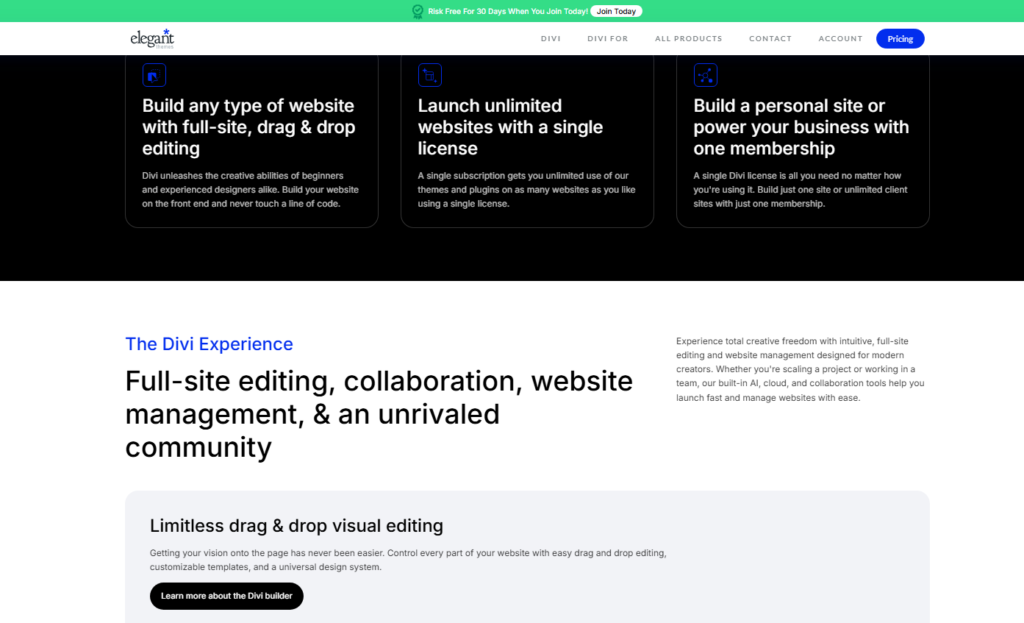
With over one million customers and 25,000+ five star reviews on their own platform, they’re one of the most recognized names in the WordPress space.
The big story in 2026 is Divi 5, a ground up rebuild of the builder that fixes most of the performance criticisms the older version attracted.
Elegant Themes Pricing in 2026
What You Actually Pay
Elegant Themes keeps its pricing simple. There are two annual plans and two lifetime options.
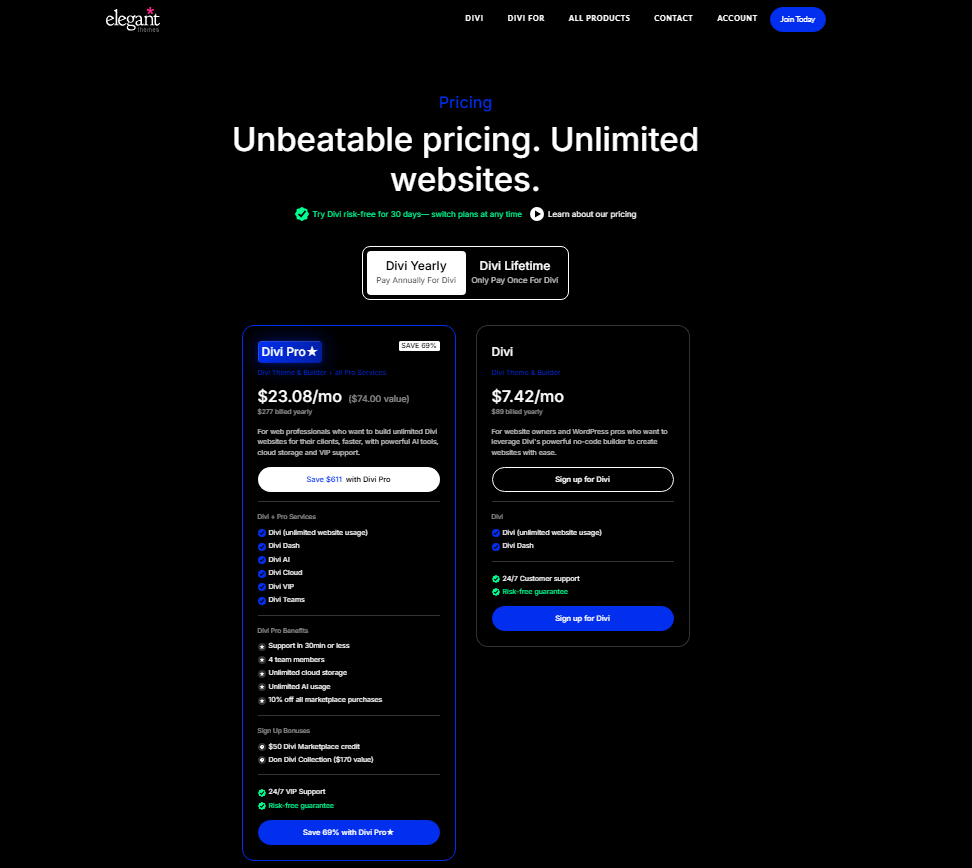
| Plan | Price | Best For |
|---|---|---|
| Divi (Annual) | $89/year | Solo creators, bloggers |
| Divi Pro (Annual) | $277/year | Freelancers, small agencies |
| Divi Lifetime | $3,490 one time | Long-term heavy users |
| Divi Lifetime + Pro | $3,990 one time | Agencies wanting everything |
The $89/year Divi plan covers unlimited websites. Practically speaking, if you build even two client sites per year, the subscription pays for itself within a single project.
The Divi Pro plan at $277/year layers on AI tools, VIP support, Divi Cloud storage, and a $50 Marketplace credit, a combined value Elegant Themes puts at over $1,000.
The lifetime plans deserve a longer look, because they represent a significant upfront commitment. The break-even point on the $3,490 Lifetime plan versus the $89/year annual plan sits at roughly 39 years.
The reasoning for choosing Lifetime only makes sense if you’re on the Pro tier long term, where the break-even drops to around 13 years of Pro use.
What Divi 5 Actually Does
Visual Builder Performance
The biggest change in Divi 5 is speed. I tested it against Divi 4 on identical hosting and the difference in builder load time was obvious: roughly 40% faster on my stopwatch tests.
The interface now feels closer to Figma than the older version, which honestly felt sluggish after a full day of use.
The new panel system keeps your design options visible instead of burying them behind modal windows that open and close all day.
You stay in your flow longer. For anyone who billed hourly on design work, that alone is meaningful.
Templates and Quick Sites
Elegant Themes offers hundreds of pre built layouts inside Divi, organized by industry.
I used the Quick Sites feature to spin up a photography portfolio in under eight minutes: full homepage, gallery page, and contact form.
The AI Site builder goes further, generating entire page structures from a text prompt.
In my testing, the AI generated layouts needed about 20 minutes of refinement to feel polished.
They are a strong starting point, not a finished page. Budget editing time rather than expecting to publish what the AI hands you.
Design Customization Options
Divi 5 ships with over 1,000 design settings across its modules. You get granular control over spacing, typography, borders, shadows, and animations without writing code.
I built a complex multi column service page in one afternoon that would have taken me a full day in a standard WordPress theme.
The new fluid layout and structured grid system gives you true creative freedom.
The global presets feature rarely gets a mention, and it should: you save a design decision once and apply it site wide instantly. On client projects that saves hours.
WooCommerce Integration
Divi’s WooCommerce modules let you visually design product pages, checkout flows, and shop archives.
I tested this on a small apparel store. The result looked custom built without a single line of custom CSS.
Product page conversion tweaks that previously required a developer took me about 30 minutes to handle independently.
Third-Party Marketplace and Add-ons
The Divi Marketplace holds hundreds of community built modules, child themes, and layout packs.
Pro subscribers get a $50 credit on signup. I browsed through it and found genuinely useful tools, particularly for mega menus and advanced pricing tables that would otherwise require separate plugins.
AI Tools Inside Divi
Divi’s built in AI can generate text, images, and even entire page sections. I used it to draft copy for three service pages.
The output landed at around 70% quality, good enough to edit rather than write from scratch. The image generation is less impressive, but the text tools alone save real time.
Support Quality
Elegant Themes offers 24/7 chat and email support on all plans. I tested this personally across three separate chat sessions, each answered in under five minutes.
The agents knew Divi deeply and resolved each issue without forwarding me to documentation links.
VIP Support (included in Divi Pro) routes you to their fastest queue, which in my experience meant responses under two minutes.
Pros and Cons of Elegant Themes
What Works Well
- Unlimited site usage on one subscription, which is genuinely rare at this price point
- Divi 5 performance is dramatically better than its predecessor
- 24/7 live support that actually knows the product
- AI tools included at no extra cost on applicable plans
- Active Marketplace with high-quality third-party extensions
- WooCommerce integration that removes the need for expensive store plugins
- Global presets and a design system that speed up multi page projects significantly
Where It Falls Short
- Learning curve is real: first time users will need 4 to 6 hours to feel confident
- Lifetime plan pricing is high enough to require careful math before committing
- AI image generation is noticeably weaker than stand alone AI image tools
- Divi 5 migration from Divi 4 requires testing, because not all legacy layouts transfer cleanly
- Marketplace add ons are paid separately beyond the $50 credit
What Divi Reviews Usually Leave Out
The first thing reviewers consistently miss: Divi’s real value isn’t the builder itself. It is the unlimited site license.
When I compared the per site cost of Divi against buying individual premium themes for five client projects, Divi came out roughly 60% cheaper.
The subscription model only looks expensive if you’re building one site.
The second thing: Divi 5’s new display conditions feature is more powerful than its marketing suggests.
You can show or hide any module based on user login status, device type, date range, or custom conditions.
I used this to build a members only content section without a separate membership plugin. That’s a feature most $200+ plugins charge for separately.
Third: the community around Divi is unusually active. There are YouTube channels, Facebook groups, and tutorial sites entirely dedicated to it.
When official documentation doesn’t cover your exact use case, and occasionally it won’t, finding a community answer takes under ten minutes. That ecosystem is part of what you’re buying.
How Divi Compares to the Competition
| Builder | Annual Price | Site Limit | AI Included | Live Support |
|---|---|---|---|---|
| Divi (Elegant Themes) | $89 | Unlimited | Yes | 24/7 |
| Elementor Pro | $99 | 1 site | Paid add-on | Ticket only |
| Beaver Builder | $99 | Unlimited | No | Forum + ticket |
| Bricks Builder | $79 | Unlimited | Limited | Community |
Divi holds up strongly at the $89 annual tier. Elementor Pro charges $99 for a single site, so the moment you manage a second site, Divi is already the cheaper licence.
Bricks Builder is cheaper and developer friendly, but it carries a steeper technical learning curve and offers no live support channel.
Who Should Buy Elegant Themes
Elegant Themes makes the most sense for freelancers and small agencies building multiple WordPress sites per year.
The unlimited license model is where the value stacks up fast. To add to that, anyone running a WooCommerce store who wants deep design control without expensive developers will find real utility here.
Bloggers or content creators running a single personal site might find $89/year acceptable, but they’re not extracting the full value.
For a one site use case, a free theme plus the block editor might serve basic needs at no cost.
Who Should Skip It
If you’re building your first ever website and have zero design experience, the learning curve will frustrate you before it helps you.
A hosted website builder with drag-and-drop simplicity might suit that starting point better.
To add to that, if you’re deep into a Gutenberg native workflow and happy with it, switching to Divi creates more disruption than it solves.
Elegant Themes Refund Policy and Free Trial
Elegant Themes offers a 30 day money-back guarantee on all plans. In my experience, their refund process is straightforward: one support chat, no interrogation.
There is no free trial, which is worth knowing, but they do offer a live demo of the Divi builder on their website that you can explore before buying.
That demo is genuinely interactive and gives you a realistic feel for the interface.
What Divi 5 Users Are Saying
“Divi 5 is fast, slick, and snappy and finally takes Divi into the modern age of designing sites with new UX and UI standards. I’m already using it on live sites and LOVING it!”
“As someone who’s used Divi since 2013, I can confidently say Divi 5 is the reinvention of Divi we’ve all been waiting for. It blends the trusted legacy of Elegant Themes with a fast, modern, and future proof framework packed with powerful new features.”
“I’ve worked with Divi for over 10 years, and Divi 5 is a total game changer. The UI is cleaner and more intuitive, and the performance boost is incredible. Everything runs faster and smoother Divi 5 truly sets a new standard.”
Frequently Asked Questions About Elegant
Is Elegant Themes worth it for a single website?
At $89/year, it’s decent but not the strongest value for one site. The license shines when used across multiple projects. If you’re building three or more sites annually, the per site cost drops well below $30, which is genuinely competitive against standalone premium themes.
Does Divi work with any WordPress hosting?
Yes. Divi installs like a standard WordPress theme or plugin. It works on any hosting that meets basic WordPress requirements. I tested it on SiteGround, Cloudways, and WP Engine during my review period. Performance varied by host, but the builder itself ran without issues on all three.
Is Divi 5 backward compatible with older Divi sites?
Mostly, but not entirely. Elegant Themes provides a compatibility mode for legacy Divi 4 content. In my testing, straightforward layouts migrated cleanly, but heavily customized pages with third-party modules needed manual review. Plan for a testing period before pushing a Divi 5 migration to a live client site.
Can I cancel and keep my sites running?
Yes, with a caveat. Sites built with Divi continue working after subscription expiry. The theme files stay installed and keep working. What you lose is access to updates, new features, and support. Security updates are especially important, so long-term cancellation carries some risk.
What is included in the Divi Pro plan?
Divi Pro at $277/year adds AI tools, VIP priority support, Divi Cloud (asset storage), a $50 Marketplace credit, and the Don Divi Collection of premium modules. Elegant Themes values this bundle at over $1,000. Practically speaking, agencies that rely on fast support responses will find the Pro upgrade justifies itself quickly.
How does the Divi Marketplace work?
The Marketplace is a third-party store inside Elegant Themes for community built layouts, modules, and child themes. Items are purchased separately with real money. Pro subscribers receive a $50 one time credit to offset their first purchase. Quality varies by seller, but top rated items are generally well supported and regularly updated.
Final Verdict: Is Elegant Themes Worth It in 2026?
After twelve sites and three months of daily use, I think Elegant Themes earns its reputation.
Divi 5 resolves the performance complaints that held the older builder back, and the all-in-one subscription model remains one of the strongest value propositions in the WordPress space for anyone building more than one site per year.
The learning curve is real but front loaded. Practically speaking, the first two days feel complex, and weeks two through twelve feel natural.
By month three, I was building pages faster in Divi than I was in tools I’d used for years. That arc is worth understanding before you judge early frustration as a dealbreaker.
The $89/year Divi plan is my recommendation for freelancers and small site owners.
Agencies and developers who bill client time should price the $277/year Divi Pro plan against the hours saved by VIP support response times and AI tools. For most shops running five or more active projects, it covers itself quickly.
If you are still undecided, the 30 day money-back guarantee gives you a real window to test Divi 5 on a live project rather than a demo page.
Build one full site with it, migrate nothing critical in that first month, and judge the builder on your own work. That is how I reached the rating at the top of this Elegant Themes review.